

Upgrading to a thermostat that talks to your Google Home setup sounds simple until you hit the wiring stage and the app store. Compatibility hinges on three things: your HVAC voltage (low-voltage vs. 240V baseboard), your existing C-wire, and whether the model exposes a public Google Home integration. A wrong call on any of them can leave you with a brick on the wall. This list pairs smart thermostats that pair cleanly with Google Home alongside the conventional wall units contractors still lean on for replacement jobs and outbuildings.
The Choices Worth Comparing
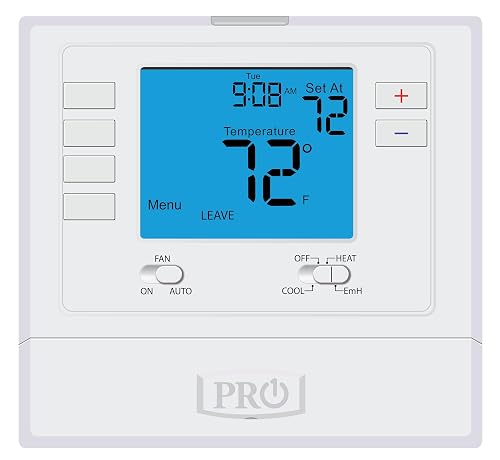
PRO1 T725 Programmable Digital Wall Thermostat

PRO1 T771 Single Stage Wall Thermostat
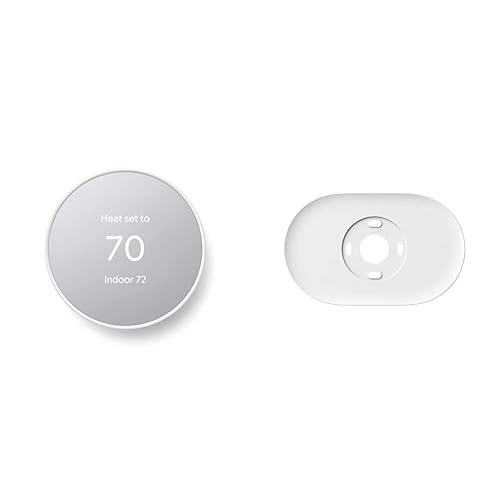
Google Nest Thermostat (Snow)
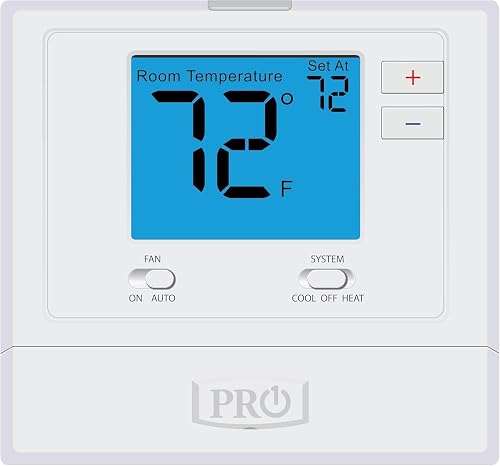
PRO1 T701 Single Stage Wall Thermostat

PRO1 T715 Multi-Stage Programmable Thermostat
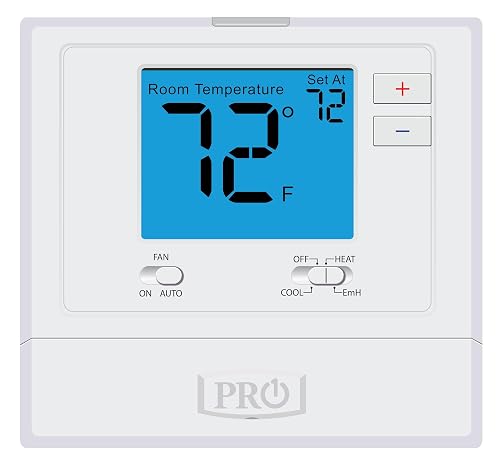
PRO1 T721 Heat Pump Wall Thermostat
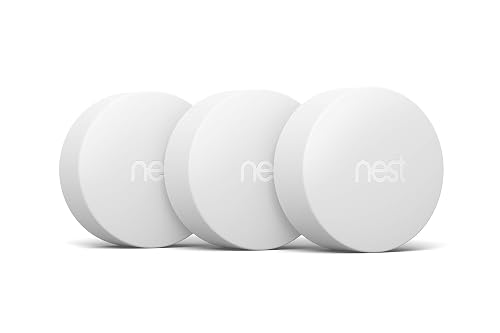
Google Nest Temperature Sensor 3-Pack

Mysa Smart Thermostat for Electric Baseboards
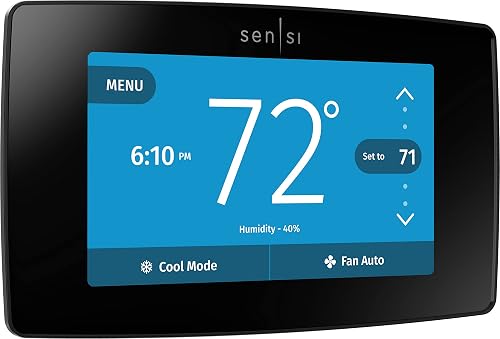
Sensi Touch ST75 Smart Thermostat (Black)

PRO1 T805 Single Stage Programmable Thermostat
Why These Options Stand Out
The PRO1 T725 lives in that awkward middle ground between a basic wall stat and a full smart thermostat, and it pulls that role off well. It supports both 2 heat/1 cool heat pump setups and 1 heat/1 cool conventional systems, which makes it a sensible pick when you’re unsure which HVAC family your home actually runs on. The 4 sq. in. blue backlit screen reads clearly across a dim hallway.
Programmable scheduling on a 7-day or 5/1/1 cycle gives you real weekday-versus-weekend control without an app dependency. You won’t get Google Home voice commands here, but if your renovation or rental needs a reliable wall unit that contractors trust, the T725 covers the bases.
What Helps Most
- Flexible HVAC compatibility across heat pump and conventional systems in one unit.
- 7-day or 5/1/1 programming adapts to a typical two-adult work schedule.
- Large backlit display readable from across a living room.
- Sits on the proven T700 platform, which installers tend to know.
Worth Noting
- No Wi-Fi or smart-home integration, so you cannot pull it into a Google Home routine.
- You may find the older interface less intuitive than a touchscreen model like the Sensi Touch ST75.
Whose Shelf It Belongs On
Homeowners with mixed heat pump and conventional equipment who want dependable scheduling without smart features.
Look Elsewhere When
Voice control through Google Home is the priority, in which case the Google Nest Thermostat fits the bill cleanly.
The T771 is the one to grab when you want a stat that just controls temperature and gets out of the way. Its setpoint range stretches from 25°F up to 90°F, which is unusually wide and makes it useful for garages, sheds, and other outbuildings where a normal residential stat would bottom out too early. The 4 sq. in. blue backlit display keeps things readable at a glance.
It handles single-stage conventional systems, so it’s a clean replacement for a basic furnace-only setup. There’s no app, no scheduling, and no smart-home hook, which is actually the appeal for a workshop wall where Wi-Fi may not reach.
Standout Benefits
- Extra-wide 25°F to 90°F setpoint range suits unheated or partially heated zones.
- Simple up-down operation requires almost no learning curve.
- Sturdy backlit screen readable in low workshop light.
Trade Offs
- No scheduling means you adjust the temp manually each time.
- Not a smart unit, so adding it to Google Home routines isn’t an option.
Feature Snapshot
Who Should Grab It
Workshop owners, garage tinkerers, and shed renovators who need a wide-temperature-range wall unit.
Reach For A Different Pick When
You want Google Home voice control, which only the smart thermostats on this list offer.
If you specifically searched for thermostats that work with Google Home, this is the natural anchor of the list. The Nest Thermostat pairs directly inside the Google Home app on Android or iPhone, so voice control through a Nest speaker or phone works without extra bridges. It also includes a trim plate and a steel plate for over-the-box installs, which solves the most common mounting complaint.
Schedules live in the app, and the unit itself auto-adjusts when it senses you have left, which can trim run time in an empty house. Compared to the conventional PRO1 T725 above, the trade is clear: you give up a manual wall experience and pick up remote control, learning behavior, and tighter scheduling.
Notable Gains
- Direct Google Home integration means voice commands and routines work out of the box.
- Auto-away detection can lower heating or cooling when no one’s home.
- Included trim and steel plates cover most retrofit wall situations.
- Snow finish blends into neutral paint palettes in modern homes.
Things To Consider
- Requires a C-wire or compatible power accessory in many older homes.
- App dependency may frustrate users who prefer a tactile wall stat.
Feature Card
Made For
Any household already running Google Home speakers that wants the thermostat to feel like a native part of that setup.
A Better Fit Elsewhere
Electric baseboard owners need the Mysa Smart Thermostat instead, since this Nest model is low-voltage only.
The T701 is a refreshingly simple stat that solves the “I just want to replace the broken one on the wall” problem. It’s non-programmable, so the only learning curve is figuring out the two buttons. The glow-in-the-dark light button is a small but practical touch when you’re stumbling down a hallway at 2 a.m.
It’s built on the T700 platform and pairs with gas or electric conventional systems. Compared to the programmable T725, this model skips schedules entirely. For an older relative’s house or a first apartment, that simplicity is a feature rather than a flaw.
Good Reasons To Consider
- Two-button operation keeps setup time to a few minutes for a first-time installer.
- Glow-in-the-dark button helps in power-outage or low-light moments.
- Works with both gas and electric conventional systems.
- Compact footprint fits older wall boxes without adapter plates.
Small Caveats
- No scheduling means manual setpoint changes for day-night swings.
- No Wi-Fi, so it won’t show up in a Google Home device list.
Right Fit For
First-time DIYers or anyone replacing a wall thermostat without needing app-based control.
Skip It When
You want voice-driven routines, where the Sensi Touch ST75 or Google Nest Thermostat serves you better.
Multi-stage HVAC systems have more moving parts, and you can’t just toss a single-stage stat on the wall. The T715 handles 2 heat/2 cool gas setups with 7-day, 5/1/1, or non-programmable modes, which gives an installer room to match whatever schedule your family actually keeps. The T700 platform underpins it, so the menu structure feels familiar if you’ve worked with PRO1’s T725.
The blue backlit display stays visible during low-light adjustments, and the glow-in-the-dark light button keeps the controls findable in a power-out moment. This is a contractor-grade stat, not a smart-home unit, so it’s aimed at homes where reliability beats app integration.
The Upside
- Supports true 2 heat/2 cool multi-stage systems for two-stage furnaces.
- Three scheduling modes cover anything from rigid weekdays to set-and-forget operation.
- Glow-in-the-dark button offers nighttime usability.
Honest Caveats
- Programming depth requires a careful read of the manual for first-time setup.
- No Wi-Fi means no Google Home pairing or remote app control.
Who It Suits Best
Homes with two-stage gas furnaces where scheduling flexibility matters more than voice control.
Another Choice May Suit
If your system is single-stage, the PRO1 T701 keeps the install simpler and the price lower.
The T721 is a useful middle child between the heat-pump-focused T725 and the conventional-only T701. It works with 2 heat/1 cool heat pump setups or 1 heat/1 cool conventional systems, which makes it a flexible replacement when you aren’t 100 percent sure what’s behind the wall plate. The 4 sq. in. backlit screen mirrors the T700 family design.
It’s non-programmable, so owners who want “set it and forget it” get a clean experience. The glow-in-the-dark light button helps in those middle-of-the-night adjustments. For households running Google Home elsewhere in the house, this stays a manual unit on the wall.
Points In Its Favor
- Dual-system compatibility reduces guesswork at install time.
- Simple manual interface works well for users who dislike touchscreens.
- AA battery option avoids the C-wire debate in older homes.
Things To Weigh
- No schedules means you adjust the setpoint manually across the day.
- No smart-home integration, so it won’t appear in the Google Home app.
Built With In Mind
Replacement projects where the existing wiring could be either heat pump or conventional, and the budget favors simplicity.
Swap It Out When
Voice control matters to you, in which case the Mysa Smart Thermostat covers high-voltage Google Home pairing better.
The Nest Temperature Sensor is the accessory that turns a single-room thermostat into something closer to a multi-zone system. The 3-count pack gives you one for a living area, one for a nursery, and one for a basement playroom, all reporting back to a compatible Nest thermostat over Bluetooth up to about 50 feet away.
You place each sensor in the room you actually care about, and the compatible Nest thermostat prioritizes that reading. It’s not a thermostat on its own, so it only makes sense as an add-on to the Nest Thermostat above. For families with hot-cold room imbalances, it’s a real comfort upgrade.
Everyday Perks
- Three sensors in one pack covers the most common priority rooms.
- Bluetooth-only setup avoids extra hubs or wiring.
- Helps a Nest thermostat prioritize the room you actually sleep in.
Where It May Fall Short
- Requires a compatible Nest thermostat, otherwise the sensors do nothing.
- Some users find the 50-foot Bluetooth range tight in larger multi-story homes.
Feature Snapshot
Perfect Match For
Two-story homes and nurseries where one thermostat can’t read every priority room accurately.
Not Your Match When
You don’t own a Nest thermostat yet, since the sensors need one to function.
Mysa fills a real gap on this list: 240V electric baseboard heaters. Most smart thermostats are low-voltage only, which makes them useless for older condos and homes with line-voltage heat. The Mysa supports 120-240V electric baseboards and fan-forced heaters, with load limits up to 1900W at 120V or 3800W at 240V.
It pairs with HomeKit, Alexa, and Google Home, so it’s a direct answer to the title question for high-voltage homes. You do need at least four wires including a neutral or a second live wire, so older two-wire installs may require a wiring check before you commit.
Everyday Advantages
- One of the few smart thermostats that handles 240V baseboard heat.
- Works with HomeKit, Alexa, and Google Home for flexible voice ecosystems.
- Free companion app supports schedules, temperature, and humidity alerts.
- Slim wall footprint suits modern minimalist interiors.
Things To Weigh Up
- Not compatible with low-voltage or two-wire installations, which rules out many older homes.
- Requires a neutral or second live wire, so a wiring check is essential before purchase.
Best Suited To
Older condos, townhomes, and additions with 240V electric baseboard heat that want Google Home voice control.
Skip It When
Your home runs a low-voltage central furnace, since the Google Nest Thermostat is the simpler match there.
The Sensi Touch ST75 leans hard into the app-first lifestyle, but it keeps a real color touchscreen on the wall so you aren’t reaching for your phone every time. It works with Alexa and integrates with Google Home for voice commands, and the underlying app supports scheduling from your phone.
Emerson’s HVAC heritage shows up in the data-privacy framing and the DIY install path. A C-wire is required, so older homes without one will need a power accessory before the unit powers on cleanly. The black finish gives it a modern look against light walls.
Bright Spots
- Full-color touchscreen makes manual adjustments feel quick and modern.
- Strong app-based scheduling for whole-week planning.
- Data-privacy focused approach if you’re wary of cloud-connected hardware.
- Works with both Alexa and Google Home voice assistants.
Trade-Offs To Consider
- C-wire required, which means older homes may need extra wiring work.
- Stock availability has fluctuated, so check current listings before committing.
Feature Snapshot
Who Will Love This
App-first homeowners with modern HVAC wiring who want a premium touchscreen alongside Google Home voice control.
Consider Something Else When
You live in an older home without a C-wire, where the Google Nest Thermostat may be easier to install.
The T805 takes the proven T700-family layout and stretches the screen to a generous 7 sq. in., which is one of the largest backlit displays in this lineup. For users who keep the thermostat at the far end of a long hallway, the larger readout reduces squinting. It supports 1 heat/1 cool conventional systems with 7-day, 5/1/1, or non-programmable modes.
The glow-in-the-dark light button helps during late-night adjustments, and the T800 platform design keeps the menu structure approachable. It’s another manual wall stat rather than a smart-home unit, so Google Home pairing isn’t part of the deal here.
What Stands Out
- Extra-large 7 sq. in. backlit display readable from across a room.
- Three scheduling modes give flexibility for shifting routines.
- Glow-in-the-dark button makes nighttime operation easier.
Potential Sticking Points
- No Wi-Fi, so it won’t sync with Google Home routines.
- Bulkier footprint may not fit every existing wall plate without an adapter.
Right Fit For
Owners with older eyes or long hallways who want a clearer read on a basic conventional system.
A Better Fit Elsewhere
Smart-home households should default to the Sensi Touch ST75 or the Google Nest Thermostat instead.
What To Match Before You Choose A Thermostat
System voltage is the first filter. Low-voltage central HVAC (most US homes) opens the door to smart thermostats like the Google Nest Thermostat and Sensi Touch ST75, while 240V electric baseboard heat narrows the field to high-voltage-ready picks like the Mysa. A C-wire (common wire) matters just as much, because most Wi-Fi thermostats need continuous power, and older homes may need a power accessory before install.
HVAC stage count and system type sit next on the checklist. A single-stage conventional furnace is friendlier to swap than a 2 heat/2 cool multi-stage system, which is why the PRO1 T715 and T725 exist as dedicated replacements. If your HVAC tech labels the wiring as heat pump or conventional, that label points you toward PRO1’s T721 or T725 family.
Smart-home fit comes after the hardware passes. Google Home pairs natively with Nest, works with Sensi Touch, and integrates with Mysa for high-voltage homes. If you only need a manual wall replacement, the PRO1 family offers scheduling without app dependency. For multi-zone comfort, the Nest Temperature Sensor 3-pack layers room-level control on top of a compatible Nest thermostat.
Finally, think about the user on the wall. A first apartment or a relative’s house benefits from the PRO1 T701’s simple two-button layout. A workshop wall calls for the T771’s wide setpoint range. A main living space where the thermostat doubles as a design element tends to favor the Nest or Sensi Touch finishes.
Key Considerations Across These Picks
Common Shopping Slip Ups
The most common mistake is buying a low-voltage smart thermostat for a 240V baseboard system, which simply won’t work without an adapter that doesn’t really exist. The flip side is just as costly: ordering a high-voltage stat like the Mysa for a standard central furnace, where you’d lose features and overpay for capabilities you can’t use. Match the stat to the wiring first, then think about app features.
When Paying More Pays Off
Spending up on a smart thermostat earns its keep when you actually use the scheduling, geofencing, and voice routines. For a vacation property or a rarely-visited garage, a budget PRO1 stat delivers the temperature control without the connected features you wouldn’t touch. The upgrade is worth it for daily-use living spaces, less so for part-time zones.
Frequently Asked Questions
Do all smart thermostats work with Google Home?
No. Native pairing with Google Home is strongest on Google Nest thermostats. Other brands like Mysa and Sensi Touch integrate through the Google Home app, while conventional PRO1 wall stats do not connect at all. Always check the product page for explicit Google Home support before buying.
Will my existing thermostat wiring work with a new smart thermostat?
Most US homes have low-voltage wiring (the typical 24V setup) and will work after a C-wire check. Some smart thermostats require a C-wire for continuous power, and older homes without one may need a power accessory or adapter kit. High-voltage 240V baseboards need a different category of stat entirely.
Can I install a smart thermostat myself?
Many smart thermostats like the Sensi Touch and Google Nest are designed for DIY install with step-by-step app instructions. You do need to safely turn off the breaker and label your wires before swapping. If your existing wiring is unfamiliar or unlabeled, a quick HVAC tech visit saves headaches.
Do temperature sensors replace a thermostat?
No. Sensors like the Google Nest Temperature Sensor 3-pack work alongside a compatible Nest thermostat, telling it which room to prioritize. They don’t run the HVAC on their own, so they only make sense once a primary thermostat is already in place.
What’s the difference between programmable and non-programmable?
Programmable thermostats let you set automatic temperature schedules by day or time block. Non-programmable models require you to manually adjust the setpoint as needed. Programmable units cost slightly more and save energy over time, while non-programmable units tend to be simpler for users who just want one setpoint all day.
Wrap Up
The right thermostat depends less on brand loyalty and more on your wiring, your HVAC stage count, and how much you actually want to use your phone or voice for adjustments. Pick the system category first, then narrow by smart-home fit, and you’ll land on a stat that does what you need without paying for features you’ll never touch.


