

Heating and cooling eats through a big slice of most home energy bills, and the wall unit you forgot about three years ago probably isn’t doing you any favors. A connected thermostat lets you nudge the temperature from your phone, build a real schedule, and stop conditioning rooms nobody’s sitting in. The picks below mix app-driven smarts with simple programmable wall units, so you can match the level of connectivity to your actual routine.
Your Options, Compared
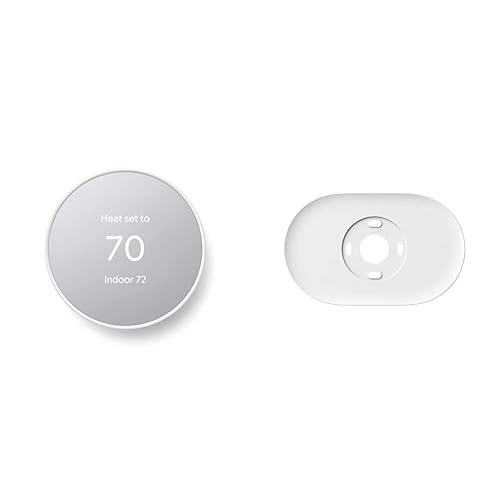
Google Nest Thermostat (Snow) with Trim Kit

Orbit Clear Comfort Programmable Thermostat 83521
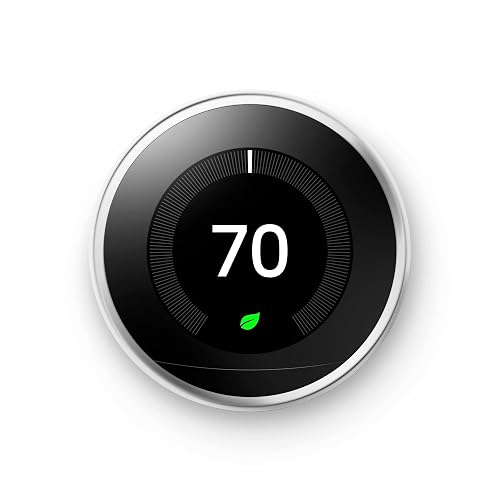
Google Nest Learning Thermostat (Polished Steel)
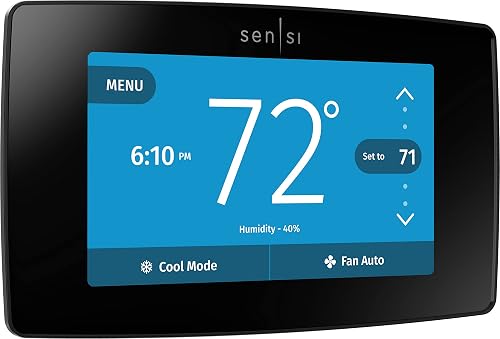
Sensi Touch ST75 Smart Thermostat (Black)
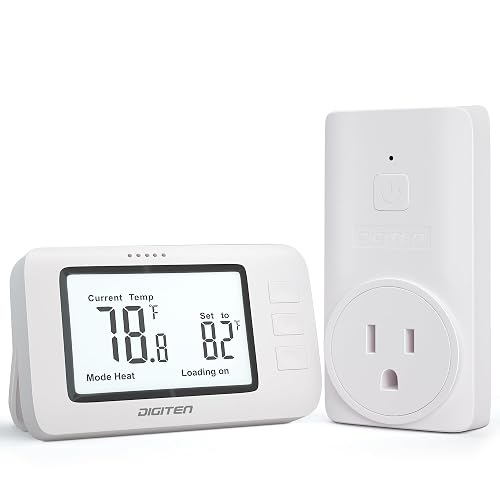
DIGITEN WTC100 Pro Wireless Thermostat
Honeywell Home 7 Day Programmable Touchscreen Thermostat

Google Nest Learning Thermostat 4th Gen (Silver)
Honeywell Home X2S Smart Wi-Fi Thermostat
Sensi ST55 Smart Thermostat (Wi-Fi)
Meet The Standout Selections
The Google Nest Thermostat is the most approachable entry point in this roundup, and the included trim kit solves the age-old problem of an oversized hole in the wall. The Snow finish reads modern without being shouty, and the whole unit feels like something designed to live with your phone rather than fight it.
Set-up happens in the Google Home app on Android or iPhone, and the system can drop into a lower energy mode when nobody’s home. ENERGY STAR certification means the efficiency claims aren’t just marketing. You may find the lack of a learning function a step down from the older Nest Learning model, but most households will never miss it.
Where It Excels
- App-driven scheduling through Google Home on both Android and iPhone
- Auto-drops to an energy-saving temperature when the house empties
- ENERGY STAR rating for verified efficiency gains
- Trim plate covers the scars left by an older thermostat
- Steel plate helps when mounting over an existing electrical box
Things To Consider
- Doesn’t learn your routine the way the Nest Learning Thermostat does
- Trim kit is helpful only when you actually need it
Key Specs
Who It Suits Best
First-time smart thermostat owners and renters who want app control without a steep learning curve.
Consider Something Else When
Households that want a thermostat which programs itself will do better with the Google Nest Learning Thermostat further down this list.
Not everyone wants to install an app, hand over data, or rely on cloud services just to set a seven-day schedule. The Orbit Clear Comfort sits firmly on the side of offline control, and the large display makes it easy to read across the room.
It supports full 7-day programming with up to four periods per day, which covers the typical weekday and weekend split without much fuss. There’s no Wi-Fi module, no phone app, and no learning algorithm. For a workshop, a garage conversion, or a guest house, that’s a feature, not a drawback.
A Few Strong Suits
- Big, readable display that’s easy on aging eyes
- Full week of programming with four periods per day
- No app, account, or Wi-Fi network required
Honest Caveats
- No remote control from your phone, by design
- Plain white plastic won’t win any design awards
- Programming can feel old-school if you’re used to tap-and-drag apps
Made For
Households that want a real weekly schedule on a wall unit without paying for connectivity they don’t need.
Reach For A Different Pick When
Anyone who wants to nudge the temperature from the office will do better with the Honeywell Home X2S Smart Wi-Fi Thermostat further down.
The polished steel Nest Learning Thermostat sits a clear step above the basic Google Nest model. The big draw is the learning engine, which watches how you adjust the temperature and starts building a schedule on your behalf.
Home/Away Assist nudges the system toward an Eco temperature when your phone leaves the house, and you can pull up Energy History right in the app. The HVAC monitoring feature sends a heads-up if something looks off, which is genuinely useful for catching a dying blower motor before it strands you in the cold.
Bright Spots
- Learns your routine and programs itself after a week or two of use
- Remote control from your phone, laptop, or tablet over Wi-Fi
- Energy History shows when and why your system ran
- Alerts for unusual HVAC behavior plus maintenance reminders
Things To Weigh
- Costs more than the basic Google Nest Thermostat on the wall
- Learning takes patience, and edits through the dial feel slow at first
- Heavier reliance on Google’s cloud than some shoppers prefer
Quick Facts
Best Suited To
Households that want a thermostat to do the thinking for them and don’t mind giving it a few weeks of data first.
Look Elsewhere When
Multi-room homes that need a remote sensor will do better with the Google Nest Learning Thermostat 4th Gen on this list.
The Sensi Touch leans into the touchscreen-first design that made earlier Sensi models popular. The color display gives the wall a focal point rather than another beige rectangle, and the Sensi mobile app has built a reputation for being straightforward.
Emerson’s HVAC background shows up in the install process, which is genuinely friendly for anyone comfortable with a screwdriver. The trade-off is a C-wire requirement, which rules out some older homes unless you run an extra conductor. For most modern systems, the wiring is already there.
What Makes Sense
- Color touchscreen reads clearly from across the room
- DIY-friendly install backed by Sensi’s step-by-step app guidance
- Data-privacy focus on what leaves your thermostat
Softer Spots
- Requires a C-wire, which some older systems lack
- Glossy black finish shows fingerprints faster than matte options
- App feature set is slimmer than what the Nest app offers
Right Fit For
Homeowners with a C-wire already in place who want a stylish touchscreen that pulls double duty as wall art.
Swap It Out When
Households without a C-wire and a smaller budget should look at the Sensi ST55, which is a more forgiving install.
The DIGITEN WTC100 plays a different game than the rest of this list. Instead of replacing a whole-home thermostat, it’s a plug-and-play wireless temperature controller aimed at spaces that aren’t tied into central HVAC.
Pair the remote with a compatible plug-in receiver and you can switch between Celsius and Fahrenheit, set a target, and let the built-in sensor do the rest. For a garage, a basement workshop, or a greenhouse, that remote-control approach is often more useful than another wall unit.
Useful Touches
- Wireless remote means you can read the temperature from across the room
- Three-button operation keeps setup painless
- Switches between Celsius and Fahrenheit on demand
Some Limits To Know
- Not designed to control central HVAC systems
- Feature set is basic compared with the app-driven picks above
Whose Shelf It Belongs On
Owners of garages, basements, or outbuildings who want remote temperature control without a full thermostat install.
Skip It When
Anyone who needs whole-home scheduling on central HVAC will do better with the Honeywell Home X2S Smart Wi-Fi Thermostat later in this list.
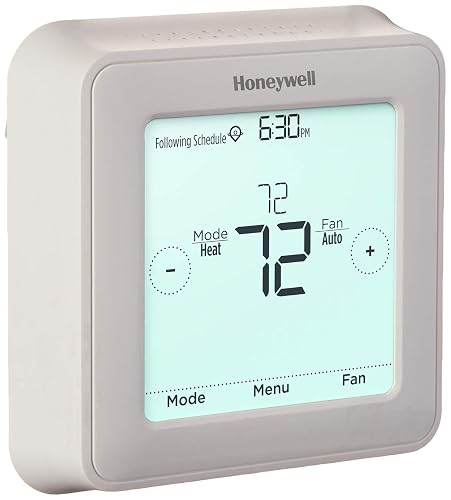
Honeywell’s 7-day programmable touchscreen sits in the same offline-programming camp as the Orbit, but with a screen you’ll actually enjoy tapping. The package covers everything you need to mount it, including a UWP mounting system, screws, and anchors.
Seven-day scheduling means you can keep weekdays and weekends on different routines, which is the biggest energy win most homes ever get. The honest read is that this is a wall unit first and a smart device second, and that’s exactly the right fit for some homes.
Why It Works Well
- Touchscreen makes manual programming less painful than button menus
- Separate schedules for weekdays and weekends
- Includes mounting hardware for a tidy install
Points To Keep In Mind
- No phone connectivity, so all changes happen at the wall
- Touchscreen can stay dim in certain lighting conditions
- Glossy surface tends to show smudges from frequent taps
Feature Snapshot
Perfect Match For
Households that want genuine 7-day scheduling without committing to an app or cloud account.
Not Your Match When
Anyone who wants to tweak the temperature from the grocery store line should look at the Sensi ST55 instead.
The 4th generation Nest Learning Thermostat is Google’s most advanced version yet, and this bundle pairs it with a 2nd-generation Nest Temperature Sensor. The sensor is the real upgrade, since it lets the thermostat focus on the room you’re actually in rather than the hallway where the wall unit lives.
It still learns your routine, still runs the Home/Away-style auto behavior, and now watches over your HVAC equipment for early warning signs. For homes with a stubborn hot or cold room, the sensor is the missing piece that older Nest models couldn’t quite deliver.
What It Does Well
- Bundled temperature sensor solves the “wrong room” problem
- Refined learning engine adapts as your routine changes
- Premium silver finish holds up visually in modern interiors
Worth Noting
- Costs more than the earlier Nest Learning Thermostat
- Full benefit shows up only with multiple rooms or a known hot spot
- Sensor placement takes some trial and error
Built With In Mind
Multi-room homes with one or two stubborn temperature zones that the hallway thermostat can’t reach.
A Better Fit Elsewhere
Single-room dwellers who don’t need a remote sensor will get more value from the 3rd generation Google Nest Learning Thermostat further up.
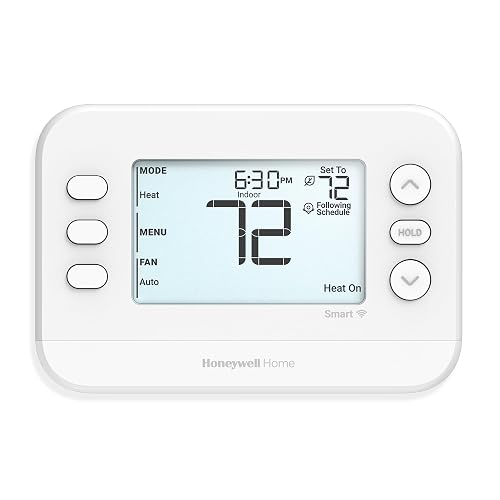
The Honeywell Home X2S earns its place by being unusually flexible on the equipment side. It supports conventional systems up to two heat and two cool stages, plus heat pumps up to two heat and one cool, which covers most North American homes without complaint.
Flexible scheduling lives in the Honeywell app, and auto-away mode steps in when the phone leaves the house. It also tracks indoor humidity and nudges you about air filter changes, which is the kind of small maintenance reminder that prevents expensive service calls later.
Practical Pluses
- Heat-pump ready with broad stage support
- Auto-away function pulls the system back when nobody’s home
- Filter reminders and indoor humidity tracking built in
Less Ideal Details
- Plain white design doesn’t stand out on the wall
- App can feel busy compared with the simpler Sensi experience
- Some advanced settings live in menus that take a few taps to reach
Feature Card
Who Should Grab It
Heat-pump households that need broader system support and a straightforward app-driven schedule.
Where Another Pick Suits Better
Anyone who prioritizes a learning thermostat over equipment flexibility should pick the Google Nest Learning Thermostat instead.
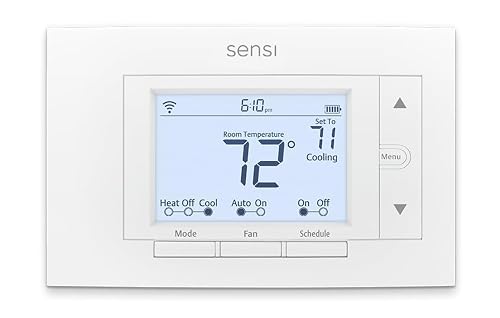
The Sensi ST55 is the friendlier sibling of the Sensi Touch on this list, and it’s a sensible first step into connected climate control. It skips the color touchscreen in favor of a simpler display, and it focuses the budget on what actually matters: reliable app control and an honest DIY install.
Emerson’s HVAC heritage means the wiring diagrams actually match what’s in your wall, and voice control through Alexa rounds out the hands-free story. You may find the interface less flashy than the Touch model, but the everyday experience is just as smooth.
What Helps Most
- App-driven schedule that you can edit from anywhere on Wi-Fi
- Voice control through compatible smart assistants
- ENERGY STAR efficiency without a premium price tag
Practical Considerations
- No color touchscreen, so the wall unit looks more utilitarian
- Wi-Fi setup depends on a stable home network
Feature Rundown
Right Fit For
First-time smart thermostat owners who want app and voice control without paying for a touchscreen.
Another Choice May Suit
Anyone who wants a learning thermostat should step up to the Google Nest Learning Thermostat on this list instead.
What To Weigh Before Picking A Connected Thermostat
A connected thermostat only earns its keep when it matches your equipment, your routine, and your appetite for apps. Start with the wiring in your wall, since most Wi-Fi thermostats want a common wire, often called a C-wire, to pull steady power. Without one, the install gets more complicated or rules the model out entirely.
Think about how you actually live. Households with predictable weekday routines can lean on a learning thermostat and let the device do the scheduling. Homes with irregular schedules benefit more from a flexible 7-day program you can edit on the fly. A C-wire is the low-voltage return that powers a smart thermostat continuously.
Equipment compatibility matters as much as software. Heat pumps, multi-stage furnaces, and dual-fuel systems have different wiring and stage counts, and a thermostat that doesn’t speak that language will simply not control part of your system. The Honeywell Home X2S is a useful reference point for broader equipment support in this roundup.
Finally, weigh connectivity against privacy. App-driven thermostats send usage data to a cloud, which can mean smarter features and remote control, but also a longer list of permissions on your account. Offline-programmable models like the Orbit Clear Comfort trade remote access for a smaller data footprint, which can be the right call for some households.
Quick Notes Across The Lineup
Where Shoppers Go Wrong
The most common slip is ignoring wiring. A Wi-Fi thermostat that needs a C-wire will not behave well when it’s stealing power from the cooling circuit, and the symptoms look like a random reboot, not a wiring problem. Pull the faceplate off your current thermostat and check for a wire in the C terminal before you commit.
Another trap is chasing features the home can’t use. Multi-room sensors on the 4th generation Nest are wasted in a studio apartment, and a learning engine on a vacation cabin just spins its wheels. Match the feature list to the building, not the brochure.
What The Higher Tier Buys
Premium thermostats on this list bring real engineering, not just nicer screens. The 4th generation Nest adds a temperature sensor bundle, a more advanced learning engine, and broader HVAC monitoring. The Honeywell Home X2S adds deeper heat-pump support and humidity tracking. In most homes, the upgrade pays off when your system is newer, your routine is irregular, or you want the maintenance alerts.
Frequently Asked Questions
Do I need a C-wire for a Wi-Fi thermostat?
Most Wi-Fi thermostats pull continuous power through a C-wire, and skipping it can cause reboots or Wi-Fi drops. A few models work without one, but the install gets more involved. Check the wiring at your current thermostat before you order.
Can I install a smart thermostat myself?
A straightforward swap on a compatible system usually takes under an hour with basic tools. The Sensi app and similar guided installs walk you through labeling wires, mounting the base, and connecting to Wi-Fi. If your wiring is unusual or your system is older, a professional is the safer move.
Will a smart thermostat work with my heat pump?
Many do, but the stage support varies. Look for clear wording about heat-pump compatibility and the number of heating and cooling stages your system uses. The Honeywell Home X2S in this list is a strong example of broad heat-pump support.
How much can a programmable thermostat save?
Savings depend on your climate, your system, and how carefully you set the schedule. ENERGY STAR models are designed to deliver meaningful reductions versus a holdover thermostat, especially in homes with a real weekday-versus-weekend split. Treat any vendor savings claim as a guideline, not a promise.
Do I lose control if my Wi-Fi goes down?
No. The thermostat on the wall still runs your schedule and responds to manual adjustments. App control and remote access pause until the network returns, which is one reason it’s worth confirming the wall interface works the way you expect before you rely on the app.
Wrap Up
A connected thermostat is one of the few home upgrades that quietly pays for itself through better scheduling and less wasted conditioning. Match the model to your wiring, your equipment, and how often your routine actually changes, and the rest tends to take care of itself. Pick the one that fits the way you live, set a schedule you can live with, and let the wall do the thinking.


