

Picking a thermostat sounds simple until you stand in front of the wall plate with wires dangling. Most folks want dependable scheduling, clean controls, and at least a shot at controlling comfort from a phone. The trick is matching the thermostat to the HVAC system you actually own, not the one the box wishes you had.
Honeywell’s stable covers a wide spread, from a basic digital dial-style unit to fully Wi-Fi color screens that learn your week. The picks below lean into Honeywell’s core lineup first, then step into a few closely related choices for shoppers weighing alternatives. Each entry speaks to a real household setup, so you can zero in on the one that matches the system, schedule, and patience level for setup.
A Closer Look At The Lineup
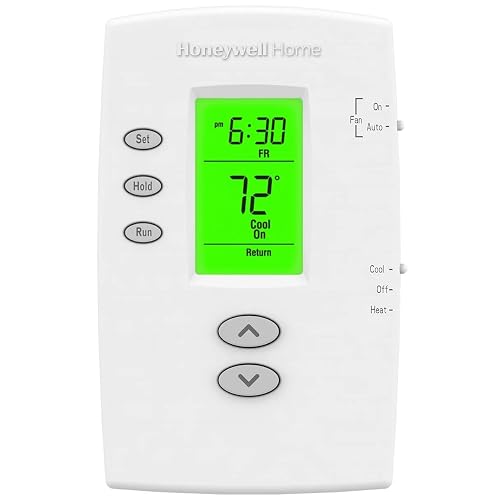
Honeywell TH2110DV1008 PRO 2000 Vertical Thermostat
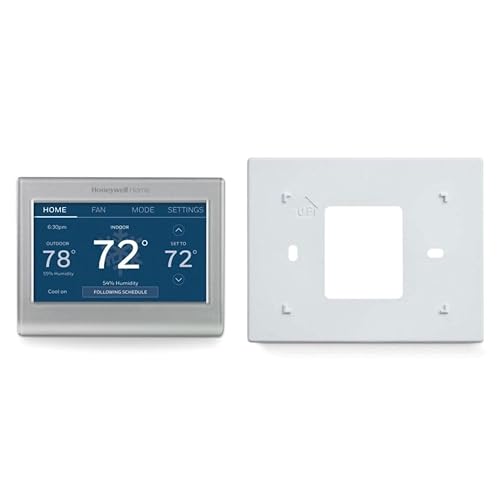
Honeywell Home RTH9585WF Wi-Fi Smart Color Thermostat
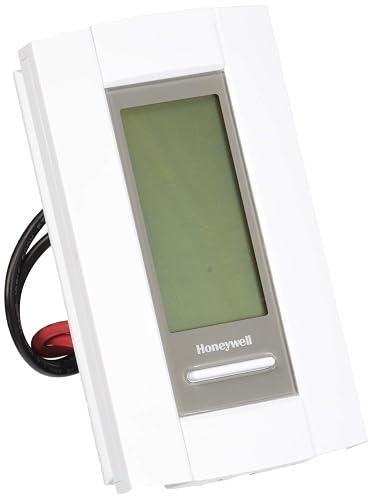
Honeywell TL8230A1003 Electric Heat 7-Day Thermostat
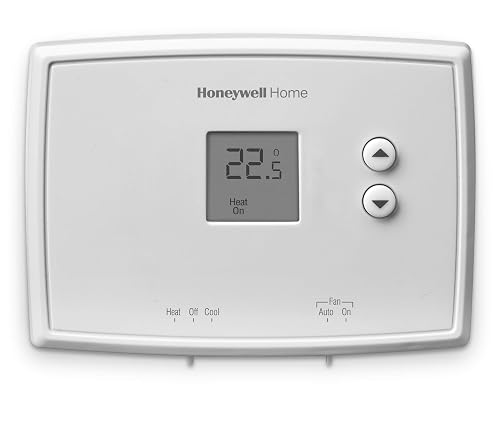
Honeywell Home RTH111B Digital Non-Programmable Thermostat

Honeywell Home X2P Single-Stage Programmable Thermostat
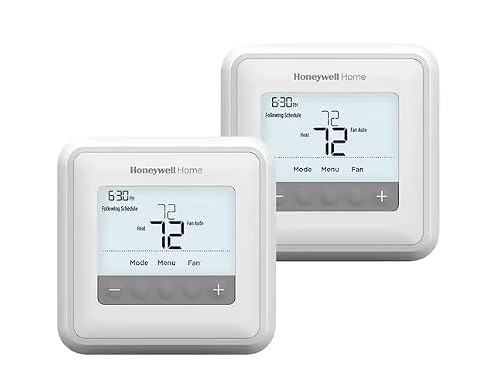
Honeywell Home T4 PRO 2-Day Programmable Thermostat
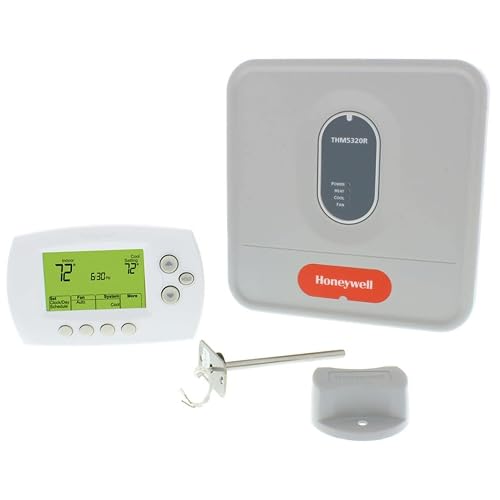
Honeywell 115369 24V Wireless FocusPRO Kit

Google Nest Learning Thermostat 4th Gen, Obsidian

Google Nest Learning Thermostat 4th Gen, Silver
More Details On Our Top Picks
The PRO 2000 leans on a vertical body that slides over a standard wall plate, which keeps the swap tidy for anyone replacing a basic dial thermostat. It supports heat and cool setups as well as standard heat pump systems that don’t rely on auxiliary heat strips, so most single-transformer homes fit cleanly.
You get a backlit display that shows the room temperature at all times, with one-touch buttons for temporary and permanent overrides. The early-start feature nudges the system on ahead of schedule so the house hits target by the time you walk in, which is the kind of detail that makes a basic programmable feel more grown up.
Notable Gains
- Weekday and weekend blocks let you set one routine for workdays and another for Saturday
- Permanent and temporary hold options keep you from fighting the schedule on sick days
- Backlit display reads cleanly from across a room at night
- Early-start logic means comfort arrives on time without manual nudging
- Vertical footprint covers paint lines and old wall marks from prior thermostats
Things To Consider
- No Wi-Fi, so any schedule tweak happens at the wall, not from your phone
- Display is functional rather than color, which may feel plain next to smart screens
- Compatibility stops at heat-pump systems without auxiliary heat, so dual-fuel homes should look elsewhere
Key Product Details
Made For
Homeowners with a basic heat and cool system who want a set-and-forget schedule without a learning curve.
Where Another Pick Suits Better
Anyone wanting phone control should consider the Honeywell Home RTH9585WF Wi-Fi Smart Color Thermostat instead.
The RTH9585WF sits at the center of Honeywell’s Wi-Fi lineup, and the color touchscreen gives the wall a bit of personality you can swap around. It works with forced-air gas, oil, or electric systems, hot water and steam boilers, plus heat pumps with electric backup, which covers a wide range of American homes.
Programming is flexible enough to follow your week or shift around utility peak rate windows, and the app lets you nudge the temperature from the couch or the grocery store. The included wall plate hides the gap if you’re replacing a wider old unit, which is one of those small touches that saves repainting.
What It Does Well
- Customizable color screen blends with the room instead of standing out as a beige rectangle
- Wide HVAC compatibility, including hot water, steam, and heat pumps with electric backup
- App-based scheduling means changes from a phone, no ladder required
Points To Keep In Mind
- Not compatible with 120-240V electric baseboard heat, so a baseboard-only home should skip it
- Setup leans on a C-wire or power adapter in many older systems, which adds a step during install
- Color screen is bright, and in dim hallways the glow may take a night or two to get used to
Right Fit For
Connected households running forced-air or boiler systems who want app control and flexible scheduling.
Look Elsewhere When
Baseboard-only homes should reach for the Honeywell TL8230A1003 Electric Heat 7-Day Thermostat instead.
The TL8230A1003 is a line-voltage thermostat, which is the breed most smart thermostats refuse to touch. It’s built for the 120-240V electric baseboard or convector heaters that many older homes and condos rely on for primary heat.
You get a clear 7-day program, and owners commonly report that the on-screen controls feel closer to a household timer than a tangled button grid. The backlit display reads well from the doorway, and the unit tends to run quietly, with fewer of the clicks you hear from cheaper mechanical thermostats.
A Few Highlights
- Designed specifically for high-voltage electric baseboard and convector systems
- 7-day programming supports a different routine every day, with preset schedules to start from
- Backlit screen stays readable in dim hallways and at night
Trade Offs
- No Wi-Fi or app, so remote tweaks aren’t in play
- Wiring takes confidence, and a mistake on line voltage is the kind of mistake you only make once
Best Suited To
Owners of electric baseboard or convector systems who want dependable weekly scheduling without replacing the heater.
Swap It Out When
Anyone with a low-voltage forced-air system should pick the Honeywell Home RTH9585WF Wi-Fi Smart Color Thermostat instead.
The RTH111B is what you buy when you want a thermostat to do one job, which is to keep the room at a steady temperature, and then get out of the way. The display only shows what you need, and soft-touch buttons replace the stiff membrane keys on older units.
For rentals, in-law suites, and guest rooms where nobody wants to learn a schedule, this model is hard to argue with. The straightforward target temperature and simple up-and-down arrows mean houseguests can adjust without an owner’s manual.
A Strong Showing
- Minimal display removes confusion for non-technical household members
- Soft-touch buttons feel more responsive than older membrane designs
- Reliable digital temperature control for low-fuss homes
Honest Caveats
- No scheduling, so anyone wanting weekday routines will need to step up
- No Wi-Fi or smart features, which means no remote access at all
Who It Suits Best
Renters, landlords, and homeowners who want dependable manual control without any learning curve.
A Better Fit Elsewhere
Shoppers who want a 7-day schedule should look at the Honeywell Home T4 PRO 2-Day Programmable Thermostat instead.
The X2P is built for single-stage 1 heat and 1 cool systems, the kind most conventional central HVAC setups use. Where it shines is the choice of schedule formats: 5-1-1, 5-2, full 7-day, or a non-programmable mode if you change your mind later.
Filter reminders, real-time clock adjustment, and the option to coordinate with home decor round out the everyday ownership picture. For households that want a little more control than the budget picks but don’t need a full Wi-Fi experience, it lands in a useful middle ground.
Useful Strengths
- Multiple schedule formats, including 5-1-1, 5-2, and 7-day, plus a non-programmable option
- Filter reminders cut down on the “when did I last change this” guessing game
- Customizable faceplates help it blend with a room rather than fight it
Some Limits To Know
- Single-stage only, so multi-stage or modulating systems should pass
- No native Wi-Fi, so remote control requires a separate add-on or another model
Perfect Match For
Owners of single-stage conventional systems who want flexible scheduling with low-fuss controls.
Another Choice May Suit
Anyone who wants a learning thermostat with Wi-Fi should consider the Google Nest Learning Thermostat 4th Gen, Obsidian instead.
The T4 PRO keeps the controls friendly, with push-button navigation and on-screen menus that walk you through installation step by step. Its adaptive intelligent recovery feature, sometimes called smart response, learns how long your system takes to reach temperature and starts the cycle early so the room is ready on schedule.
The internal clock updates automatically for daylight saving, and the program holds in memory if the power blips. For homeowners who want a real schedule without any apps or accounts, the T4 PRO hits a comfortable middle between the budget and the smart tier.
Good Reasons To Consider
- Adaptive recovery tunes itself to your system’s ramp-up time, which keeps mornings on track
- On-screen installation menus make the first-time setup less intimidating
- Daylight saving adjusts on its own, so you don’t reset the clock twice a year
Where It Is Less Suited
- 2-day programming groups weekdays and weekends, which loses the nuance of a 7-day model
- No Wi-Fi, so changes from a phone aren’t in the picture
Who Should Grab It
Homeowners with a standard central system who want a low-maintenance weekly schedule and clean installation.
Not Your Match When
Anyone needing 7-day individual scheduling should pick the Honeywell Home X2P Single-Stage Programmable Thermostat instead.
The 24V Wireless FocusPRO kit is the answer for homes where running a new thermostat wire through finished walls sounds worse than the original problem. The Equipment Interface Module sits near the HVAC gear and talks wirelessly to the wall thermostat, so the only wires at the wall are power.
A return air sensor helps maintain safe indoor temperatures if the wireless thermostat loses power, holding a sensible heating and cooling floor and ceiling. For retrofits, additions, and workshop spaces with limited wire access, that wireless link is the main reason to pick this kit over a wired alternative.
Real-World Strengths
- Wireless link skips the need to pull new cable through finished walls
- Return air sensor keeps temperatures in a safe range during a power loss at the wall unit
- RedLINK wireless technology has been around long enough that integration parts are easy to find
Points To Note
- More components at install time, so plan on a longer afternoon than a basic swap
- Wireless reliability depends on placement and home construction, so a crowded mechanical room can complicate pairing
Built With In Mind
Homeowners retrofitting a thermostat where running new wire would mean opening up finished walls.
Reach For A Different Pick When
Anyone with an open wire run and a simple forced-air system should choose the Honeywell TH2110DV1008 PRO 2000 Vertical Thermostat instead.
The Nest Learning Thermostat in its fourth generation picks up the schedule you actually keep, not the one you tell it to keep, and adjusts as your week changes. The dark Obsidian finish is a quiet, modern look that disappears on darker walls, and the bundle includes a 2nd gen Nest Temperature Sensor to address hot and cold spots in another room.
Compared with the Honeywell Home RTH9585WF, which leans on a defined schedule, the Nest leans on observation. You can ignore the schedule entirely and the thermostat still lands on a sensible routine after a couple of weeks, and the room sensor helps balance spaces that run hot or cold.
Reasons It Performs
- Learning behavior removes most manual programming, which suits chaotic or shifting routines
- Included 2nd gen temperature sensor helps balance rooms that drift from the main thermostat’s reading
- Obsidian finish gives a low-glare, modern look in darker rooms
Practical Considerations
- Setup, account creation, and app pairing add time versus a basic wall thermostat
- Learning phase can feel slow at first, and you’ll nudge it a few times before it settles
Feature Snapshot
Whose Shelf It Belongs On
Smart-home enthusiasts with shifting schedules who want a thermostat that tunes itself over time.
Skip It When
Anyone who just wants a fixed weekly schedule should pick the Honeywell Home X2P Single-Stage Programmable Thermostat instead.
The Silver version of the Nest Learning Thermostat (4th gen) carries the same learning core and remote sensor as the Obsidian sibling, with a brighter metal finish that pops against lighter walls. For kitchens, hallways, and sunlit living rooms, the silver face reads cleaner than a dark one.
Where this matches the Obsidian model exactly, the learning engine and bundled 2nd gen Nest Temperature Sensor are unchanged, so the daily experience is the same. The honest case for this color is the room it lives in, since the finish is the only meaningful split between the two SKUs.
What Pays Off
- Polished silver finish suits lighter walls and bright rooms
- Same learning thermostat core as the Obsidian model, so feature parity is guaranteed
- Bundled temperature sensor helps fix the hot and cold room problem
Factors To Consider
- Premium tier brings app and account setup that simpler picks skip entirely
- Learning curve means the first two weeks take some manual adjustment
Right Fit For
Shoppers who want the learning experience with a finish that flatters bright or neutral walls.
Consider Something Else When
Anyone wanting a fixed schedule and zero app setup should choose the Honeywell Home T4 PRO 2-Day Programmable Thermostat instead.
What To Weigh Before You Pick A Thermostat
A thermostat only works if it matches the system behind the wall, so the first move is figuring out whether your home is low-voltage or line-voltage. Low-voltage systems run on 24V and include most forced-air furnaces, central air conditioners, boilers, and heat pumps. Line-voltage systems, like the Honeywell TL8230A1003, are wired at 120-240V and power electric baseboard or convector heaters directly.
Match The HVAC Type First
Compatibility is the fastest way to eliminate the wrong picks. A forced-air system with a heat pump and electric backup opens up the Honeywell Home RTH9585WF and the T4 PRO, while a baseboard-only home should ignore Wi-Fi and learning models entirely. The 24V wireless FocusPRO kit helps retrofit projects where running new wire is the dealbreaker, and the Honeywell Home RTH111B fits any setup that just needs steady manual control.
Decide How Much Scheduling You Actually Want
A 5-2 schedule, which means one set of days for weekdays and one for weekends, suits predictable routines. A 7-day schedule, like the X2P, lets you tune Saturday and Sunday separately, which matters if your weekend looks nothing like your workweek. A learning thermostat, like the Nest 4th gen, skips the schedule entirely and observes your adjustments instead.
Plan For Wiring And Power
Many Wi-Fi and color screen thermostats need a C-wire, a common wire that delivers continuous 24V power, or a power adapter. Older homes without that wire may need an add-on or a wireless kit. If the wall is already a mess of paint lines and missing cover plates, the vertical body of the Honeywell TH2110DV1008 PRO 2000 covers a lot of that visual history.
Key Considerations Across These Picks
Wrong Turns To Avoid
A common slip is buying a smart Wi-Fi thermostat for a high-voltage baseboard system, since most 24V models are not rated for that load. Another trap is picking a single-stage thermostat for a multi-stage system, which leaves efficiency on the table. Skipping the C-wire check is a third pitfall, and it tends to show up as a flickering screen after install.
What The Higher Tier Buys
Stepping from a basic wall unit to a Wi-Fi color touchscreen, like the Honeywell Home RTH9585WF, buys app control, custom schedules, and a screen you actually want to look at. Moving further up to a learning thermostat, like the Nest 4th gen, buys behavior that tunes itself and a remote sensor for room balancing. The upgrade is worth it for households with shifting routines, while fixed-schedule homes usually land in the middle and stay happy there.
Frequently Asked Questions
Do Honeywell Wi-Fi thermostats need a C-wire?
Most color and Wi-Fi models expect a C-wire, a continuous 24V power line, or a plug-in power adapter to keep the screen and radio running without draining the system.
Will a Honeywell thermostat work with a heat pump?
Several models support heat pumps, including the TH2110DV1008 PRO 2000 and the Honeywell Home RTH9585WF, but dual-fuel systems with auxiliary heat need a model rated for that specific configuration.
Can I install a Honeywell thermostat myself?
Many owners handle the swap, especially with a low-voltage system and a clear C-wire or power adapter, though line-voltage installs like the TL8230A1003 carry real electrical risk and benefit from a professional.
How is a learning thermostat different from a programmable one?
A programmable thermostat follows a fixed schedule you set, while a learning thermostat observes your adjustments and builds a routine on its own over one to two weeks.
Do Nest sensors work with Honeywell thermostats?
The Nest Temperature Sensor pairs with the Nest Learning Thermostat and is not designed to communicate with Honeywell wall units.
Final Verdict
The right thermostat comes down to the system on the wall and the schedule you keep, not the screen size that catches your eye. Honeywell covers the dependable mid-market with quiet competence, from the TH2110DV1008 up through the Wi-Fi color screen, and the Nest 4th gen steps in for households that want a thermostat that learns instead of being told. Pick the one that matches your HVAC and your routine, and you’ll barely think about it again.


