

Your home’s thermostat quietly shapes every morning, every work-from-home afternoon, and every cold-weather bedtime. For HomeKit households, picking the right model means balancing compatibility, system type, scheduling depth, and how clean the app feels on day thirty, not just day one. The list below covers smart picks for HomeKit plus a few non-connected options for garages, rentals, and specialty rooms where simplicity wins.
An Overview Of The Picks
PRO1 T725 Heat Pump/Conventional Programmable Thermostat

PRO1 T771 Single Stage Non-Programmable Wall Thermostat
PRO1 T701 Single Stage Non-Programmable Thermostat

PRO1 T715 Multi-Stage Programmable Gas Thermostat
PRO1 T721 Non-Programmable Thermostat

Mysa Smart Thermostat for Electric Baseboard Heaters
Sensi Touch Smart Thermostat ST75

ecobee Smart Thermostat Premium with Smart Sensor

PRO1 T805 Single Stage Programmable Thermostat

Google Nest Learning Thermostat (4th gen) with Sensor
Why These Options Stand Out
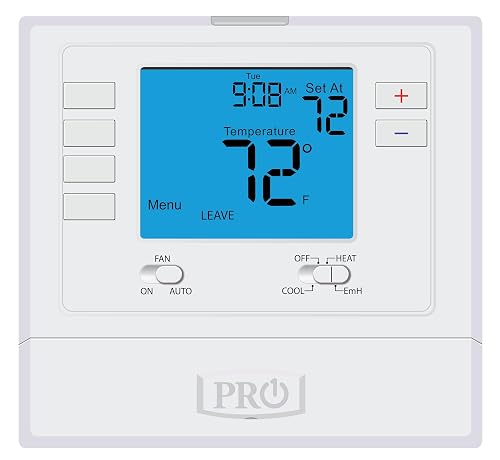
The PRO1 T725 sits in that useful middle ground where a heat pump and a backup furnace both need clean scheduling. It runs 7-day or 5/1/1 programming, so a typical household can map separate wake, leave, return, and sleep blocks without much fuss. Owners in mixed-fuel homes tend to appreciate that the same wall unit talks to either system type without rewiring menus.
You won’t find HomeKit on this one, but the trade-off is a focused 4 sq. in. blue backlit screen that reads well from across a room. For heat pump households who want programming depth without app overhead, it’s a steady, no-drama choice.
Practical Advantages
- Supports 2 heat/1 cool heat pump plus 1 heat/1 cool conventional setups from one unit
- 7-day or 5/1/1 weekly scheduling with four daily blocks (wake, leave, return, sleep)
- Large backlit display stays readable in dim hallways and night-time checks
- Hardwired reliability appeals to homeowners avoiding Wi-Fi dropouts
Things To Consider
- No HomeKit, Alexa, or Google Assistant integration, so remote control requires a wall visit
- Programming setup takes patience for first-timers; the menu structure isn’t self-explanatory
Feature Snapshot
Right Fit For
Owners of heat pump homes who want a hardwired programmable thermostat and don’t need phone control.
Swap It Out When
You want HomeKit or app-based scheduling, in which case the Mysa Smart Thermostat for Electric Baseboard Heaters or the ecobee Smart Thermostat Premium will fit much better.
Detached garages, workshops, and sheds rarely need a learning algorithm. The PRO1 T771 is built for those exact rooms, with a setpoint range stretching from 25°F to 90°F so you can keep a space warm enough to prevent frozen pipes or cool enough to store paint. Single-stage 1 heat/1 cool conventional systems are its only target, which keeps the controls simple.
That range matters more than it sounds. Compared to the T701, this unit can be set for low-temperature protection in winter, which a standard living-room thermostat often can’t handle. The display is a comfortable 4 sq. in. blue backlit unit that stays visible without dominating the wall.
Features That Help
- 25°F to 90°F setpoint range handles low-temp freeze protection in garages
- Non-programmable layout means a guest or tenant can’t accidentally reset a schedule
- Works cleanly with single-stage gas, electric, or oil conventional systems
Worth Noting
- No Wi-Fi or app, so remote adjustments aren’t possible from inside the house
- Not designed for heat pumps or multi-stage equipment, limiting future flexibility
- Swing and calibration settings are accessed through a small setup menu
Built With In Mind
Homeowners and shop owners outfitting detached spaces that need freeze protection without app complexity.
Another Choice May Suit
Main living areas benefit from the larger 7 sq. in. display and scheduling of the PRO1 T805 Single Stage Programmable Thermostat instead.
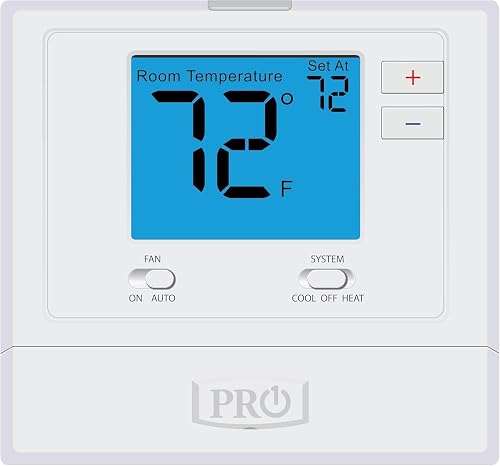
The T701 is the “just set the temperature” option on this list. It’s aimed at 1 heat/1 cool conventional systems, with gas or electric compatibility and a generous 4 sq. in. blue backlit display. A glow-in-the-dark light button helps you find the controls in a dark hallway without fumbling for a flashlight.
This is a favorite for rental units, in-law suites, and anyone who finds app-driven thermostats to be more friction than they want. Compared to the T771, the T701 focuses on everyday comfort ranges rather than the wider garage-friendly spectrum.
What Helps Most
- Straightforward up/down temperature control with no scheduling menus to learn
- Glow-in-the-dark light button simplifies nighttime use for guests and kids
- Compatible with both gas and electric conventional systems for flexible installs
Points To Keep In Mind
- No scheduling means efficiency savings depend on manual adjustment
- Lacks the low-temperature setpoint range that the PRO1 T771 offers for garages
Whose Shelf It Belongs On
Landlords, parents, and anyone upgrading a basic wall thermostat without adding app clutter.
Look Elsewhere When
You want automated schedules that match a shifting weekday routine, in which case the PRO1 T805 or the Sensi Touch Smart Thermostat ST75 will earn its place.
Two-stage heating and cooling need a thermostat that can keep up, and the T715 is wired for that workload. It supports 2 heat/2 cool gas systems with 7-day, 5/1/1, or fully non-programmable modes. For larger homes where the furnace and AC run in stages to manage temperature swings, this level of control avoids the short-cycling that single-stage units can fall into.
Power comes from either AA batteries or a common wire (C-wire), depending on your setup. The blue backlit display and glow-in-the-dark light button carry over from the T701 platform, so the readouts feel familiar.
Where It Delivers
- Handles 2 heat/2 cool systems, ideal for two-stage gas furnaces and ACs
- Flexible scheduling plus an option to use it fully non-programmable
- Battery or hardwired C-wire power options ease retrofits into older homes
Honest Caveats
- Initial menu navigation for staging settings may feel involved for first-time installers
- No smart connectivity, so adjustments outside the home require manual interaction
Feature Card
Best Suited To
Owners of mid-to-large homes with two-stage gas furnaces who want hands-on scheduling without app dependencies.
Not Your Match When
You want remote sensors and HomeKit scenes, in which case the ecobee Smart Thermostat Premium is the better fit.
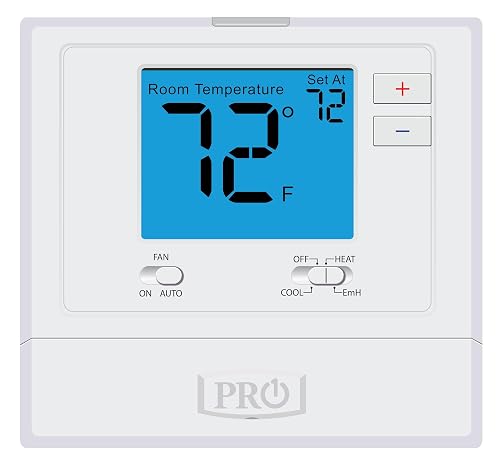
Some homes split their year between a heat pump and a conventional system, and the T721 is built for that switching reality. It supports 2 heat/1 cool heat pump configurations and 1 heat/1 cool conventional setups on a single board. The controls stay non-programmable, which keeps daily use simple.
Power runs from AA batteries, so retrofit installs in older walls without a C-wire stay clean. Compared to the larger PRO1 T715, this is a quieter, more focused pick for homes that just need the right system dialed in.
Strong Points
- Compatible with both heat pump and conventional systems on one device
- AA battery power avoids C-wire retrofit headaches
- Backlit display plus glow-in-the-dark light button for nighttime operation
Trade Offs
- No scheduling, so you trade automation for simplicity
- No app or voice integration for hands-free adjustments
Who Should Grab It
Households with mixed heating equipment who want a single, reliable wall unit without learning modes.
A Better Fit Elsewhere
Schedulers will do better with the PRO1 T725, which adds 7-day programming on a similar heat pump platform.
High-voltage electric baseboard heaters are a tough category for smart thermostats, and Mysa has carved out a real niche there. The unit works with 120 to 240V electric baseboard and fan-forced systems, which rules out most low-voltage central HVAC. Loads up to 1900W at 120V and 3800W at 240V are supported, and the install needs at least four wires including a neutral or second live wire.
HomeKit support is the headline here, joined by Alexa and Google Home, with temperature and humidity alerts in the app. Compared to the Sensi Touch, Mysa focuses on the high-voltage world rather than central air, which makes it the go-to for older condos with baseboards.
The Case For It
- Native HomeKit compatibility fits Apple-centered smart homes cleanly
- Handles high-voltage baseboard and fan-forced systems that most smart thermostats can’t
- Temperature and humidity alerts help catch unusual room conditions early
- Free app with no subscription tier required for core features
Points To Note
- Requires a neutral or second live wire, so some older two-wire installs won’t qualify
- Not designed for low-voltage central HVAC or two-wire-only baseboard setups
Quick Facts
Made For
Owners of high-voltage baseboard or fan-forced heat who want HomeKit scenes, schedules, and remote control.
Where Another Pick Suits Better
Central HVAC households should consider the Sensi Touch Smart Thermostat ST75 or the Google Nest Learning Thermostat (4th gen) instead.
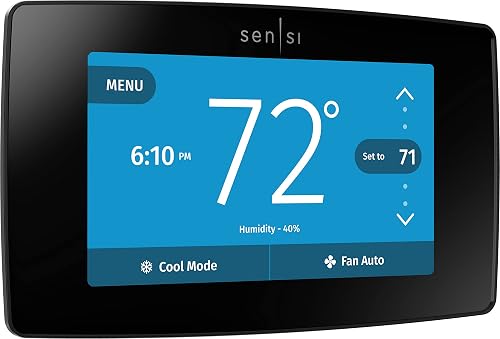
Emerson’s Sensi Touch leans into a polished touchscreen and a relatively quiet data footprint. The unit is programmable through its color display and the mobile app, and DIY installation is a stated design goal. The brand’s broader HVAC background also shows in the wiring guidance, which is friendlier than many app-first competitors.
You’ll need a C-wire, which is the one installation gotcha that catches some homeowners off guard. Compared to the ecobee Premium, the Sensi Touch is more focused on heating and cooling schedules, without the built-in air quality monitor or the bundled remote sensor.
Good Reasons To Consider
- Color touchscreen with a layout that mirrors familiar smartphone menus
- Stronger data privacy stance than many app-driven thermostats
- DIY-friendly install path with detailed in-app wiring instructions
Soft Spots
- C-wire required, so some older homes will need a wiring adapter or a new run
- Stock availability can be inconsistent depending on the listing
Key Product Details
Who Will Love This
Privacy-conscious households with central HVAC who want a smart thermostat without the data-mining reputation of some competitors.
Consider Something Else When
You want a bundled remote sensor and air quality readings, in which case the ecobee Smart Thermostat Premium is the stronger pick.
The ecobee Smart Thermostat Premium treats the wall unit as a small home hub, not just a temperature dial. A built-in air quality monitor alerts you when conditions drift, and the included SmartSensor helps balance hot and cold rooms. Both Siri and Alexa are built in, so voice control works without extra speakers in the room.
The cinematic display is the showpiece, and occupancy sensing adds another layer of automation. The trade-off is feature depth: the security and monitoring extras (like smoke alarm detection) need an active ecobee plan to deliver alerts, so the value of those features depends on your willingness to subscribe.
Notable Gains
- Built-in air quality monitor with reminders for filter changes
- Bundled SmartSensor helps address hot and cold spots in larger homes
- Siri and Alexa built in, reducing the need for a separate smart speaker
Possible Compromises
- Premium features like smoke alarm detection and break-in alerts need a subscription plan
- Heavier price tag than a basic programmable like the PRO1 T701
Perfect Match For
Smart home households who want a thermostat that doubles as an air quality and security node, not just a temperature controller.
Where A Sibling Pick Shines
Renters and minimal-app households may prefer the privacy-focused Sensi Touch Smart Thermostat ST75 or a hardwired PRO1 unit.
The T805 is essentially the T701 platform with more screen real estate and scheduling. The standout is the 7 sq. in. blue backlit display, which is noticeably easier to read from across the room. Programming runs 7-day, 5/1/1, or fully non-programmable, so a family can layer in comfort blocks or skip scheduling entirely.
It targets 1 heat/1 cool conventional systems, so multi-stage or heat pump homes will need to look elsewhere. The glow-in-the-dark light button is a small touch that earns its place on late-night kitchen runs.
What Works In Its Favor
- Extra-large 7 sq. in. display for clear readouts in busy rooms
- 7-day, 5/1/1, or non-programmable modes for flexible scheduling
- Glow-in-the-dark light button for easy nighttime use
Factors To Consider
- Single-stage 1 heat/1 cool only, so multi-stage systems are out of reach
- No smart connectivity or app-based remote adjustments
The Right Fit
Conventional HVAC households who want an easy-to-read display and a clean weekly schedule, but don’t need app control.
Reach For A Different Pick When
HomeKit automation and remote control matter, in which case the Mysa Smart Thermostat for Electric Baseboard Heaters or the Google Nest Learning Thermostat (4th gen) is a better fit.
The 4th gen Nest Learning Thermostat leans into Google’s most advanced comfort algorithm to date. It learns the temperatures you prefer, the times you like them, and adjusts as routines shift through the week. The bundled Nest Temperature Sensor (2nd gen) helps the system account for rooms that don’t match the hallway thermostat’s reading.
Set-and-forget households get the most out of this unit, since the whole point is to remove manual scheduling. Compared to the ecobee Premium, Nest’s approach is more about the dial and the learned schedule, while ecobee leans into sensors, air quality, and security-style add-ons.
What Pays Off
- Learning algorithm builds a schedule from your manual adjustments over time
- Bundled temperature sensor helps balance conditions across rooms
- Polished design with a large, recognizable dial and clean readouts
Less Ideal Details
- Learning approach feels slow to settle during the first couple of weeks
- Lacks the air quality monitor and built-in voice assistant that the ecobee Premium includes
Feature Rundown
Who It Suits Best
Households that prefer the thermostat to handle scheduling for them, especially with shifting weekday and weekend routines.
Skip It When
You want detailed manual control and a built-in air quality monitor, in which case the ecobee Smart Thermostat Premium is the better match.
What To Weigh Before Choosing the Right Thermostat
System Compatibility Comes First
The single biggest filter is what your HVAC system actually supports. Heat pump homes should look at the PRO1 T725, PRO1 T721, and similar dual-fuel models. Central air households running conventional gas or electric will find the most options in the PRO1 T701, T805, and Sensi Touch line. High-voltage baseboard owners have a narrow lane, where the Mysa Smart Thermostat is the standout HomeKit pick.
Smart Home Ecosystem and Connectivity
HomeKit households should center the search on thermostats that explicitly support Apple Home, such as Mysa. Mixed-ecosystem homes can lean on ecobee, Sensi, or Nest, which each support major voice assistants. Hardwired PRO1 models skip connectivity entirely, which can be a feature for renters who don’t want Wi-Fi devices on the wall.
Scheduling Depth vs Simplicity
Homes with stable weekday routines often do well with set-and-forget smart models like the Google Nest Learning Thermostat (4th gen). Households that change plans often may prefer explicit 7-day or 5/1/1 scheduling, which the PRO1 T725 and T715 offer. Non-programmable picks like the PRO1 T701 and T771 keep the wall unit as a simple dial, which suits rentals and guest spaces.
Sensors, Air Quality, and Extras
A bundled remote sensor, like the one included with the ecobee Smart Thermostat Premium or the Google Nest Learning Thermostat (4th gen), helps larger homes handle rooms that drift from the hallway reading. Built-in air quality monitoring, currently a feature of the ecobee Premium, is worth considering for households with allergies or wildfire-season concerns. C-wire requirements should also be checked before purchase, since smart units like the Sensi Touch ST75 need steady power to work.
Key Considerations Across These Picks
Pitfalls Shoppers Hit
One common slip is buying a smart thermostat before checking the wiring. Units like the Sensi Touch ST75 require a C-wire, and missing that detail can mean an extra rewiring step or an adapter. Another trap is choosing a HomeKit model for a low-voltage central system, since high-voltage picks like Mysa only work with baseboard and fan-forced heaters. Finally, a “learning” thermostat can feel sluggish in the first weeks while it builds your schedule, so households that want full control from day one may prefer a 7-day programmable unit.
When Paying More Pays Off
Higher-tier smart thermostats like the ecobee Smart Thermostat Premium and the Google Nest Learning Thermostat (4th gen) bundle sensors, voice assistants, or air quality monitors that basic programmable picks don’t. The upgrade is worth it when you actually use those extras, such as hot or cold rooms that need a remote sensor, or homes where air quality and voice control add daily value. For simpler layouts and stable routines, a hardwired PRO1 model often delivers what you need without the subscription layers.
Frequently Asked Questions
Do all HomeKit thermostats need a C-wire?
Most do, since HomeKit features like remote sensors and learning schedules draw steady power. A few high-voltage picks such as Mysa handle power differently because of their line-voltage design, so always check the install requirements before you buy.
Can I use a HomeKit thermostat with Alexa or Google Home at the same time?
Many smart thermostats support multiple ecosystems, but some features work better in their native app. Ecobee, Mysa, and Nest all expose basic controls to voice assistants, even if deeper settings still live in the brand’s app.
What thermostat works best for an old baseboard heater?
High-voltage picks like the Mysa Smart Thermostat are designed for 120 to 240V baseboard and fan-forced systems, with support for HomeKit. Low-voltage central HVAC thermostats won’t safely control baseboard circuits, so matching voltage is critical.
Is a learning thermostat worth it for a small apartment?
For tight spaces with simple routines, a learning model can feel like overkill. A non-programmable or basic 7-day programmable like the PRO1 T701 or T805 may give you all the comfort control you actually need.
How hard is it to install a smart thermostat myself?
Most modern smart thermostats are designed for DIY installation, with in-app wiring guides and step-by-step instructions. You should still turn off the breaker, label your wires, and confirm C-wire presence before swapping the wall unit.
The Takeaway
Your best pick comes down to your system type, your ecosystem, and how much scheduling you really want to manage day to day. HomeKit households with baseboard heat will find the Mysa Smart Thermostat hard to beat, while central HVAC homes can lean on the ecobee Smart Thermostat Premium, the Sensi Touch ST75, or the Google Nest Learning Thermostat (4th gen). For spaces where simplicity wins, the PRO1 T701, T721, and T805 cover the basics without any app at all. Match the thermostat to your system first, and the rest of the decision gets much easier.


