

Picking a thermostat in 2026 means sorting through everything from $15 manual dials to learning thermostats that chart your weekly routine. The gap between those extremes has grown wider, and the right choice depends less on brand loyalty and more on how your home is wired and how much scheduling you actually want to handle yourself.
This roundup leans on real-world use cases: a single-stage gas furnace in a small condo behaves nothing like a multi-stage system in a two-story house with a finished basement. You will see picks that target each of those setups, from a no-frills manual unit up to a learning thermostat that ships with a remote sensor. Think about your current wiring, your weekly rhythm, and whether you want phone control before you shop.
The Picks In Brief
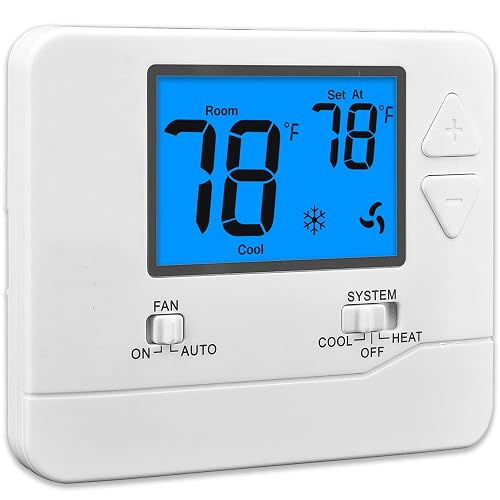
Suuwer Non-Programmable Thermostat (Blue Backlight)

Honeywell Home Non-Programmable Thermostat
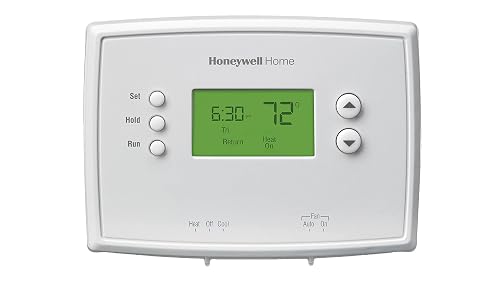
Honeywell Home RTH2300B1038 5-2 Day Programmable
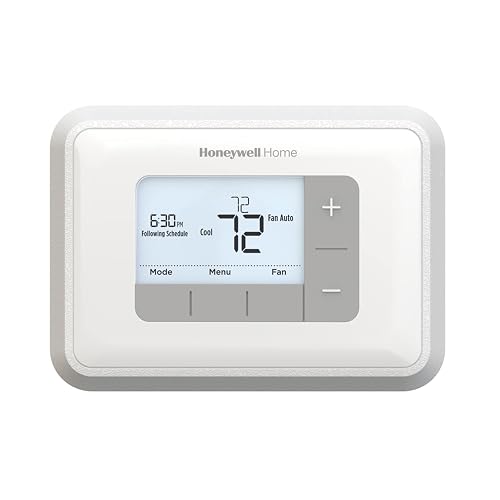
Honeywell Home RTH6360D1002 5-2 Programmable
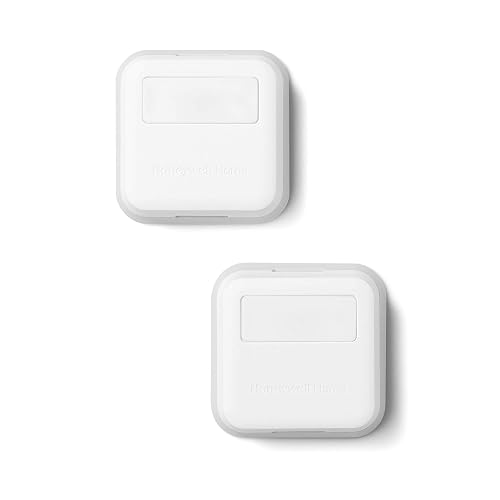
Honeywell Home Smart Room Sensor (T9/T10)
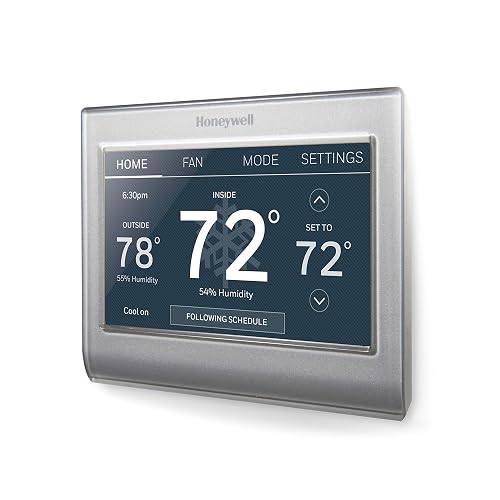
Honeywell Home RTH9585WF Wi-Fi Color Touchscreen

Google Nest Learning Thermostat 4th Gen (Obsidian)

Google Nest Learning Thermostat 4th Gen (Silver)
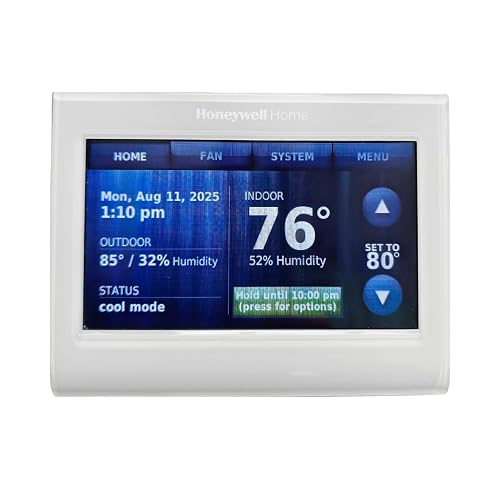
Honeywell Wireless WiFi 7-Day Programmable
Meet The Standout Selections
The Suuwer Non-Programmable Thermostat (Blue Backlight) is a manual dial unit built for homeowners who want the simplest possible control over a single-stage heating and cooling system. Unlike the Honeywell Home non-programmable unit covered next, this one leans on physical switches rather than a digital screen, which keeps the price low and the learning curve nearly flat. A standard blue backlight helps you read the set point at night, though you will not find any app control or scheduling here.
For a small condo, rental property, or guest room with a basic furnace and AC, the Suuwer covers the essentials without overcomplicating the wall. You set the temperature, the unit holds it, and you move on with your day.
What Stands Out
- Simple switch-based operation means no menus to scroll through and no firmware to update
- Blue backlight improves nighttime readability over older unlit mechanical dials
- Targets 1 heat and 1 cool single-stage systems, which covers a large share of older homes
- Compact wall footprint keeps the unit from dominating small hallways
Things To Consider
- Compatibility is limited to roughly 2 to 5 wire setups, so verify your existing base before ordering
- DIY installation can be unforgiving for anyone new to thermostat wiring
Whose Shelf It Belongs On
Rental property owners and anyone in a basic single-stage home who wants honest, no-schedule temperature control.
Where Another Pick Suits Better
The Honeywell Home RTH2300B1038 5-2 Day Programmable fits better for someone who wants a set weekday and weekend schedule rather than a fixed set point.
The Honeywell Home Non-Programmable Thermostat swaps the dial of the Suuwer for a backlit digital display and single-degree buttons, which makes fine adjustments easier without forcing you to learn a scheduler. The RTH5160 design shows both the current room temperature and the set point on the same screen, so you always know where you stand. Auto-changeover between heat and cool adds a small dose of intelligence for shoulder-season days.
A low-battery reminder is a quiet but useful touch, since you can swap the cells before the unit goes dark and forgets your settings.
Everyday Advantages
- Single-degree control beats the half-step jumps some manual thermostats force on you
- Auto heat-to-cool changeover removes the fiddly seasonal switch flip
- Battery alert helps you avoid losing settings during a power blip
- Memory storage retains the set point across outages
Points To Note
- No scheduling, so anyone with a regular weekday routine will keep tweaking it by hand
Right Fit For
Older adults and set-and-forget households who just want a clear display and a steady temperature.
Consider Something Else When
The Honeywell Home RTH2300B1038 5-2 Day Programmable suits anyone who wants the system to lower the heat overnight without manual input.
The Honeywell Home RTH2300B1038 5-2 Day Programmable Thermostat is the entry point into scheduling for households whose week and weekend look very different. You program a five-day weekday plan and a separate two-day weekend plan, which is more useful than it sounds for anyone with a 9-to-5 office job and a Saturday spent at home. The backlit display and manual override buttons keep the unit approachable for first-time programmable shoppers.
Compared to the smart RTH9585WF further down the list, this one stays local. There is no app, no learning, no remote sensor, and that is exactly the appeal for someone who wants predictable scheduling without a Wi-Fi account.
Features That Help
- Independent weekday and weekend blocks let you sleep in without re-tuning the heat every Saturday
- Manual override pauses the schedule when guests visit and the routine shifts
- Backlit display makes late-night adjustments easy
- Classic Honeywell build quality, well-documented in user manuals
Honest Caveats
- No remote access means the schedule only changes when you stand in front of the unit
- Five-and-two is more limited than the seven-day flexibility of the RTH6360D1002
Built With In Mind
First-time programmable shoppers who want a reliable wall unit without adding a smart-home account to their list of logins.
Look Elsewhere When
The Honeywell Home RTH6360D1002 Programmable Thermostat suits anyone who wants smarter ramp-up behavior and a larger display.
The Honeywell Home RTH6360D1002 Programmable Thermostat adds genuine intelligence on top of a familiar 5-2 layout, mostly through Smart Response Technology that learns how long your system takes to reach the set point. Instead of a fixed start time, the unit figures out when to fire the furnace so the home is actually at temperature when you want it. A larger backlit LCD shows current and set point at the same time, which is helpful across a dim hallway.
Filter change and low-battery reminders are the kind of low-key features that keep you from forgetting maintenance.
The Good Stuff
- Smart Response learns your system’s ramp-up time and adjusts the start automatically
- Filter change reminder nudges you on the cadence most homeowners forget
- Auto changeover handles heat-to-cool transitions on its own
- 5-2 or full-week programming covers both simple and irregular schedules
Points To Keep In Mind
- Programming depth means a longer first-time setup than the RTH2300B1038
Feature Snapshot
Who Should Grab It
Homeowners who want scheduling that actually keeps up with their household without paying for a smart-home ecosystem.
Skip It When
The Honeywell Home RTH9585WF Wi-Fi Smart Color Thermostat is the better choice for anyone wanting phone control and a custom color touchscreen.
The Honeywell Home Smart Room Sensor is not a thermostat on its own. It is a wireless accessory designed to feed the T9 or T10 Smart Wi-Fi Thermostat real readings from the rooms you actually live in, rather than the hallway where the wall unit sits. For two-story homes with a perpetually chilly bonus room upstairs, that distinction matters a lot.
Because the sensor relies on the host T9 or T10, it does not add value as a standalone purchase. It is a targeted add-on for households already on that ecosystem.
Reasons It Performs
- Multi-room sensing helps the T9 or T10 prioritize occupied spaces
- Compact design lets you place sensors on shelves or side tables
- Targets the rooms that matter instead of relying on a single hallway reading
Practical Considerations
- Requires a compatible T9 or T10 thermostat, which adds to the total cost
- Battery-powered sensors need occasional cell changes
Best Suited To
Homeowners who already own a T9 or T10 thermostat and need better coverage across upstairs bedrooms or a finished basement.
Another Choice May Suit
The Google Nest Learning Thermostat 4th Gen Obsidian ships with a Nest Temperature Sensor included, which is a better starting point for anyone who does not already own a T9 or T10.
The Honeywell Home RTH9585WF Wi-Fi Smart Color Thermostat is the bridge between plain programmable units and full learning thermostats. You get a customizable color touchscreen that you can tune to match the wall, plus seven-day scheduling and remote access through the Honeywell app. Voice control through a separate smart speaker is supported for hands-free adjustments.
The big requirement is a C-wire, which is the common wire that delivers continuous power to the unit. Older homes without that wire will need a power adapter or professional help before the touchscreen stays lit.
Practical Pluses
- Full color touchscreen can be re-themed to match your wall paint, which is rare at this level
- Wi-Fi access means you can adjust the temperature from the office or a vacation rental
- Full seven-day scheduling beats a 5-2 plan for irregular work shifts
- Energy Star rating indicates independent efficiency verification
Trade Offs
- Requires a C-wire, which not every older home has at the existing base
- Not compatible with line-voltage heating systems, so check before ordering
- Touchscreen is more involved than a simple button-driven interface
Core Details
Made For
Connected homeowners with a C-wire who want app control and seven-day scheduling without paying for a learning thermostat.
Not Your Match When
The Google Nest Learning Thermostat 4th Gen Silver is a better fit for anyone who would rather skip programming and let the thermostat build the schedule itself.
The Google Nest Learning Thermostat (4th gen) in Obsidian is the hands-off option for homeowners who do not want to fiddle with a schedule at all. The unit builds a routine on its own by watching how you adjust the dial, and it ships with a Nest Temperature Sensor so a single upstairs bedroom or nursery can override the hallway reading. The dark Obsidian finish blends into modern interiors where bright white plastic would feel out of place.
Compared to the RTH9585WF, there is no manual schedule to program. You live with the thermostat for a week or two, and it figures out the rest.
What Pays Off
- Learning engine removes the need to set weekday and weekend blocks by hand
- Included Nest Temperature Sensor targets a specific room that often runs hot or cold
- Obsidian finish hides glare in bright living rooms
- App and voice control cover the routine moments when you are not near the wall
Where It May Fall Short
- Learning behavior takes about a week of regular adjustments to feel accurate
- Higher up-front cost than the RTH9585WF or the RTH6360D1002
Perfect Match For
Busy households and tech-comfortable homeowners who would rather skip programming and let the thermostat adapt on its own.
Reach For A Different Pick When
The Honeywell Home RTH2300B1038 5-2 Day Programmable fits a shopper who prefers an explicit schedule over a learning algorithm.
The Google Nest Learning Thermostat (4th gen) in Silver shares every software feature with the Obsidian version above, so the practical differences come down to finish and how it reads against your wall. Silver suits brighter rooms with white trim, where the darker Obsidian would feel heavy. The included Nest Temperature Sensor still handles the same job, giving a priority room a louder voice in the average.
If you already use a Google account for calendars, smart lights, or a voice speaker, the integration is straightforward.
Useful Highlights
- Polished silver finish reads brighter in sunlit rooms than darker variants
- Same learning engine as the Obsidian, so you get the same scheduling behavior
- Included sensor helps balance a known hot or cold room
- App-based control covers remote adjustments and history review
A Few Limitations
- Higher cost than non-learning thermostats in this roundup
- Finish shows fingerprints more readily than matte plastic units
Who Will Love This
Style-conscious smart-home owners who want a learning thermostat that disappears against a light wall.
Swap It Out When
The Honeywell Home RTH9585WF Wi-Fi Smart Color Thermostat suits a shopper who wants a color-matched touchscreen without the learning layer.
The Honeywell Wireless WiFi 7-Day Programmable thermostat is the TH9320WF5003, an older touchscreen unit that still earns a spot for shoppers who want seven-day scheduling and remote access through the Total Connect Comfort app. The custom display shows on-screen comfort information, and an energy-savings mode trims the runtime when you are away. Voice control works through a separate smart speaker for hands-free adjustments.
It targets households that want traditional seven-day programming with a wireless radio, not the learning behavior of the Nest.
Positive Points
- Full seven-day scheduling covers different plans for each day of the week
- Energy-savings mode helps trim run time during longer absences
- Custom display surfaces comfort information directly on the wall
Worth Bearing In Mind
- Professional installation is often recommended, which adds to the total cost
- Older design compared to the RTH9585WF touchscreen
- Wi-Fi and app compatibility depend on Honeywell’s current app support
Quick Facts
Who It Suits Best
Shoppers who want a touchscreen schedule with Wi-Fi access but do not need a learning algorithm.
A Better Fit Elsewhere
The Honeywell Home RTH6360D1002 Programmable Thermostat fits a budget-minded shopper who wants scheduling without Wi-Fi or app setup.
What To Weigh Before Picking A Thermostat
Start with your existing wiring. A C-wire, which is the dedicated common wire that delivers continuous 24-volt power, is required for most smart and color touchscreen units, including the Honeywell Home RTH9585WF. Lifting the old faceplate and counting the wires is the fastest way to know whether you are clear to install or need a power adapter.
Next, think honestly about how you will use the schedule. Programmable units like the RTH2300B1038 and the RTH6360D1002 reward households with a fixed weekday routine. Learning thermostats, including the Google Nest 4th gen, suit homes whose schedule shifts week to week, since the unit builds the plan from your real behavior.
Then match the system to your heating and cooling equipment. Single-stage systems in older homes are covered by almost every unit in this roundup, including the Suuwer non-programmable and the Honeywell Home non-programmable. Multi-stage equipment, heat pumps, and electric baseboard lines narrow the field and rule out some models that are not rated for line-voltage heating.
Finally, decide whether remote access matters. A Wi-Fi thermostat only earns its keep when you actually open the app, so shoppers who never touch their phone for the house will do just as well with a non-connected programmable like the RTH6360D1002. Households that travel, run a short-term rental, or split time between two homes get the most from Wi-Fi and learning behavior.
Key Considerations Across These Picks
Where Shoppers Go Wrong
The most common misstep is buying a smart thermostat for a system that lacks a C-wire. The RTH9585WF and most Wi-Fi models will not power up cleanly without continuous 24-volt support, and discovering that after the box is open leads to extra parts and rewiring.
Another trap is assuming any thermostat will handle a heat pump or multi-stage system. The Honeywell Home RTH6360D1002 and similar units are designed for conventional single-stage or two-stage setups, so verifying equipment compatibility before checkout saves a return. Matching the system to the wall unit is the single biggest factor in long-term satisfaction.
When Paying More Pays Off
Higher-tier models like the Google Nest Learning Thermostat 4th Gen and the Honeywell Home RTH9585WF cost more up front, and the value shows up in three places. The learning engine or app control removes the chore of reprogramming after a routine change. The included or compatible remote sensors balance rooms that the hallway reading cannot reach. And the color touchscreen on the RTH9585WF is a meaningful upgrade in a living space where the thermostat is part of the wall you see every day.
For households that genuinely want a hands-off system, the upgrade pays back through fewer manual adjustments and better comfort in the rooms you actually use. For everyone else, a solid programmable like the RTH6360D1002 covers the scheduling job at a much lower entry point.
Frequently Asked Questions
Do I need a C-wire for a smart thermostat?
Most Wi-Fi and color touchscreen models, including the Honeywell Home RTH9585WF, require a C-wire for steady power. You can confirm by removing the current faceplate and counting the wires connected to the base. A C-wire is the common wire that returns 24-volt power continuously to the thermostat.
Will any of these work with a heat pump?
Compatibility depends on the specific model rather than the brand alone. The RTH6360D1002 and the RTH9585WF support common heat-pump configurations, while the Suuwer non-programmable is designed for conventional single-stage systems only. Always cross-check the model’s wiring terminals against your existing setup before installing.
What is the difference between 5-2 and 7-day programming?
A 5-2 schedule uses one program for weekdays and a separate program for weekends, which fits households with a stable Monday-through-Friday routine. A 7-day schedule lets you set a different plan for every day of the week, which is useful for shift workers or anyone with rotating obligations.
Can I install these myself?
The non-programmable Suuwer and Honeywell Home units are approachable for homeowners comfortable with basic wiring, as long as the existing base is compatible. Smart and learning thermostats, especially units that need a C-wire, often benefit from a professional install, particularly in older homes.
Do learning thermostats really save energy?
Learning thermostats build a schedule that mirrors your actual behavior, which can reduce run time when the home is empty. Savings depend on how often the previous thermostat was left at a fixed set point and how much the new schedule trims that runtime. Independent verification varies by model and household.
Closing Remarks
The right thermostat comes down to three honest questions: what your current wiring supports, how predictable your weekly routine really is, and whether you want the thermostat to learn or to follow instructions. Answer those first, and the rest of this list sorts itself out. Whichever route you take, the gains in comfort and control are real, and the setup is rarely as hard as the packaging makes it look.


