

Bluetooth thermostats have quietly reshaped how you manage home comfort. Instead of walking to the hallway wall to nudge a slider, you pull up an app, glance at a room sensor, or let the unit learn your patterns on its own. The picks below cover the full spread: app-driven smart thermostats with Bluetooth-assisted setup, no-frills programmable workhorses, and accessory sensors that let a single system serve a whole house.
The Lineup, Simplified
The Lineup, Simplified
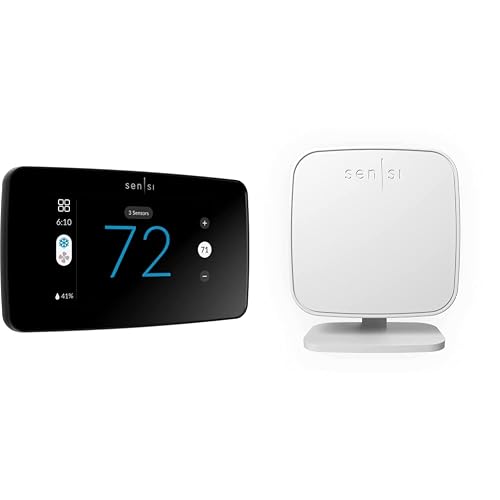
Sensi Touch 2 Smart Thermostat & Room Sensor
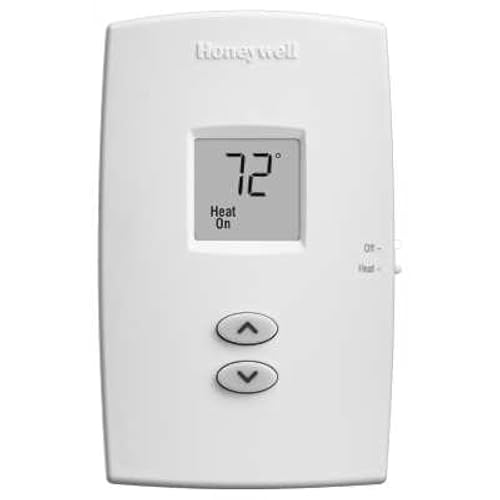
Honeywell TH1100DV1000 PRO 1000 Heat Only Thermostat
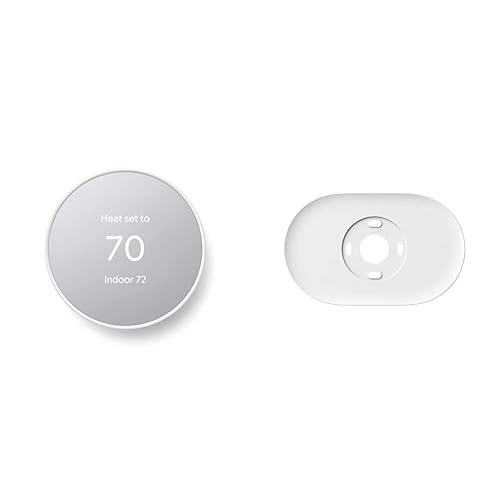
Google Nest Thermostat with Trim Kit (Snow)
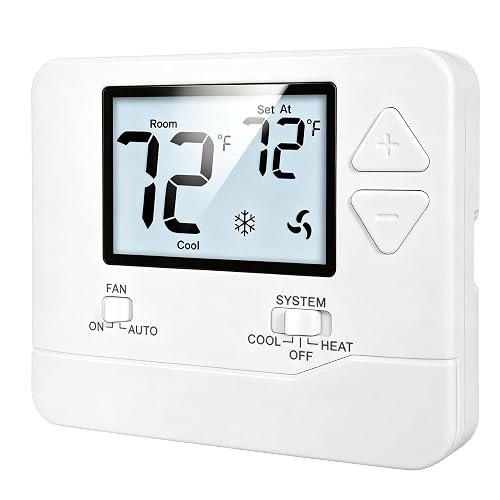
Heagstat 1 Heat/1 Cool Non-Programmable Thermostat

EconoHome Non-Programmable Digital Thermostat

Honeywell Home X2P Programmable Thermostat
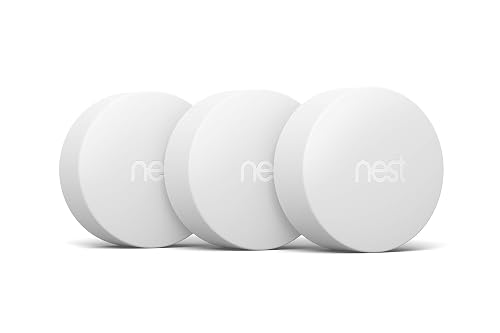
Google Nest Temperature Sensor 3-Pack

Google Nest Learning Thermostat 4th Gen + Sensor (Obsidian)

Google Nest Learning Thermostat 4th Gen + Sensor (Silver)
More Details On Our Top Picks
Emerson’s Sensi Touch 2 leans on Bluetooth during setup, which makes the install feel less like wiring a mystery box and more like pairing a new phone. The companion app walks you through each wire terminal and confirms compatibility with most common HVAC systems, so the first-time experience is noticeably calmer than older smart thermostats. Once mounted, the color touchscreen responds cleanly and the scheduling tools let you dial in different routines for weekdays and weekends.
Pairing with the separately sold Sensi room sensors lets the system balance temperature across multiple rooms rather than just the hallway. For households where the nursery runs cold or the upstairs bedroom runs hot, that kind of distributed sensing tends to matter more than flashy app screens. The privacy stance is also worth noting: Emerson states the brand does not sell personal information to third parties, which is a meaningful detail for anyone wary of connected home data collection.
Useful Touches
- Bluetooth-guided install lowers the bar for first-time installers
- Compatible with Sensi room sensors for balanced multi-room comfort
- ENERGY STAR certified with flexible scheduling and remote access
- App-driven usage reports help you spot where energy slips away
- Works with most common residential HVAC equipment
Things To Consider
- A common wire (c-wire) is required, which older homes may not have
- Room sensors are sold separately, adding to the total spend
- Touchscreen attracts fingerprints in bright kitchens
Key Specs
Who It Suits Best
Homeowners running a standard forced-air system who want app control, room-level balance, and a guided Bluetooth install without paying flagship-tier prices.
Where Another Pick Suits Better
The Google Nest Thermostat (Item 3) fits better if you want a thermostat that adjusts itself when you leave home and you prefer the Google Home app ecosystem.
The Honeywell TH1100DV1000 belongs to the Pro 1000 family, a line that has lived in basements, boiler rooms, and rental units for years. Its vertical layout with a simple slider and a digital display keeps the interface intentionally minimal. There is no learning curve and no app to set up, which is exactly the point.
For single-stage heat-only systems, the unit covers the job without unneeded extras. Its compact footprint of roughly 4-11/16 inches tall by 2-7/8 inches wide by 1-1/8 inches deep makes it easy to fit over a standard electrical box, and the premier white finish blends into most utility spaces. Owners typically describe the install as straightforward, and replacement of an aging mechanical thermostat rarely takes more than a few minutes with basic tools.
Positive Points
- Heat-only single-stage design suits boilers, furnaces, and baseboard setups
- Non-programmable simplicity means no schedules to manage
- Compact vertical housing fits tight utility spaces
- From Honeywell’s established Pro 1000 product family
Points To Keep In Mind
- Heat-only, so it will not run cooling equipment
- No app connectivity, Bluetooth, or smart features
- Basic display lacks the backlight brightness of newer models
Made For
Homeowners or property managers running a heat-only system who want a no-fuss, reliable Honeywell wall unit without smart features.
Consider Something Else When
The Honeywell Home X2P (Item 6) makes more sense if you want programmable scheduling and your system includes cooling.
The Google Nest Thermostat (Snow edition) lands as a friendly entry point for anyone moving from an old dial unit to a connected system. The mirror-style display and side-mounted touch strip feel modern without being intimidating, and the included trim plate plus steel plate make the install forgiving on walls that show old paint lines or have an electrical box behind. ENERGY STAR certification keeps the efficiency angle clear.
Day to day, the headline feature is the auto-schedule: the thermostat learns your preferences over time and begins adjusting on its own. Pair that with the leave-and-return behavior, where the system shifts toward energy-saving temperatures when no one is home, and the result is a thermostat that quietly trims your utility usage without constant fiddling. The Google Home app handles the rest of the heavy lifting, including filter reminders and seasonal suggestions.
Useful Highlights
- ENERGY STAR certified for energy-conscious households
- Auto-schedule learns your temperature preferences over time
- Includes trim plate and steel plate for cleaner wall finishes
- Programmable through the Google Home app on iPhone or Android
- Turns itself down when you leave to save energy
Honest Caveats
- Best experience is tied to the Google Home ecosystem
- Some HVAC systems may need a C-wire or power adapter for stable operation
- Mirror finish shows dust and smudges in entryways
Feature Snapshot
Best Suited To
First-time smart thermostat shoppers already using Android or Google Home devices who want a clean, self-learning wall unit with minimal setup friction.
Not Your Match When
The Sensi Touch 2 (Item 1) fits better if you want Bluetooth-guided install support and Emerson’s app ecosystem instead of Google’s.
The Heagstat non-programmable thermostat targets a narrow but common situation: a conventional single-stage system with one heating and one cooling circuit, and an owner who simply wants a clean digital wall unit. Its white backlight display makes the temperature easy to read in low light, and the buttons are laid out in a way that does not require a manual to operate.
Compatibility is the main thing to confirm before purchase. This unit works with 24VAC forced-air systems, including gas, oil, and electric furnaces paired with an independent air-conditioning condenser. Owners commonly note that the install is quick, but the wiring base is limited to roughly two to five conductors, so systems with six to eight wires may not be a clean match. If your setup is straightforward, the value here is solid.
Where It Delivers
- Designed for 24VAC conventional single-stage 1H/1C systems
- White backlight display for low-light readability
- Simple physical interface with no app required
- Compact form factor for tight wall spaces
Some Limits To Know
- Not designed for heat pump, multi-stage, or high-voltage systems
- Base supports roughly two to five wires, so larger wiring bundles may not fit
- No scheduling or smart features
Right Fit For
Renters, condo owners, and small-home households running a basic single-stage system who want a clean digital upgrade without learning curves.
Look Elsewhere When
The EconoHome digital thermostat (Item 5) is a stronger match if you want a similar level of simplicity with a slightly broader feature footprint.
EconoHome positions this unit as a simple swap for older mercury or mechanical thermostats. The faceplate stays clean, the controls are limited to the essentials, and the system supports both heating and cooling, so it works across most seasons in a standard single-stage setup. For households that do not need an app, this kind of straightforward digital replacement is often the right call.
Installation tends to be the main talking point. Owners often describe the process as quick enough to handle in under an hour with basic tools, though it still requires careful attention to the existing wire labels. The fan switch includes on and auto modes, which gives you some flexibility without adding complexity. For anyone who has been meaning to replace a temperamental analog unit, the EconoHome delivers the basics without adding new things to learn.
A Few Highlights
- Supports central gas, oil, and electric furnace systems
- Compatible with cool-only air conditioning setups
- Fan switch with on and auto modes
- Heat and cooling temperature control in a single unit
- Compact form factor for simple wall replacement
Small Caveats
- Limited to single-stage conventional systems
- No app connectivity or scheduling
Perfect Match For
Cost-conscious households ready to retire an aging mechanical thermostat and run a standard forced-air system that does not need smart features.
A Better Fit Elsewhere
The Honeywell Home X2P (Item 6) is a stronger choice if you want programmable scheduling on the same single-stage system type.
The Honeywell Home X2P is a programmable unit built for single-stage 1 heat and 1 cool systems, which covers a wide share of North American homes. Its schedule flexibility is the main differentiator. You can pick from 5-1-1 day, 5-2 day, 7-day, or one-week formats, and there is even a non-programmable mode if you decide you would rather stop fiddling with the schedule entirely.
Maintenance prompts such as change air filter reminders are baked into the system, which makes the X2P useful for households that want the thermostat to do a little nagging on their behalf. The white finish keeps it visually neutral, and owners commonly report that programming from the wall is intuitive once you walk through the first schedule. Compared with the non-programmable Heagstat (Item 4) and EconoHome (Item 5), this model is the natural step up for anyone ready to automate setpoints.
Real-World Strengths
- Multiple schedule formats including 5-1-1, 5-2, and 7-day options
- Built-in air filter change reminders
- Optional non-programmable mode for set-and-forget use
- Optimized for single-stage 1 heat and 1 cool systems
- Clean white finish that blends into most interior palettes
Trade-Offs
- No app or voice control, unlike the Sensi Touch 2 or Nest units
- Programming is done at the wall rather than on a phone
Quick Facts
Who Should Grab It
Set-and-forget households on a single-stage system who want programmable scheduling and filter reminders without paying for app connectivity.
Swap It Out When
The Sensi Touch 2 (Item 1) is a stronger pick if you want a touchscreen and app control alongside scheduling.
The Nest Temperature Sensor 3-pack is not a thermostat on its own, but it is one of the most useful accessories for anyone already running a compatible Nest thermostat. Each small sensor reports the temperature of the room it sits in, and the thermostat uses that data to decide when the system should turn on or off. Drop one in a baby’s room, one in a home office, and one in the living room, and you have a much fairer read on the house.
Communication happens over low-energy Bluetooth, which keeps battery life long and signal draws low. The catch is compatibility: these sensors work with specific Nest thermostats rather than every smart system on the market, so this is a buy for households that have already committed to the Nest family. For multi-level homes where the hallway thermostat cannot see the upstairs bedroom, the difference in comfort can be meaningful.
What Stands Out
- Three sensors cover multiple rooms in a single purchase
- Bluetooth Low Energy for long battery life
- Works with compatible Nest thermostats for room-specific control
- Compact design fits on shelves and side tables without clutter
A Few Limitations
- Requires a compatible Nest thermostat to function
- Does not work as a standalone temperature controller
Built With In Mind
Existing Nest thermostat owners in multi-room homes who want the system to read temperatures in spaces far from the hallway wall unit.
Reach For A Different Pick When
The Google Nest Learning Thermostat bundle (Items 8 and 9) is a better starting point if you do not yet own a Nest thermostat and want a sensor included.
The 4th-generation Nest Learning Thermostat is Google’s most capable wall unit to date, and this bundle pairs it with a second-generation temperature sensor in the Obsidian finish. The larger, brighter display is the most immediate change, and the rotating bezel still feels like the most intuitive interface in the category. Over the first week or two, the thermostat quietly builds a schedule around your adjustments, which is where the “learning” name earns its keep.
The included sensor adds the same multi-room reading that the 3-pack in Item 7 offers, just in a single-room starter configuration. For households that want polished design and a thermostat that adapts as routines change, the combination is genuinely satisfying. You are paying for the adaptive behavior, the larger display, and the bundled sensor, so this is the right pick when aesthetics and automation matter as much as the heating and cooling itself.
Practical Pluses
- Self-learning schedule adapts to changing routines
- Bundled 2nd-gen temperature sensor for room-specific control
- Premium Obsidian finish for darker interior palettes
- Larger, brighter display than earlier Nest models
- Works with the Google Home app on Android and iPhone
Where It Is Less Suited
- Priced above the standard Nest Thermostat and Sensi units
- Best experience is tied to the Google Home ecosystem
The Right Fit
Connected-home enthusiasts who want adaptive learning, a polished dark-finish thermostat, and a sensor in the box for room-level readings.
Another Choice May Suit
The Sensi Touch 2 (Item 1) is worth a look if you want a touchscreen smart thermostat at a lower cost and prefer Emerson’s app environment.
The Silver edition of the 4th-generation Nest Learning Thermostat offers the same internal hardware and adaptive behavior as the Obsidian version above, with a finish that leans into lighter, more reflective wall spaces. For kitchens and living areas with white or pale hardware, the silver color reads as intentional rather than mismatched.
The 2nd-generation temperature sensor handles the multi-room side of the experience, and the larger display keeps the schedule and current temperature visible from across the room. Owners commonly note that the learning behavior feels less aggressive than older Nest generations, which is a welcome change for households that prefer gradual adaptation. The honest read is that choosing between this and the Obsidian comes down to which finish suits your wall.
Standout Benefits
- Adaptive learning builds a schedule around your habits
- Silver finish suits lighter interior palettes
- Bundled 2nd-gen temperature sensor included
- Large, easy-to-read display with smooth rotating control
Details To Watch
- Carries the same premium price as the Obsidian bundle
- Best paired with the Google Home app for full functionality
Whose Shelf It Belongs On
Style-conscious smart-home households that want the learning experience in a lighter finish and value the included room sensor.
Where A Sibling Pick Shines
The Obsidian bundle (Item 8) fits better if your wall or cabinetry leans darker and you want a more grounded finish.
What To Weigh Before Choosing Your Next Thermostat
Start with your HVAC system type, because everything else falls out of that decision. Single-stage forced-air systems are the easiest to match and work with most of the picks here, including the Honeywell Home X2P, Heagstat, and EconoHome. Heat-only homes running a boiler or baseboard setup will lean toward the Honeywell TH1100DV1000 instead. Confirm whether your wall has a common wire (c-wire), since several smart thermostats, including the Sensi Touch 2, need one for stable power. A low-voltage power adapter can bridge the gap, but it is an extra step worth planning for.
Smart features deserve honest evaluation rather than automatic adoption. App control, room sensors, and learning schedules all add convenience, but they also add complexity. A homeowner who simply wants a reliable digital wall unit may find the Honeywell Home X2P or Heagstat a better fit than a learning thermostat. Conversely, multi-room households with hot and cold spots benefit from the Sensi Touch 2 or Nest bundles, since a single hallway sensor cannot fairly represent the whole home.
Compatibility and finish matter more than people expect. A thermostat that fights your existing wiring is a frustrating first weekend, and a glossy black display in a sun-flooded entryway is harder to read. The Snow Nest Thermostat suits light walls, while the Obsidian and Silver Nest Learning Thermostats offer more design flexibility. Room sensors, like the Nest 3-pack, are a strong add-on for anyone whose home has noticeable temperature swings between floors.
Key Considerations Across These Picks
Where Shoppers Go Wrong
The most common slip is choosing a thermostat before confirming the wiring. Pull the faceplate off your current unit and count the wires, then compare that count against the new model’s requirements. Another frequent mistake is buying a learning or app-driven thermostat for a system that barely runs, since the savings never catch up to the added cost. Finally, mixing ecosystems creates friction: Nest sensors work best with Nest thermostats, and Sensi room sensors pair naturally with the Sensi Touch 2. Picking within one family keeps the experience smooth.
What The Higher Tier Buys
Stepping up to a learning thermostat or a bundled sensor package buys three things: comfort automation, multi-room awareness, and design polish. The 4th-generation Nest Learning Thermostat adapts to your routine over time, which is genuinely useful in homes with shifting schedules. Bundled sensors extend that intelligence to rooms the hallway unit cannot see. None of this is necessary in every home, but in a two-story house with a nursery, the difference between basic and premium is felt every night.
Frequently Asked Questions
Do all smart thermostats need a C-wire?
Not all, but many do. A common wire, or c-wire, delivers continuous low-voltage power to the thermostat, which most color touchscreens and learning models need to stay connected to Wi-Fi and Bluetooth. Some units, including certain Honeywell Home models, can operate without one using power-stealing or battery modes, but stability varies. Check your existing wiring before committing to a smart upgrade.
Can a Bluetooth thermostat work without Wi-Fi?
Yes, in most cases. Bluetooth handles the initial setup and some local communication, while Wi-Fi is what enables app control away from home. You can still adjust temperature at the wall when the internet is down, and some models will keep running a basic schedule. Remote control and learning features typically require a live Wi-Fi connection.
Are room sensors worth the extra cost?
For multi-room homes, room sensors tend to pay for themselves in comfort. A hallway thermostat cannot tell that the upstairs bedroom is five degrees warmer in summer or that the basement office is cold all winter. A few well-placed sensors give the system a fairer read and reduce the thermostat wars over the wall slider.
What is the difference between programmable and learning thermostats?
A programmable thermostat follows a schedule you build by hand, while a learning thermostat builds that schedule itself by watching your adjustments. Programmable units, like the Honeywell Home X2P, give you precise control. Learning thermostats, like the 4th-generation Nest, are more hands-off but require a short ramp-up period to understand your habits.
How hard is it to install a Bluetooth thermostat yourself?
Most Bluetooth thermostats are designed for DIY install, and the app typically walks you through wiring step by step. The actual time commitment is usually under an hour, though it depends on your existing wiring and whether you need a c-wire adapter. If the wiring in your wall is unlabeled or unusual, professional help is a reasonable call.


