

Heating and cooling typically eat up the largest slice of a home energy bill, so a thermostat that thinks for you pays back faster than most upgrades. Cheap smart thermostats have come a long way: you no longer need flagship pricing to get app control, scheduling, and voice integration. The ten picks below cover renters, homeowners, floor-heating setups, and whole-home sensor networks, so you can match a thermostat to your actual living space rather than your neighbor’s.
A Side-By-Side Look
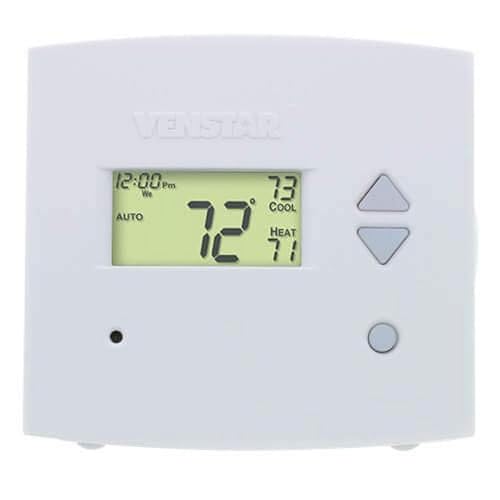
Venstar T2900 7-Day Slim Line Programmable Thermostat
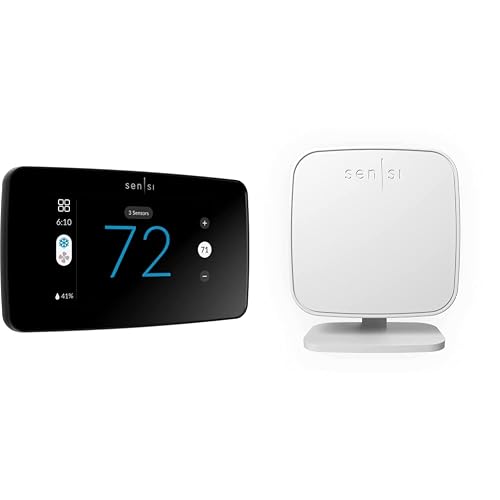
Sensi Touch 2 Smart Thermostat with Room Sensor
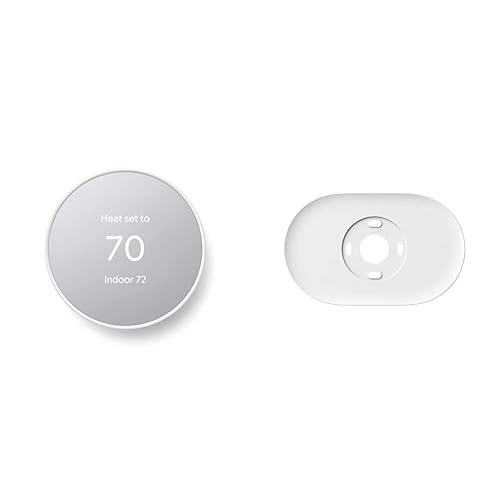
Google Nest Thermostat with Trim Kit (Snow)

SunTouch SunStat ConnectPlus Floor Heating Thermostat 4.3″
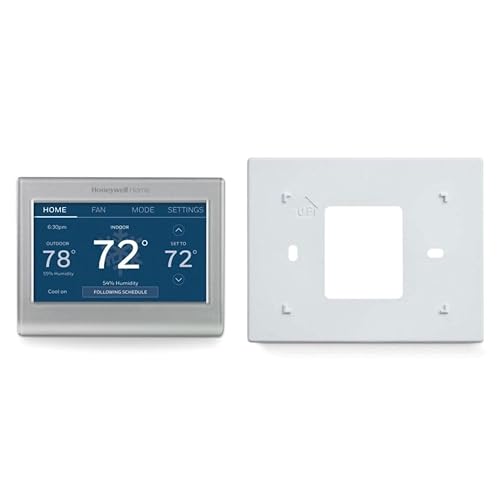
Honeywell Home RTH9585WF Wi-Fi Smart Color Thermostat
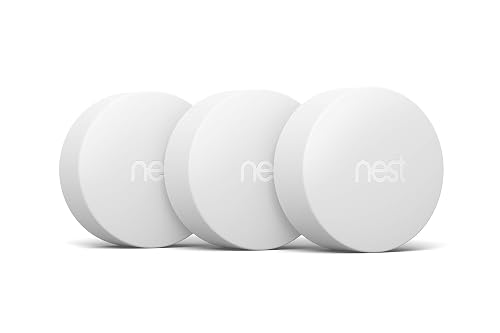
Google Nest Temperature Sensor 3-Pack
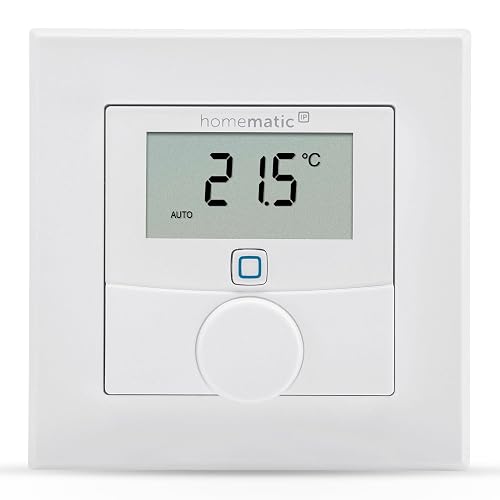
Homematic IP Wall Thermostat with Humidity Sensor
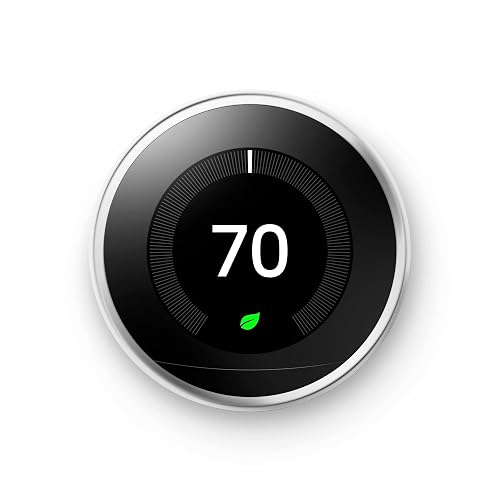
Google Nest Learning Thermostat (Polished Steel)
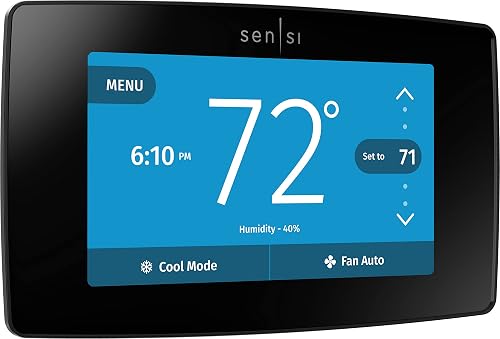
Sensi Touch Smart Thermostat ST75 (Black)
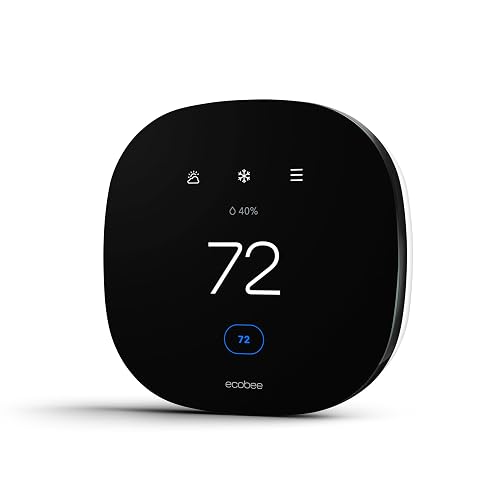
ecobee3 Lite Smart Thermostat (Black)
The Picks, Examined More Closely
The Venstar T2900 is the kind of thermostat that does its job without asking for your phone, your Wi-Fi password, or a software update. It runs on a simple 7-day programming schedule, which works well for households with predictable weekday and weekend routines.
For renters or anyone wary of cloud-connected devices, the offline design removes a layer of complexity. The backlit, color-coded keys and large display make it approachable for family members who would rather not fiddle with an app.
Benefits That Matter
- Simple 7-day programming without requiring a smartphone or Wi-Fi
- Large, backlit display with color-coded keys for easy reading at a glance
- Heat pump compatibility, which expands the homes it can serve
- Three configurable outputs for flexible installation across different HVAC setups
Worth Noting
- No app control or remote access, so adjustments require being at the wall unit
- Lacks the learning and geofencing features of the Wi-Fi picks further down this list
Made For
People who want dependable, scheduled heating and cooling without bringing a smart-home network into the mix.
Look Elsewhere When
You want voice control and remote app scheduling, in which case the Sensi Touch 2 Smart Thermostat is a more capable fit for your setup.
The Sensi Touch 2 leans into two areas where homeowners care the most right now: data privacy and balanced whole-home comfort. The color touchscreen feels modern, and the included room sensor support helps smooth out hot and cold spots.
For homes with a C-wire already in place, the app-guided install is approachable enough for a first-timer. Where the Venstar T2900 stops at the wall, this one keeps working through your phone and integrates with common voice assistants.
Everyday Perks
- Data privacy commitment, since Sensi does not sell personal information to third parties
- Compatible room sensors help balance temperatures in larger homes
- Flexible scheduling, remote access, and usage reports through the app
- ENERGY STAR certification, which matters if you are tracking efficiency for utility rebates
Honest Caveats
- Requires a common wire (C-wire), so older homes may need a wiring adapter or professional help
- Room sensors ship separately, adding to the total cost for whole-home sensing
Right Fit For
Homeowners who already have a C-wire and want scheduling plus sensor support without giving up data privacy.
Skip It When
You want a self-learning thermostat that programs itself, in which case the Google Nest Learning Thermostat is a stronger match for your routine.
The Snow edition of the Google Nest Thermostat is built for first-time smart thermostat owners who want a clean install and an easy app. The included trim plate hides old paint rings and the steel plate covers an electrical box, so the wall stays tidy.
Compared to the Sensi Touch 2, the Nest leans more on automation: it can turn itself down when it senses you have left the house. The Google Home app ties schedules, energy use, and remote control into one place.
Why It Works Well
- ENERGY STAR certified for efficiency-minded households
- Automatic eco mode when you leave, which trims wasted heating and cooling
- Trim kit and steel plate included for cleaner wall mounting
- App-based scheduling through Google Home on Android or iPhone
Points To Keep In Mind
- Some households report the on-wall touch controls take a little practice before they feel natural
- Works best inside the Google Home ecosystem, so mixed-platform homes may see fewer shortcuts
Best Suited To
First-time smart thermostat shoppers who already use Google Home and want minimal setup friction.
Consider Something Else When
You want humidity tracking in the wall unit, in which case the Homematic IP Wall Thermostat with Humidity Sensor is worth a closer look.
The SunStat ConnectPlus is not a furnace thermostat, it is built specifically for electric radiant floor heating. The 4.3-inch color touchscreen and Wi-Fi connectivity make it easier to control mats in bathrooms, kitchens, or basements from a phone.
While the Honeywell Home RTH9585WF focuses on whole-home forced air, this model targets a different system entirely. If your remodel includes a tile floor and you have ever wanted a warm bathroom on a winter morning, this is the use case it was made for.
The Case For It
- Designed for radiant floor heating systems, which most wall thermostats ignore
- Wi-Fi control with weather compensation and warm weather shut-down features
- Compatible with common voice assistants for hands-free adjustments
- Automatic clock setting keeps schedules accurate without manual changes
Some Limits To Know
- Not a general-purpose thermostat, so it cannot replace a standard forced-air unit
- Requires compatible SunTouch mat or cable systems, which can narrow installation choices
Whose Shelf It Belongs On
Homeowners with electric radiant floor heating who want app and voice control over a specific zone.
Another Choice May Suit
You need a standard whole-home thermostat, in which case the Honeywell Home RTH9585WF is a more flexible fit for forced-air systems.

The Honeywell Home RTH9585WF is the pick for anyone who wants the thermostat to look like part of the room rather than an appliance. The color touchscreen can be customized to match your wall, and the included wall plate helps cover old mounting marks.
It plays well with forced air, hot water, steam, and heat pumps with electric backup, which makes it one of the more flexible mid-range options. The Google Nest Thermostat covers basics; this one leans toward homeowners who want a more visible, design-forward screen.
Notable Gains
- Customizable color display, which is rare at this tier
- Broad HVAC compatibility, including forced air, hot water, steam, and heat pumps
- Flexible programming for custom schedules or utility peak rate pricing
- Bright, easy-to-read touchscreen for quick adjustments
Things To Consider
- Not compatible with electric baseboard heat at 120-240V, which limits some older homes
- The richer interface can feel like more menu layers than the simpler Google Nest Thermostat
Key Specs
Who It Suits Best
Style-focused renovators with forced-air, hot water, or steam systems who want a richer display.
A Better Fit Elsewhere
You need voice integration across multiple assistants, in which case the ecobee3 Lite Smart Thermostat is a stronger match.
The Google Nest Temperature Sensor 3-Pack is an accessory rather than a full thermostat, and that is exactly the point. Each sensor talks to a compatible Nest thermostat and tells it what the temperature is in another room, so the nursery or living room can be the priority instead of the hallway.
Where the Sensi Touch 2 supports room sensors through its own lineup, this pack is the simplest way to expand a Google Nest Thermostat or Nest Learning Thermostat setup. Three sensors cover most open-plan homes or two-story layouts.
Positive Takeaways
- Multi-pack format covers key rooms without buying sensors one at a time
- Helps the thermostat prioritize the room you actually spend time in
- Wireless placement keeps walls uncluttered
- Useful for nurseries, home offices, and upstairs bedrooms
Trade Offs
- Requires a compatible Nest thermostat, which adds to the total investment
- Will not function on its own as a temperature controller
Perfect Match For
Nest thermostat owners who want their system to react to the room that matters, not just the hallway.
Swap It Out When
You do not yet own a Nest thermostat, in which case starting with the Google Nest Thermostat is a smarter entry point.
The Homematic IP Wall Thermostat brings humidity into the picture, which is a quiet but meaningful upgrade in damp climates or homes with persistent stuffiness. The wall unit displays both temperature and humidity at a glance.
Unlike the stand-alone Google Nest Thermostat, this one needs the Homematic IP Access Point or a CCU3 hub to unlock its smart features. For households already invested in that ecosystem, the fit feels natural. For everyone else, that hub requirement is the main friction point.
Real-World Strengths
- Built-in humidity reading alongside temperature
- Works with common voice assistants through the app
- Supports both radiator and underfloor heating setups
- Designed for whole-home energy management in larger systems
Worth Bearing In Mind
- Requires a Homematic IP Access Point or CCU3 hub to use smart features
- Hub-free operation is limited, so first-time users face extra setup
Who Will Love This
Homeowners already running a Homematic IP smart-home system who want humidity-aware climate control.
Reach For A Different Pick When
You want a simple, hub-free install, in which case the Sensi Touch Smart Thermostat ST75 keeps setup minimal.
The Polished Steel version of the Google Nest Learning Thermostat is the one that aims to do the thinking for you. Over the first couple of weeks, it watches your manual adjustments, learns your routine, and starts programming itself.
Compared to the more affordable Google Nest Thermostat, this model adds HVAC monitoring alerts and the energy history view. The polished steel ring also gives it a more upscale look on the wall, which matters in open living spaces.
Strengths Worth Knowing
- Self-programming behavior reduces the time you spend tweaking schedules
- Energy history helps you see why your bill shifted month to month
- HVAC monitoring alerts you to potential system issues early
- Remote control from phone, laptop, or tablet
Practical Considerations
- Sits at a higher tier than the standard Nest Thermostat, so the upgrade is real cost
- Best results require a consistent routine for the first few weeks of use
Built With In Mind
Homeowners who want a thermostat that programs itself and surfaces HVAC health insights over time.
Where A Sibling Pick Shines
You are testing the smart-thermostat waters for the first time, in which case the Google Nest Thermostat is a more approachable starting point.
The Sensi Touch ST75 is a long-standing favorite for first-time installers, and the touchscreen color display keeps everyday adjustments simple. The app guides you through each wiring step, which lowers the intimidation factor for people who have never opened a thermostat plate before.
Against the newer Sensi Touch 2, this version keeps the same DIY spirit but skips the room sensor integration. If you do not need sensors in other rooms, the ST75 can save you some money while keeping the core experience intact.
Features That Help
- App-guided DIY install designed for first-timers
- Touchscreen color display for quick temperature changes
- Works with common voice assistants through the app
- ENERGY STAR certification for efficiency tracking
Points To Note
- Requires a C-wire, which some older homes may not have at the thermostat location
- No native room sensor support like the newer Sensi Touch 2
The Right Fit
First-time installers with a C-wire who want a clean touchscreen without paying for extra sensor features.
Not Your Match When
You want room sensors in the box, in which case the Sensi Touch 2 Smart Thermostat is the better-equipped choice.
The ecobee3 Lite closes out the list with the widest voice assistant support at this tier: Siri, Alexa, and Google Assistant all work through the ecobee app. For households that bounce between ecosystems, that flexibility is a real selling point.
Where the Honeywell Home RTH9585WF focuses on display customization, the ecobee3 Lite focuses on software reach. It is a strong fit for renters and owners who want simple scheduling, app control, and energy reports without locking into one platform.
A Few Highlights
- Compatible with Siri, Alexa, and Google Assistant for cross-platform households
- DIY install with the ecobee mobile app on iOS or Android
- ENERGY STAR certification for efficiency tracking
- Sleek black design that blends with most wall colors
What To Weigh
- Some advanced ecobee features live on higher-tier models, so check the spec sheet before you buy
- Best experience assumes a stable Wi-Fi connection at the thermostat location
Who Should Grab It
Mixed-ecosystem households that want one thermostat to work with whichever voice assistant is nearby.
Where Another Pick Suits Better
You want self-programming behavior out of the box, in which case the Google Nest Learning Thermostat is a stronger fit.
What To Match Before You Buy a Cheap Smart Thermostat
System compatibility matters more than screen size. Before anything else, confirm whether your home uses forced air, hot water, steam, a heat pump, electric baseboard, or radiant floor heating. A model that looks great on the wall will not help you if it cannot talk to your HVAC equipment.
A C-wire (common wire) is the hidden requirement behind most app-guided installs. A C-wire provides continuous power to the thermostat, which is what lets the Wi-Fi radio, color display, and sensors stay alive. Older homes often lack a C-wire, and adding one may mean a wiring adapter or professional help.
Sensors, scheduling, and learning behavior are the three features that actually move the needle on comfort. Room sensors fix hot and cold spots, scheduling cuts waste when nobody is home, and learning thermostats reduce the time you spend tweaking. Decide which of those three you will actually use, and pick the model that leans into that strength.
Voice and app ecosystems deserve a quick sanity check. A thermostat that ties into the voice assistant you already use daily will feel like a natural part of your routine, while the wrong ecosystem can leave you juggling apps. Think about which phone, speaker, and hub you already rely on.
Key Considerations Across These Picks
Where Shoppers Go Wrong
The most common mistake is buying a smart thermostat before checking the wiring. Pull the faceplate off your current unit and look at the terminals: a C-wire (common wire) is what delivers continuous power to the Wi-Fi radio and color display. Without it, several models on this list will not power up properly, and you will either need an adapter or a different pick.
Another slip is choosing a thermostat with the wrong HVAC compatibility. Electric baseboard heat at 120-240V rules out certain Wi-Fi models, and radiant floor heating calls for a specialty unit like the SunTouch SunStat ConnectPlus rather than a standard wall thermostat. A quick photo of your existing wiring saves a return trip.
What The Higher Tier Buys
Stepping up from a basic programmable unit to a learning thermostat or one with room sensors buys you automation rather than raw comfort. The Google Nest Learning Thermostat programs itself once it understands your routine, and the Sensi Touch 2 uses room sensors to prioritize the spaces you actually use. The upgrade pays off most in homes with shifting schedules or uneven heating between floors, and matters less in a small apartment with a predictable routine.
Frequently Asked Questions
Do cheap smart thermostats actually save money?
Most ENERGY STAR certified models help trim heating and cooling costs by adjusting the temperature automatically when you are asleep or away, and the savings show up over a full heating or cooling season.
Will a smart thermostat work without a C-wire?
Some models do, but many Wi-Fi thermostats need a C-wire for continuous power. If your current setup lacks one, a wiring adapter or a quick professional visit usually solves it.
Can I install a smart thermostat myself?
Several models on this list are designed for DIY installs with app guidance, and most take under 30 minutes. The main step that trips people up is labeling the wires on the old thermostat before swapping it out.
Do these thermostats work with Alexa or Google Assistant?
Many of the picks do, especially the Sensi Touch 2, Google Nest Thermostat, Honeywell Home RTH9585WF, Google Nest Learning Thermostat, and ecobee3 Lite. Compatibility varies by model, so check the listing if a specific assistant matters to you.
What happens to my schedule if Wi-Fi goes out?
Most smart thermostats keep your last saved schedule running on the device itself, so a brief outage does not reset your comfort settings. Remote app control is the part that pauses until Wi-Fi returns.
Final Verdict
Cheap smart thermostats have moved well past novelty status, and the ten picks above cover most of the common scenarios you are likely to face. Start with your HVAC system and your wiring, then choose the feature set you will actually use, whether that is room sensors, learning behavior, or a richer display. The right thermostat should fade into the background of your routine and quietly handle the rest.


