

Upgrading the thermostat on the wall used to mean a clunky dial and a guess. Now the right connected model can learn your routine, nudge temperatures down when you head out, and let you adjust the heat from a phone while still on the train home. Picking among the many Google-compatible options gets confusing fast, especially when some are learning thermostats, some are straightforward programmable picks, and others are sensors that pair with what you already own.
This roundup breaks down ten models that work with the Google Home ecosystem, from a first Nest to renewed flagship picks and budget EdgeAnt alternatives. Each entry explains who it’s for, where it shines, and where another option on the list might suit you better.
A Quick View Of The Lineup
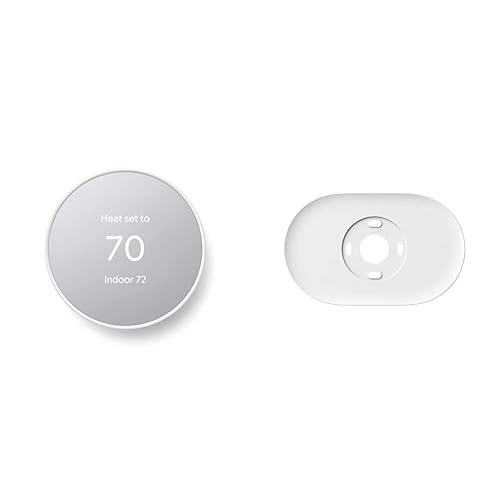
Google Nest Thermostat Snow with Trim Kit
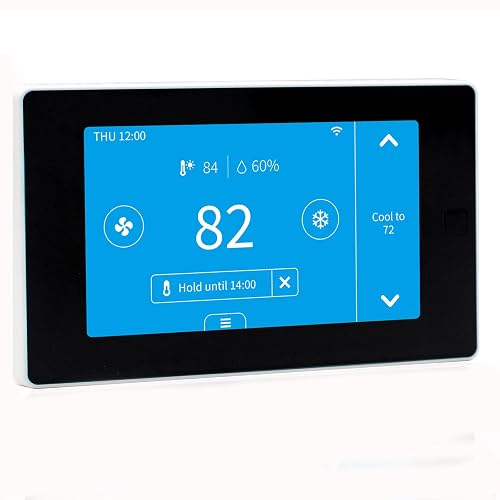
EdgeAnt Smart Thermostat with C-Wire Adapter

Google Nest Thermostat Fog with Trim Kit
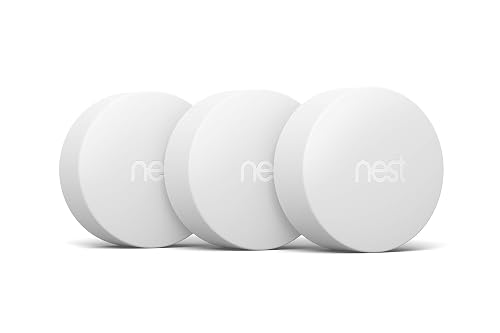
Google Nest Temperature Sensor 3-Pack
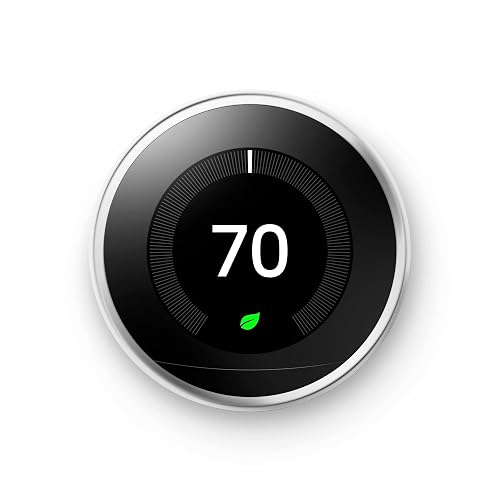
Google Nest Learning Thermostat Polished Steel
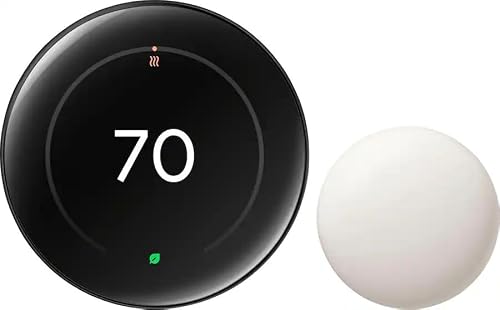
Google Nest Learning Thermostat 4th Gen Obsidian
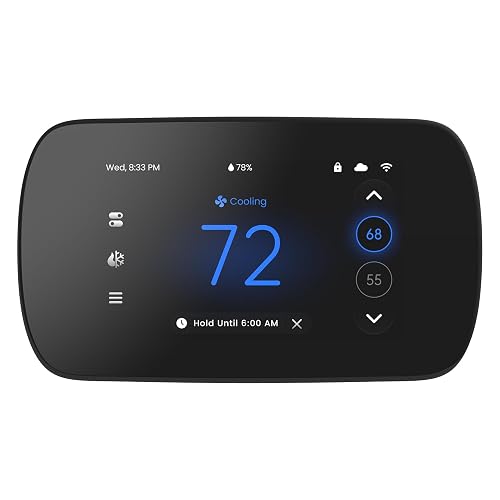
EdgeAnt 4.3″ Touch Screen Smart Thermostat

Nest Learning Thermostat 4th Gen Renewed Obsidian
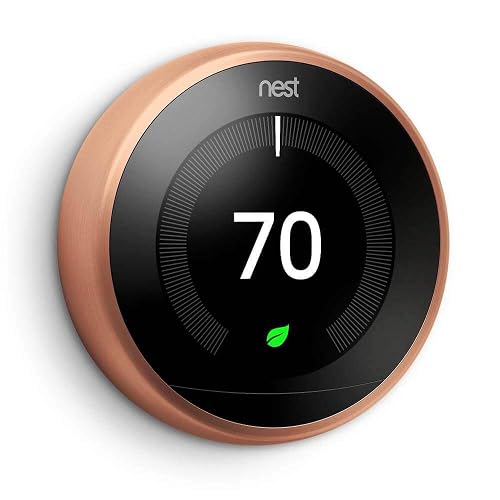
Google Nest Learning Thermostat Copper
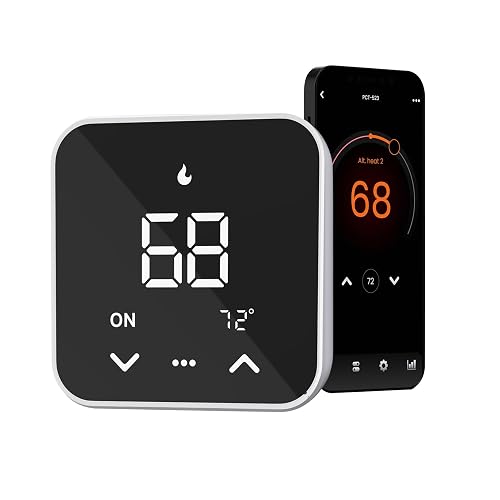
EdgeAnt Smart Thermostat Black, Tuya
A Closer Look At Each Pick
The Snow Nest Thermostat is the friendliest on-ramp into Google’s heating ecosystem, and the bundled trim kit removes a common install headache. The included trim plate covers the gaps left by an older, larger thermostat, while a steel mounting plate adapts to electrical boxes when needed. If you commute on a fixed schedule, the geofencing-style “turn itself down when you leave” behavior is the single feature you’ll notice on day one.
Setup happens in the Google Home app on Android or iPhone, and the schedule editor is approachable for anyone who has touched a digital alarm clock. ENERGY STAR certification is a meaningful signal of efficiency claims, not just a sticker. For a first smart thermostat in a small-to-medium home, this Snow version is the most balanced pick on the list.
Practical Pluses
- Trim plate and steel adapter ship in the box, so most walls look clean after install without a separate purchase.
- Auto-away temperature drop means you’re not paying to condition an empty house during a normal workday.
- Google Home app scheduling runs the same on Android and iPhone, so the household doesn’t have to pick a side.
- ENERGY STAR rating points to verified efficiency behavior rather than a vague “eco” label.
Things To Consider
- The Snow finish shows fingerprints around the touch strip more visibly than darker options on this list.
- Some households prefer learning behavior, which this model doesn’t offer; it follows a schedule you set.
Key Specs
Who It Suits Best
First-time smart thermostat shoppers who want a clean install, a simple schedule, and a Snow finish that blends with most walls.
Consider Something Else When
You’d rather skip manual scheduling entirely; the Google Nest Learning Thermostat Polished Steel programs itself after a few days.
The EdgeAnt thermostat is built for the most common install problem in older homes: a missing C-wire. A C-wire (or “common wire”) delivers continuous low-voltage power to the thermostat; without it, many smart models either won’t power up or will drain the shared circuit and cause flickering. EdgeAnt ships a C-wire adapter in the box, so you don’t need to fish a new wire through the wall or hire an electrician just to try a connected thermostat.
Compatibility runs wide: conventional 2H/2C systems, heat pumps up to 4H/2C, gas, electric, hot water, and more. Pairing with both Alexa and Google Assistant means you’re not locked in if your voice-assistant loyalty changes. The Tuya and Smart Life apps open up routines and remote control, and energy-saving schedules are easy to set. If your breaker panel is older and your wiring labels are a mystery, this is the lowest-friction starting point on the list.
Good Reasons To Consider
- Bundled C-wire adapter sidesteps the most common install failure for older homes.
- Works with both Alexa and Google Assistant, so voice control isn’t a lock-in decision.
- Wide HVAC compatibility covers most conventional and heat pump setups you’ll find in a single-family home.
- Tuya and Smart Life app support means automations and geofencing work without a brand-specific hub.
Points To Keep In Mind
- A C-wire is still required in the final install, even with the adapter; very old heat-only systems may not be compatible.
- Scheduling depth and reporting are simpler than what a learning thermostat offers; you’ll drive it more manually.
Made For
Owners of older homes without a C-wire who want a smart upgrade without rewiring the wall.
Skip It When
You want zero manual scheduling; the Google Nest Learning Thermostat 4th Gen Obsidian programs itself after a brief learning period.
The Fog variant of the Nest Thermostat shares its full feature set with the Snow version covered earlier, but lands a softer, grey-green finish on the wall. For homes with warm neutrals, sage paint, or natural wood tones, Fog disappears into the room instead of becoming a small white rectangle. Beyond the color, everything else carries over: trim plate, steel mounting plate, Google Home app scheduling, and ENERGY STAR-rated efficiency behavior.
Install is the same straightforward process: confirm compatibility, mount, wire, and pair through the Google Home app. If you’ve been holding off on a smart thermostat because the only finish was clinical white, Fog is the version that finally matches a more curated interior.
Noteworthy Benefits
- Fog finish blends with warm, muted, or natural-toned walls better than a stark white.
- Trim plate and steel adapter included, just like the Snow model.
- Auto-away temperature drop and Google Home scheduling match the standard Nest experience.
- ENERGY STAR efficiency rating applies to the Fog finish, so color choice doesn’t cost you performance.
Honest Caveats
- Identical feature set to the Snow model, so the only real reason to pay the same or a similar amount is the finish.
Best Suited To
Style-conscious owners with warm or muted walls who want the standard Nest experience in a softer color.
Look Elsewhere When
You want a thermostat that learns your routine automatically; the Google Nest Learning Thermostat Copper is the better upgrade in that direction.
The Nest Temperature Sensor 3-pack isn’t a thermostat on its own; it’s a set of small wireless sensors that pair with a compatible Nest Thermostat to add room-level awareness. Place one in a nursery, one in the living room, and one in a home office, and the thermostat prioritizes the room you actually care about at that time of day. The result is fewer arguments about a hot upstairs bedroom and a cold kitchen.
Each sensor uses low-energy Bluetooth to communicate, and the set is designed to work specifically with Nest Learning Thermostats and the Nest Thermostat E. If your home has a clear hot-cold imbalance, this add-on is the difference between a smart thermostat and a genuinely smart comfort system.
What Stands Out
- Three sensors in a single pack covers most homes’ main comfort zones out of the box.
- Prioritizes the room you’re actually using, so kids’ bedrooms and home offices stop fighting the main thermostat.
- Wireless placement means no drilling, no wiring, no electrician visit.
Small Caveats
- Requires a compatible Nest thermostat to do anything; it doesn’t operate as a standalone device.
- Sensors are most effective in homes with clear room-by-room temperature swings, not open-plan layouts where one reading covers most of the space.
Who Will Love This
Households with multi-level layouts or stubborn hot and cold spots that a single thermostat reading can’t solve.
Reach For A Different Pick When
You don’t yet own a Nest thermostat; start with the Google Nest Learning Thermostat Polished Steel and add sensors later.
The Polished Steel Nest Learning Thermostat is the model that defines the category: a connected dial that pays attention for the first week or two and then programs itself around your actual life. After enough manual adjustments, it builds a schedule you no longer have to think about. The polished steel ring is the most “watch on the wall” finish Google sells.
Beyond scheduling, the standout feature is HVAC monitoring: the unit watches your heating and cooling system for unusual patterns and nudges you with maintenance reminders before a small issue becomes a service call. Energy History lives right on the device via Quick View, so you can see why the bill spiked last month without pulling out your phone.
A Favorable Mix
- Self-programming after a learning period, which most people find easier than maintaining a manual schedule.
- HVAC monitoring sends early warnings so a dying blower or a slow refrigerant leak doesn’t go unnoticed.
- Energy History on-device and in the app means savings are visible, not just promised.
- Polished steel ring reads as a piece of hardware, not a plastic puck.
A Few Limitations
- The learning phase requires a couple of weeks of consistent manual adjustments before it gets out of your way.
- Higher upfront cost than the standard Nest Thermostat, and the value shows up over months, not days.
At A Glance
Perfect Match For
Set-and-forget households who want the thermostat to learn their patterns and want HVAC health visibility built in.
A Better Fit Elsewhere
Budget-focused shoppers may prefer the EdgeAnt Smart Thermostat Black, Tuya, which covers the basics at a lower tier.
The 4th-generation Nest Learning Thermostat, in the deep Obsidian finish, is the most advanced option on this list. It expands system compatibility to most 24V setups (gas, electric, oil, forced air, heat pump, and radiant), and in many cases no C-wire is required for installation. That last point is huge for older homes that previously had to be rewired just to make a smart thermostat happy.
This generation also ships with a Nest Temperature Sensor in the box, so multi-room comfort balancing is day-one. Compatibility with Alexa, Apple HomeKit, and the Google Home app means the household isn’t forced into a single voice ecosystem. The Obsidian finish reads almost black on a darker wall, which is the right look for modern interiors.
Advantages To Know
- Broadest compatibility on the list, including many installs that don’t need a C-wire.
- Bundled Nest Temperature Sensor adds room-level awareness on day one.
- Works with Alexa, Apple HomeKit, and Google Home, so voice control isn’t a lock-in.
- Obsidian finish suits modern, dark, or monochromatic interiors better than lighter models.
Worth Noting
- Non-retail packaging means the box is plain; the unit itself is new, but the unboxing is utilitarian.
- Full feature access relies on the Google Home app, which assumes you’re at least somewhat tied to Google’s ecosystem.
Right Fit For
Whole-home smart control shoppers who want the newest generation, widest system fit, and a sensor included in the bundle.
Swap It Out When
You want a flagship experience on a tighter budget; the Nest Learning Thermostat 4th Gen Renewed Obsidian delivers the same core hardware at a lower tier.
The 4.3-inch EdgeAnt thermostat trades the round-dial interface for a full color touchscreen, which makes weekday-by-weekday programming feel less like guesswork. The 7-day, 8-period-per-day schedule is the kind of granularity shift workers and homeschool families lean on, since no two days look the same.
Voice control works through both Alexa and Google Assistant, so you don’t have to pick a side. Compatibility is wide across conventional and heat pump systems, though a C-wire is required. For anyone who has ever squinted at a tiny monochrome screen trying to set a weekend schedule, the larger display is the headline upgrade here.
What It Does Well
- 4.3-inch touchscreen makes weekly scheduling far easier than navigating a small dial or button row.
- 7-day, 8-period-per-day schedule handles irregular routines that simpler models can’t capture.
- Voice control works with both Alexa and Google Assistant without a hub.
Potential Compromises
- Requires a C-wire; very old or heat-only systems may not work without rewiring.
- Doesn’t learn your schedule the way a Nest Learning Thermostat does; you’ll maintain the program manually.
Quick Facts
Built With In Mind
Detailed weekly program users with irregular schedules who want a clear touchscreen and don’t mind setting things up themselves.
Where A Sibling Pick Shines
You want hands-off scheduling instead; the Google Nest Learning Thermostat Polished Steel builds a schedule around you after a brief adjustment period.
This is the same 4th-generation Nest Learning Thermostat covered above, in Polished Obsidian, but sold through Amazon’s renewed program. The hardware, the bundled 2nd-generation Nest Temperature Sensor, and the Adaptive Eco features all match the new unit. The differences live in packaging and cosmetic grade, both of which tend to be the main reasons people hesitate.
For households that want flagship learning behavior and a sensor in the box without paying full retail, the renewed route is a sensible compromise. Adaptive Eco is the specific feature here that nudges savings further: the thermostat weighs indoor and outdoor conditions, plus your presence, before deciding how far to drift from your setpoint when no one’s home.
A Few Strong Suits
- Same flagship 4th-gen learning behavior as the new version, typically at a lower cost.
- Bundled 2nd-generation Nest Temperature Sensor extends the value beyond just the thermostat.
- Adaptive Eco is the smartest “away” behavior on the list, factoring outdoor conditions into the savings choice.
Worth Bearing In Mind
- Renewed units may show light cosmetic wear; inspect photos in the listing before committing.
- Packaging is plain, so this isn’t the right choice if presentation matters as a gift.
Whose Shelf It Belongs On
Deal-focused Nest shoppers who want flagship learning behavior and a sensor included at a lower tier than retail.
Not Your Match When
You want a brand-in-box experience; the Google Nest Learning Thermostat 4th Gen Obsidian ships in retail packaging instead.
The Copper finish on the Nest Learning Thermostat is the warm, jewelry-tone option in the lineup. Same self-programming behavior, same Home/Away Assist, same remote control through phone, laptop, or tablet. The copper ring catches light differently throughout the day, which makes this the right pick for a focal wall where the thermostat is part of the design rather than hidden behind a picture frame.
Compatibility still leans on Google’s online Nest Compatibility Checker, so confirming your HVAC type before install remains the smart move. For older homes with heat-only or multi-stage systems, that quick check saves an afternoon of frustration.
The Good Stuff
- Copper finish doubles as a warm metallic accent on a feature wall or entryway.
- Self-programming removes the need to maintain a manual schedule long term.
- Home/Away Assist drops the temperature automatically when the house empties out.
Trade-Offs To Consider
- An earlier-generation learning thermostat, so it lacks some of the 4th-gen refinements like Adaptive Eco.
- Verify system compatibility through Google’s online checker before purchase to avoid install-day surprises.
Who Should Grab It
Style-first shoppers who want a learning thermostat in a warm metallic finish and have a wall that deserves the upgrade.
Another Choice May Suit
You want the latest generation refinements; the Google Nest Learning Thermostat 4th Gen Obsidian is the more current flagship.
The Black EdgeAnt rounds out the list as a straightforward, no-fuss smart thermostat that handles the basics without drama. Voice control works with both Alexa and Google Assistant, scheduling covers a 7-day, 8-period-per-day grid, and the Tuya and Smart Life app ecosystems open the door to automations and geofencing if you want them. The black finish hides fingerprints better than lighter options on the list.
Compatibility covers most conventional and heat pump systems, with a C-wire required for power. For most households with a normal single-zone HVAC setup, this is the sort of thermostat that quietly does the job, schedules itself, and lets you move on with your day.
Where It Delivers
- Black finish hides fingerprints and smudges around the touch surface.
- Works with both Alexa and Google Assistant, so voice control is a free choice.
- Tuya and Smart Life app support lets you build automations alongside other smart home gear.
- 7-day, 8-period scheduling handles most households’ weekday and weekend patterns.
Less Ideal Details
- Requires a C-wire; older heat-only or high-voltage systems may not work.
- Doesn’t self-program like a Nest Learning Thermostat; you’ll revisit the schedule when routines change.
The Right Fit
Routine programmable comfort seekers who want a sensible, voice-assistant-friendly upgrade in a fingerprint-friendly black finish.
Where Another Pick Suits Better
You want zero schedule maintenance; the Google Nest Learning Thermostat Polished Steel adjusts itself as your routine shifts.
What Matters Most Before Choosing Google Home Thermostats
System compatibility comes first, and it’s the part most people skip. Before anything else, confirm whether your HVAC setup is a conventional system, a heat pump, or high-voltage electric baseboard. The latter is a hard no for most smart thermostats on this list, and the difference between 2-wire and 5-wire setups can be the difference between a 20-minute install and a wall-opening project. EdgeAnt’s online compatibility checker is a quick way to verify before you commit.
Wiring and power needs shape the install far more than features do. A C-wire delivers continuous low-voltage power to the thermostat. Some models require it, others include an adapter, and the 4th-generation Nest often doesn’t need one at all. If your current thermostat was installed before the 2010s, expect a wiring check.
Learning behavior versus manual scheduling is the real lifestyle question. Learning thermostats watch your adjustments for a week or two and then take over, which is great for unpredictable routines. Programmable picks with 7-day, 8-period grids are better when your week has clear patterns and you like to set them yourself.
Voice and app ecosystems are the connective tissue. Most picks here work with Google Assistant, and several add Alexa for households that bounce between them. Apple HomeKit support is rarer and worth checking if your home leans iPhone. The app you live in (Google Home, Tuya, Smart Life) becomes the daily surface, so choose the one that already holds the rest of your smart home.
What To Watch Before You Buy
Mistakes Worth Dodging
Skipping the compatibility check is the most common first-time mistake. A 2-wire heat-only system, an electric baseboard, or a high-voltage line-voltage setup will refuse most smart thermostats, and finding out at install time turns a simple upgrade into a return. Run the manufacturer’s checker before ordering.
Assuming a C-wire exists because the previous thermostat was “smart.” Many older smart thermostats were powered through other wires using a workaround, and that workaround doesn’t always carry forward. Pop the faceplate off and count the wires; if there’s no labeled “C” wire, plan accordingly or pick a model that handles that scenario.
When Paying More Pays Off
Higher-tier models like the 4th-generation Nest add Adaptive Eco behavior, broader system compatibility, and bundled temperature sensors. If your home has a clear hot-cold imbalance, the included sensor alone often justifies the step up. For single-zone, predictable-schedule households, the lower-tier picks cover the real-world needs just fine.
Frequently Asked Questions
Do Google Home thermostats work without Wi-Fi?
The thermostat itself runs your HVAC on its last-known schedule, but you lose remote control, app adjustments, and any learning features that rely on cloud data. Voice control through a Google Assistant speaker also requires an active connection, so Wi-Fi stays important for the full experience.
Will a smart thermostat work with an older heating system?
It depends on the wiring and the system type. Conventional gas, electric, and hot-water setups are usually fine, as are most heat pumps. Electric baseboard, line-voltage, and millivolt systems generally aren’t compatible with the models on this list.
How hard is it to install a smart thermostat yourself?
For most homes with a C-wire and a compatible system, the install is a 20-to-40-minute job involving labeling wires, mounting a base, and snapping on the faceplate. If your wiring doesn’t include a C-wire, expect an extra step with an adapter or a longer project that may call for a pro.
Can I control these thermostats with Alexa and Google Assistant at the same time?
The Nest models lean into the Google Home ecosystem and work cleanly with Google Assistant, with select models also adding Alexa. The EdgeAnt thermostats are designed to work with both simultaneously, which is helpful if your household uses both voice assistants in different rooms.
Do learning thermostats really save money on energy bills?
A learning thermostat’s value comes from reducing wasted conditioning: not heating or cooling an empty house, easing the setpoint overnight, and running only as much as your routine actually demands. ENERGY STAR-certified models like the ones in this roundup are independently verified for efficiency claims, and the Energy History view in the app shows you exactly where the savings come from.
Closing Thoughts
The right thermostat depends less on features lists and more on your home’s wiring, your routine, and how much scheduling you actually want to manage. Start with compatibility, then choose between a learning model and a programmable one, and let the finish and bundle be the deciding factor. Your walls, your comfort, your call.


