

Picking the right thermostat changes how your home actually feels. You walk into a warm bathroom on a January morning, a cool bedroom on a July afternoon, and the heating system quietly backs off when nobody’s home. The trick is matching the hardware to your HVAC setup, because a beautiful smart thermostat is useless if it doesn’t speak your furnace’s language.
This roundup covers nine solid options across three categories: classic non-programmable dials for renters and minimalists, app-driven smart thermostats for the connected household, and accessory sensors that round out a Nest system. Each pick solves a different pain point, so the right one depends less on brand loyalty and more on the wiring in your wall.
The Shortlist At A Glance
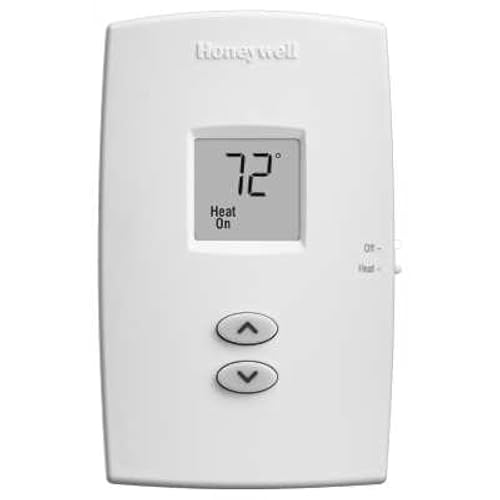
Honeywell TH1100DV1000 PRO 1000 Vertical Non-Programmable Thermostat
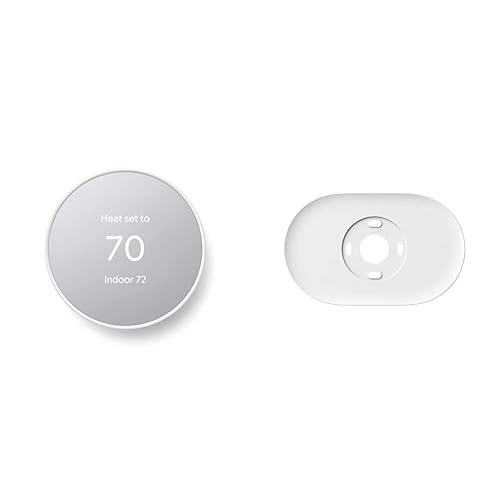
Google Nest Thermostat Smart Wifi Thermostat (Snow) with Trim Kit
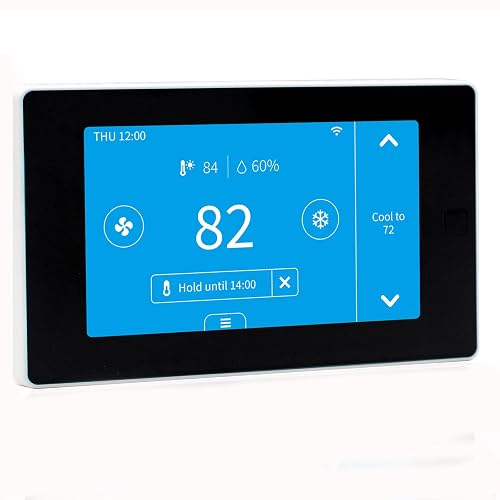
EdgeAnt Smart Thermostat with C-Wire Adapter, Tuya Compatible
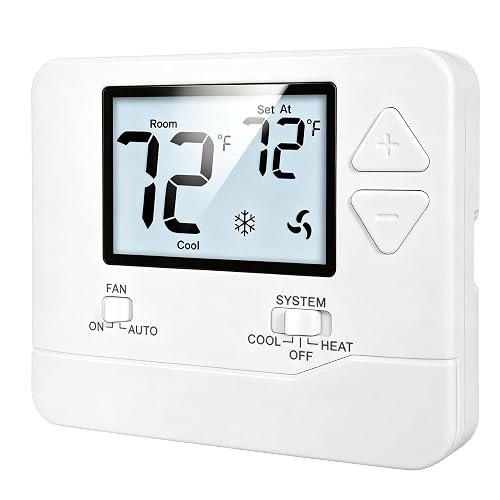
Heagstat Non-Programmable Thermostat 1 Heat/1 Cool, White Backlight
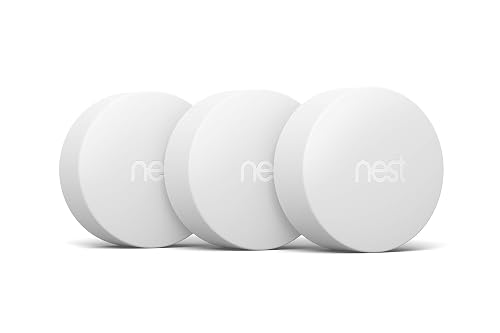
Google Nest Temperature Sensor 3-Pack for Nest Thermostats
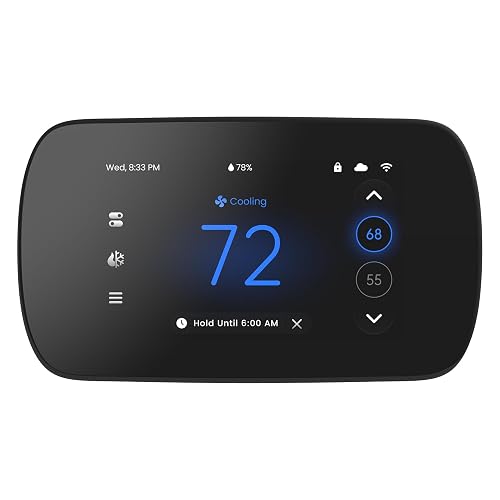
EdgeAnt 4.3-inch Touch Screen Smart Thermostat, Alexa and Google

Google Nest Learning Thermostat (4th gen) with Sensor, Obsidian

Google Nest Learning Thermostat (4th gen) with Sensor, Silver
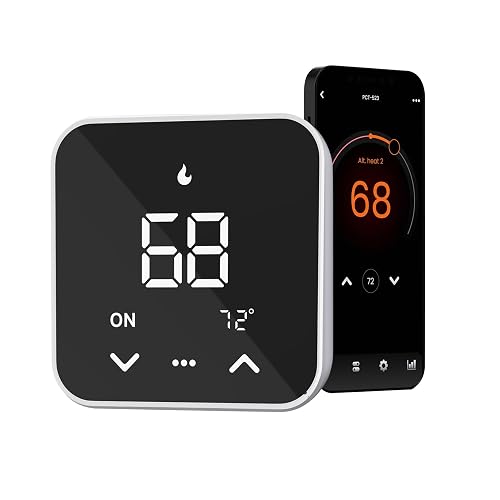
EdgeAnt Smart Thermostat in Black, Tuya and Smart Life Compatible
Why These Options Stand Out
Sometimes the smartest move is the simplest one. The Honeywell TH1100DV1000 PRO 1000 skips apps entirely, giving you a vertical slide-bar thermostat that heats one stage and nothing more. For a cabin, a workshop, or a baseboard-heavy rental where Wi-Fi is shaky and schedules are overkill, that restraint is a feature, not a limitation.
Its 4 11/16-inch tall vertical layout reads at a glance from across the room, and the premier white finish blends into most interior palettes. Setpoint drift is minor, and you can swap out the old unit in under fifteen minutes in most cases.
Positive Points
- No app, no account, no firmware updates to chase
- Tall vertical body with a clearly marked temperature scale
- Works as a reliable backup if a smart thermostat fails
- Fits single-stage heat-only wiring common in older homes
Things To Consider
- Heat-only by design, so cooling systems need a different pick
- No scheduling, which costs you comfort if your routine shifts
Quick Facts
Who It Suits Best
Owners of heat-only homes, rental property managers, and anyone who wants predictable temperature control without any phone dependency.
Consider Something Else When
You run central air and want schedules, in which case the Google Nest Thermostat is the obvious jump to a smart setup.
The first time you walk out the door and watch the temperature drift down from your phone, a regular thermostat starts to feel old. The Google Nest Thermostat delivers that moment without demanding a learning curve. You get a clean snow-white dial, a mirrored edge that disappears into the wall, and scheduling that lives in the Google Home app.
It pairs with both Android and iPhone, reads occupancy patterns to ease off heating or cooling when you leave, and ships with a trim plate plus a steel plate for installations over an older electrical box. Compared to the Honeywell dial above, this is the entry point to actual home automation.
Bright Spots
- Auto-away routine trims wasted heating when nobody’s home
- Energy tracking surfaces usage trends in the app
- Includes trim plate and steel cover for older wiring boxes
- Quiet, minimalist dial with subtle frosted glass finish
Worth Noting
- Some homes need a C-wire (the constant-power wire that keeps smart thermostats awake) or power adapter to install
- Full feature depth only inside the Google Home ecosystem
Made For
First-time smart thermostat shoppers who already live inside Google Home and want a low-effort introduction to scheduling.
Look Elsewhere When
You want self-learning automation without configuring anything, in which case the Google Nest Learning Thermostat (4th gen) takes the same idea further.
Not every home has a C-wire already run through the wall, and that’s where many smart thermostat installs hit a wall. EdgeAnt ships this model with a C-wire adapter in the box, which removes the single biggest friction point for older HVAC setups. The thermostat itself speaks both Alexa and Google Assistant, so you can drop it into either ecosystem without a hub.
It runs through the Tuya and Smart Life apps, which are open platforms used by hundreds of smart home devices. If your household already uses one of those apps for plugs, bulbs, or sensors, this thermostat slots in cleanly. For a homeowner wrestling with five-wire heat-only setups, the included adapter is the detail that makes the difference.
The Value In It
- C-wire adapter included for older two-wire systems
- Voice control through Alexa and Google Assistant
- Tuya and Smart Life app support consolidates controls
- Compatible with conventional 2H/2C and many heat pump configurations
Points To Keep In Mind
- Compatibility check on the EdgeAnt site is mandatory before installing
- Tuya app experience can feel cluttered if you also run dozens of unrelated devices
Best Suited To
Homeowners with older wiring who want a friendly smart thermostat without hiring an electrician to pull a new cable.
Skip It When
You prefer a Nest-managed ecosystem, where the Google Nest Thermostat pairs more tightly with the rest of the lineup.
There’s a market for thermostats that simply work, and the Heagstat sits squarely in it. You get a familiar 1H/1C layout, a white backlit display that’s easy to read at night, and buttons that don’t require a manual to decode. It serves single-stage forced-air systems running on 24VAC power, which covers a lot of suburban homes.
Unlike the Honeywell PRO 1000 earlier in this list, this model handles both heating and cooling. If your old thermostat died and you need a same-day replacement that doesn’t ping a server, this is the kind of unit you install and forget about.
The Good Stuff
- White backlight improves nighttime readability
- Handles standard 24VAC gas, oil, and electric furnace systems
- No apps, accounts, or wireless pairing required
- Affordable swap for a failing analog thermostat
Honest Caveats
- Limited to 2 to 5 wires, so 6 to 8-wire installs don’t qualify
- No scheduling, which costs comfort if you work staggered hours
Who Will Love This
Homeowners with a single-stage forced-air system who want a quiet, no-network thermostat that just runs.
Reach For A Different Pick When
You want voice control and schedules, where the EdgeAnt Smart Thermostat brings app and voice integration at a similar install effort.
One thermostat in the hallway doesn’t know that the nursery is freezing or that the upstairs bedroom cooks all afternoon. The Nest Temperature Sensor 3-pack solves that gap by reporting readings from up to 50 feet away to a compatible Nest thermostat, which then prioritizes whichever room you’ve flagged as the priority.
It’s strictly an accessory, not a standalone product. The trade-off is that you need a Nest Thermostat or Nest Thermostat E already installed, which is why this pick slots in after the main thermostats on this list. Three sensors give you enough coverage for a typical three-bedroom layout.
Where It Delivers
- Prioritizes rooms that swing furthest from your setpoint
- Bluetooth low energy keeps battery life long
- Wireless and stick-on, so no extra wiring is involved
- Useful in homes with uneven sun exposure
Less Ideal Details
- Only works with compatible Nest thermostats, not the EdgeAnt or Heagstat models
- Doesn’t read humidity, only temperature
Right Fit For
Nest owners who fight with one stubborn room every winter and want the system to react to actual conditions there.
Swap It Out When
You don’t already own a Nest Thermostat, in which case the EdgeAnt Smart Thermostat covers multi-zone scheduling without requiring an extra sensor purchase.
Where the previous EdgeAnt model kept things minimal, this one leans into the screen. A 4.3-inch color touchscreen makes manual temperature changes feel less like typing into a calculator, and the seven-day schedule with eight periods per day is the kind of detail that lets you fine-tune a home office, a kids’ bedtime, and an early-morning workout room separately.
It still needs a C-wire, and it skips high-voltage baseboard setups entirely. For homeowners with conventional forced-air or heat pump systems, that trade-off is the deal.
Benefits That Matter
- Larger color touchscreen simplifies manual adjustments
- Eight daily periods let you customize each routine shift
- Voice control through Alexa and Google Assistant
- Same Tuya and Smart Life app flexibility as other EdgeAnt units
Possible Compromises
- Won’t work with 2-wire heat-only, baseboard, or millivolt systems
- Touchscreen stays lit briefly after use, which may bother dark bedrooms
Whose Shelf It Belongs On
Schedulers who want detailed daypart control and prefer a touchscreen over a dial or app-only adjustment.
A Better Fit Elsewhere
You want learning automation that builds the schedule for you, where the Google Nest Learning Thermostat (4th gen) removes the manual setup entirely.
The flagship in this category sits one rung above the entry-level Nest Thermostat reviewed earlier. The 4th generation learns your preferred temperatures across the week and adjusts as your routine shifts, all from a polished obsidian face that looks at home next to matte-black hardware. It ships with one Nest Temperature Sensor in the box, so multi-room awareness starts the day you install it.
For households that don’t want to program anything, the learning behavior is the entire appeal. You nudge the dial up or down a few times, and a couple of weeks later the thermostat has its own opinion about bedtime.
Good Reasons To Consider
- Learns preferences without manual schedule entry
- Includes one temperature sensor for room-level targeting
- Monitors HVAC system health to flag early issues
- Bright edge-to-edge display that disappears when off
A Few Limitations
- Higher upfront cost than the standard Nest Thermostat
- Full learning benefits take a couple of weeks of normal use
Perfect Match For
Busy households that prefer the thermostat to figure things out and want a single bundled package with a sensor included.
Not Your Match When
Budget matters most, where the Google Nest Thermostat (Snow) handles the core smart features at a noticeably lower entry cost.
The silver variant of the 4th generation Nest Learning Thermostat is functionally identical to the obsidian model above, wrapped in a brushed metal finish that softens the look against lighter walls or wood-paneled interiors. If you’ve ever picked paint colors around a thermostat, that finish detail starts to matter.
It still ships with a 2nd-gen temperature sensor, still learns your weekly patterns, and still pings you about HVAC irregularities through the Google Home app. For interiors that lean bright or minimalist, the silver face reads as more architectural than tech.
Useful Strengths
- Brushed silver finish suits lighter interiors and gallery walls
- Bundled sensor starts multi-room balancing on day one
- Same learning engine as the obsidian variant
- Quiet operation with subtle display fade on idle
Trade Offs
- Premium pricing regardless of finish choice
- Smudges show more visibly on the polished surface than on matte black
Who Should Grab It
Design-conscious homeowners who want the same learning thermostat hardware as the obsidian model with a finish that matches lighter décor.
Another Choice May Suit
You prefer a darker, lower-glare look, where the obsidian variant reviewed above is the same product in a more understated finish.
Rounding out the EdgeAnt trio on this list is the black-finish variant, which trades the lighter EdgeAnt faces for a darker housing that disappears into charcoal walls or modern kitchens. Underneath the cosmetic shift, you get the same seven-day, eight-period scheduling and the same Alexa plus Google Assistant voice support as the touchscreen EdgeAnt above.
Tuya and Smart Life app compatibility carries over, so any routines you’ve already built around other Tuya devices extend to this thermostat. Like the other EdgeAnt picks, it still needs a C-wire to run and skips high-voltage baseboard systems.
Practical Pluses
- Black housing suits modern and minimalist interiors
- Seven-day, eight-period scheduling for detailed daypart control
- Plugs into existing Tuya or Smart Life app households
- Voice control through Alexa and Google Assistant
Small Caveats
- C-wire is required, so older two-wire homes need a workaround
- Glossy black face shows fingerprints more than matte finishes
Built With In Mind
Homeowners with dark hardware accents who already lean on the Tuya app for other smart devices and want one more routine under that same roof.
Where A Sibling Pick Shines
You want the bigger touchscreen for manual tweaks, where the 4.3-inch EdgeAnt model handles that without changing the underlying app experience.
Choosing Home Automation Thermostats That Actually Fit
Picking a thermostat starts with your HVAC system, not with the brand on the box. The wiring in your wall decides which models will even power on, and the most common reason a smart thermostat fails to install is a missing C-wire. That’s the constant 24-volt power line that keeps Wi-Fi radios and color screens alive, and older homes often don’t have one. The EdgeAnt models in this list address that with bundled adapters, which is worth noticing before you fall in love with a particular face.
System type matters next. Heat-only, single-stage, multi-stage, and heat pump setups each call for specific compatibility, and the manufacturer compatibility check pages exist for a reason. Forcing the wrong thermostat onto the wrong system produces error codes at best and equipment strain at worst. Match the thermostat to your system first, then choose features.
Finally, think about how you’ll actually live with it. A learning thermostat like the Nest 4th gen shines in hands-off households. A touchscreen model with eight daily periods rewards people who like to tune every hour. A basic Honeywell dial fits rentals where Wi-Fi credentials rotate with tenants. Your daily routine is the filter that separates useful features from white noise.
Getting More From Your Pick
Common Shopping Slip Ups
The biggest mistake is buying a smart thermostat before checking the wire count at the existing mounting plate. Pull the face off your current thermostat, count the wires, and confirm whether a C-wire is present. Skipping this step turns installation day into a return trip.
Another slip is assuming every smart thermostat works with every HVAC system. Electric baseboard heating (120V or 240V) and millivolt systems need specialized hardware, not a generic Wi-Fi model. Manufacturers maintain compatibility lists for a reason, and those lists save you from buying a thermostat that simply won’t talk to your furnace.
Why Top Tier Costs More
Premium thermostats like the Nest Learning Thermostat 4th gen bundle features that cheaper models leave to the homeowner. The learning engine replaces manual schedule entry, the system health monitoring flags HVAC irregularities early, and the included temperature sensor turns the thermostat into a multi-room tool on day one. For households that won’t dig into scheduling menus, those features justify the price gap.
The display and build quality also climb with the tier. Edge-to-edge glass, brushed metal finishes, and quieter dial mechanics show up in the higher-end picks, and they matter in homes where the thermostat sits on a visible wall. Spending up makes more sense when the thermostat is part of the décor, not buried in a hallway.
Frequently Asked Questions
Do I need a C-wire for any of these thermostats?
Smart thermostats in this list that connect to Wi-Fi generally need a C-wire for constant power, and the EdgeAnt models ship with an adapter for that reason. The Honeywell and Heagstat non-programmable models run on the standard wiring and don’t need a C-wire. Confirm your existing wire count before ordering.
Will these work with Alexa and Google Assistant?
The EdgeAnt and Nest models in this list support voice control through at least one of those assistants. The basic Honeywell TH1100DV1000 and the Heagstat are non-connected thermostats, so they don’t respond to voice commands.
Can I install a smart thermostat myself?
Most homeowners can handle a swap if they turn off the breaker, label the wires, and follow the app’s step-by-step wiring guide. If your existing plate lacks a C-wire and you’re not comfortable adding one, hiring an electrician is the safer call.
How do the Nest Temperature Sensors actually help?
They report room temperatures from up to about 50 feet away to a compatible Nest thermostat, which then prioritizes heating or cooling the room you’ve selected. They’re useful in homes where one area always runs hotter or colder than the rest.
Are learning thermostats worth the extra cost?
For households that don’t want to maintain schedules, yes. The Nest Learning Thermostat builds the schedule from your manual adjustments over a couple of weeks. For people who already enjoy tuning settings, a scheduled model saves the same energy without the premium price.
Closing Remarks
The right thermostat is the one that matches your wiring, your routine, and your tolerance for apps. Start with the system on the wall, narrow from there, and treat the smart features as a bonus rather than the reason to buy. A well-matched basic thermostat beats a flashy smart unit that fights your furnace every cycle.


