

Heating and cooling eat up more of your utility bill than almost anything else in the house. A programmable smart thermostat gives you a real chance to trim that spend without thinking about it, learning your routine and easing off the HVAC when nobody’s home. The nine picks below cover everyday households, radiant floor systems, multi-room setups, and a few niche wall-mounted options, so you can match the control style to the way your home actually feels.
A Side-By-Side Look
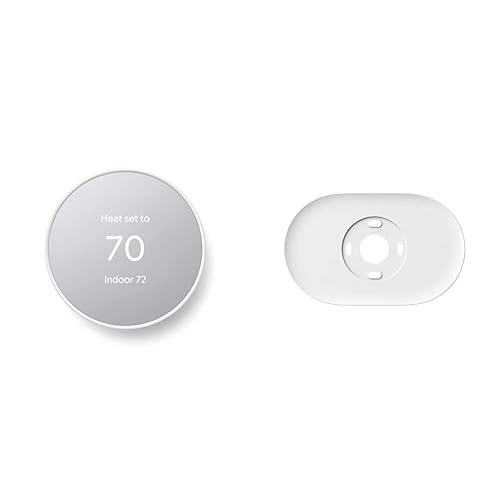
Google Nest Thermostat with Trim Kit (Snow)

SunTouch SunStat ConnectPlus Smart Wi-Fi Floor Heating Thermostat, 4.3″
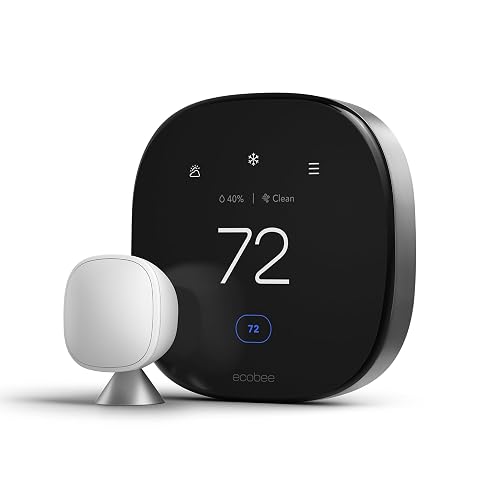
ecobee Smart Thermostat Premium with Smart Sensor
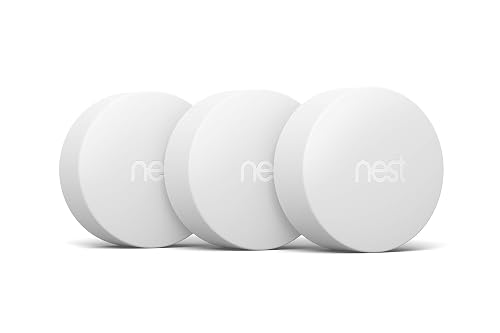
Google Nest Temperature Sensor 3-Pack
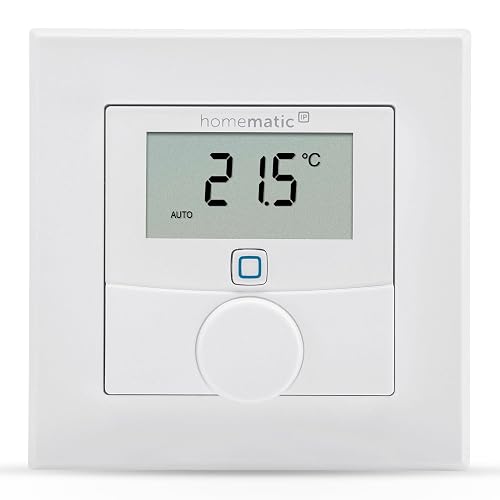
Homematic IP Wall Thermostat with Humidity Sensor
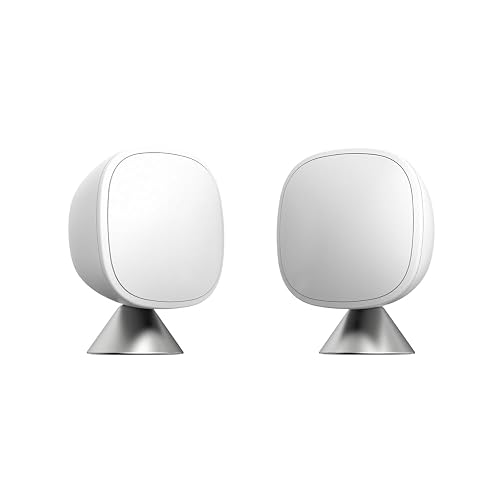
ecobee SmartSensor 2-Pack for Temperature and Occupancy
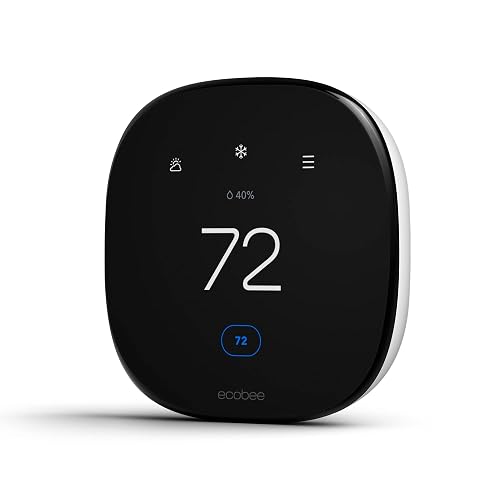
ecobee Smart Thermostat Enhanced, Programmable Wifi Thermostat

Google Nest Learning Thermostat (4th gen) with Temperature Sensor (2nd gen), Obsidian

Google Nest Learning Thermostat (4th gen) with Temperature Sensor (2nd gen), Silver
More Details On Our Top Picks
The Google Nest Thermostat in Snow is the friendliest on-ramp into the category for renters and first-time owners. Compared with the floor-heating focus of the SunTouch entry further down, this one targets the standard forced-air system most homes already use, and it does so with a minimalist face that blends into a hallway wall.
The included trim plate covers old paint lines from a previous thermostat, and a steel mounting plate adapts the unit over an electrical box. For most single-zone households, the experience is hands-off: you set a few temperatures in the Google Home app and the unit handles the rest. Programmable scheduling and an automatic away mode are the real workhorses, easing the HVAC back when the phone leaves the house.
Well-Handled Touches
- Trim plate and steel adapter ship in the box, sparing a second trip to the hardware store for many retrofit installs.
- Schedule building lives in the Google Home app, so adjustments happen from the couch instead of with a stubby finger on the wall unit.
- Auto-away detection trims runtime in empty rooms, which usually shows up in lower heating bills over a full season.
- Touch-sensitive edge for manual tweaks keeps the front face clean and finger-print resistant in busy kitchens.
Things To Consider
- Lacks the deep learning engine of the 4th-gen Nest, so you do the schedule fine-tuning yourself rather than letting the unit build one over time.
- No remote room sensors in the box, so far bedrooms or finished basements may run a few degrees off the main reading.
- Wide compatibility, but high-voltage baseboard systems and some proprietary HVAC boards need an extra power adapter or a professional wire check.
Who It Suits Best
First-time smart-thermostat owners in a single-zone home who want app control without paying for features they won’t use.
Where Another Pick Suits Better
Multi-room households chasing balanced temperatures should pair the Google Nest Temperature Sensor 3-Pack with a compatible Nest thermostat instead of relying on the wall reading alone.
Most thermostats on this list are built for forced-air furnaces and central AC. The SunTouch SunStat ConnectPlus is the opposite: it speaks the language of electric radiant floors, where the mat itself is the heating element and warm-up times are slow. The 4.3-inch color touchscreen makes the schedule read at a glance, and Wi-Fi brings app control to a category that has historically been dial-and-forget.
Homeowners renovating a cold bathroom tile floor or finishing a basement slab will get the most out of this unit. It pulls outdoor temperature and time data from the network, so the warm-weather shut-down feature stops the floor from firing on a hot July afternoon. For tile-loving households, this is the most practical upgrade you can wire into the wall.
Why It Works Well
- Designed for the slow thermal mass of radiant floors, where a standard thermostat overshoots and wastes energy.
- Wi-Fi connectivity adds scheduling, weather compensation, and remote adjustment to a niche that rarely gets them.
- Network clock sync means you stop chasing daylight-saving changes and the schedule stays accurate year-round.
Worth Noting
- Compatibility is narrower than the mainstream picks: you really need a 120 or 240-volt electric floor system to use it well.
- Touchscreen responsiveness can feel sluggish in cold entryways right after power-up, though it settles within a minute.
- Floor-sensor probe placement during install matters a lot; a misplaced probe leads to overshoot, so careful measuring pays off.
The Right Fit
Bathroom and basement remodelers running an electric radiant mat who want app control without giving up the floor-specific safety logic.
Not Your Match When
Forced-air households should skip ahead to the ecobee Smart Thermostat Enhanced, which is built for the central HVAC system this SunTouch cannot drive.
The ecobee Smart Thermostat Premium is the most loaded wall unit in the roundup. Unlike the Snow Nest above, which leans simple, this one is aimed squarely at households that have already committed to voice assistants and want a single panel that handles climate plus a few home-awareness tricks.
A built-in air quality monitor tracks particulates and VOCs, and the included SmartSensor helps the system react to whichever room matters most. Siri and Alexa are both built in, so the wall becomes a low-key smart speaker. For renovating a primary suite or finishing a bonus room, this is the kind of upgrade that quietly changes how the whole floor plan feels.
Good Reasons To Consider
- Included SmartSensor pulls the reading from the room you care about, not just the hallway, which solves the classic two-story imbalance.
- Built-in voice control through Siri and Alexa removes the need for a separate Echo or HomePod by the thermostat.
- Air quality monitoring adds a small but useful heads-up when cooking or seasonal allergies spike indoor pollutant levels.
- Works with Apple Watch, so wrist-based adjustments feel native rather than a workaround.
Honest Caveats
- Premium feature list means a steeper learning curve during setup, especially if you also want to dig into the air quality dashboards.
- Some advanced monitoring features need a stable Wi-Fi connection; flaky networks will cause the air quality screen to lag behind real conditions.
- The metal-and-glass face looks sharp but picks up fingerprints in homes with curious kids, so a quick wipe-down lands on the chore list.
Feature Snapshot
Best Suited To
Smart-home power users who want their wall thermostat to double as a voice hub and an air quality check.
Skip It When
Simpler households should consider the ecobee Smart Thermostat Enhanced, which keeps the SmartSensor focus without the air quality and voice hardware.
These little puck-shaped sensors don’t run a heating system on their own. They talk to a compatible Nest thermostat and tell it what the temperature actually is in the nursery, the home office, or the bonus room over the garage. For most households with a Nest already on the wall, adding a 3-pack is the cheapest way to fix a stubborn hot or cold spot.
Set-up is intentional: you place each sensor, label the room in the app, and pick which one the thermostat should prioritize at different times of day. The Bluetooth Low Energy connection runs on coin-cell batteries that last around a year, so maintenance is mostly a calendar reminder rather than a real chore.
The Helpful Details
- Three sensors in one box covers the typical main floor plus bedroom cluster without buying singles.
- Wireless connection keeps the install to a tabletop or shelf placement, no wiring or patching required.
- Per-room scheduling means the nursery can be a priority at bedtime while the living room takes over by morning.
A Few Limitations
- Only works with compatible Nest thermostats, so the ecobee and Homematic systems in this roundup are not on the menu.
- Range is roughly 50 feet through typical walls, so very large homes may need a Wi-Fi extender or strategic placement.
- Coin-cell batteries need an annual swap, a minor but real ownership task.
Whose Shelf It Belongs On
Existing Nest owners in open floor plans who keep noticing the bedroom running four degrees off the hallway reading.
Look Elsewhere When
ecobee households should pick up the ecobee SmartSensor 2-Pack instead, which speaks the same language as their wall unit.
The Homematic IP Wall Thermostat sits a step away from the mainstream cloud-first picks. It needs a Homematic IP Access Point or compatible CCU3 hub to do anything useful, which is a real commitment. In return, you get local control, an integrated humidity sensor, and deep ties into a European-style smart-home ecosystem.
For homeowners already running a Homematic setup, this is a tidy wall unit that controls underfloor loops, radiators, or a single zone without relying on remote servers. The humidity reading is the genuine standout, since most of the mainstream picks in this roundup don’t surface that data at all.
The Practical Payoff
- Combined temperature and humidity readings cut down on extra wall hardware in bathrooms and finished basements.
- Local control through the Homematic IP Access Point keeps schedules running even if your internet goes down.
- App and voice control through Alexa and Google Assistant sit on top of the local logic, so the smart bits stay optional.
Points To Keep In Mind
- Requires the Homematic IP ecosystem, so it’s a poor choice if you don’t already own the hub or aren’t ready to add one.
- App interface is dense and takes longer to learn than the polished ecobee and Nest apps.
- Wiring setup favors users comfortable with low-voltage European-style terminals rather than quick-connect push-ins.
Perfect Match For
Tinkerers and existing Homematic users who want a humidity-aware wall control that plays well with the rest of their setup.
Reach For A Different Pick When
Most shoppers should look at the SunTouch SunStat ConnectPlus, which adds Wi-Fi scheduling to a floor-heating system without the hub requirement.
These small wireless sensors are the difference between a smart thermostat that controls the hallway and one that controls the home. Each unit reads temperature and detects occupancy through infrared, then nudges the wall unit to react to the room you actually care about. The 2-pack covers the most common two-zone pain points: the primary bedroom and the home office.
They pair over a low-power wireless link that reaches across a typical two-story home without drama. Once you assign each sensor to a room in the ecobee app, the system decides when to lean on a particular reading based on the time of day. For most people, the upgrade pays for itself the first month the bedroom finally matches the hallway.
Useful Highlights
- Occupancy detection means the system reacts when someone is actually in the room, not just based on a schedule.
- Wireless range handles a typical two-story home without a repeater.
- 2-pack hits the common bedroom-plus-office setup most homes actually need.
Trade Offs
- Requires an ecobee thermostat, so the value disappears if your wall unit is from another brand.
- Infrared occupancy sensing can miss a still person reading in a chair, so very quiet rooms may report empty.
- Battery replacement every year or so is a small but real chore, depending on traffic in the room.
Quick Facts
Made For
ecobee owners with a two-story home where the upstairs always runs warmer than the downstairs reading suggests.
Swap It Out When
Nest households should grab the Google Nest Temperature Sensor 3-Pack instead, which fits the same role on a different wall unit.
The ecobee Smart Thermostat Enhanced is the most pragmatic ecobee in the lineup, sitting a step below the Premium on features but keeping the parts most households actually use. Compared with the Snow Nest at the top, it leans harder into multi-room comfort thanks to the included SmartSensor and works well with Apple Watch for wrist-based tweaks.
For a first smart thermostat, this is the unit that doesn’t ask you to apologize for your old wiring. Setup guides users through the C-wire question, the app talks to most common HVAC boards, and the eco+ features handle away and sleep modes automatically once you tell the system your basic routine.
Key Advantages
- Included SmartSensor brings room-level comfort without buying accessories later, which is the part most new owners forget to budget for.
- Eco+ features adjust temperature automatically when you’re away or asleep, so the savings don’t depend on remembering to set a schedule.
- Apple Watch support makes sense for the kind of person who already checks the front door from the wrist.
Potential Drawbacks
- Skips the air quality monitor and built-in voice of the Premium, so the price gap is real for the features you give up.
- Some older HVAC systems without a C-wire will need the optional Power Extender Kit, which is an extra step many first-timers miss.
- Display is functional rather than flashy, so style-focused rooms may want the Premium’s metal face instead.
Right Fit For
First-time smart-thermostat owners who want room-level comfort and Apple Watch integration without paying for air quality hardware they won’t use.
Another Choice May Suit
Style-focused minimalists should consider the Google Nest Learning Thermostat in Obsidian, which pairs a premium look with self-learning scheduling.
The 4th-generation Nest Learning Thermostat in Obsidian is the sleekest wall unit in the roundup. The deeper, reflective finish reads like furniture, which matters in open living rooms where the thermostat sits in plain sight. Underneath, it carries the same self-learning engine the line is known for, so the schedule builds itself over a few weeks of manual tweaks.
Bundled with a 2nd-gen temperature sensor, this kit covers the common single-zone home right out of the box. The included sensor pushes the priority to the room that matters, so the hallway reading isn’t running the show.
Reasons It Performs
- Self-learning engine builds a schedule from your manual adjustments, which suits set-and-forget households who dislike tinkering.
- Obsidian finish reads premium and resists the chalky dust look cheaper plastics pick up in renovated kitchens.
- Bundled 2nd-gen temperature sensor brings room-level comfort without a separate shopping trip.
Less Ideal Details
- Premium price tag, especially versus the simpler Nest Thermostat at the top of this list.
- Learning period can be uneven in the first two weeks, so don’t expect a perfect schedule on day one.
- Reflective glass face loves fingerprints, which is a small ownership reality in homes with kids.
Key Product Details
Who Should Grab It
Style-focused homeowners who want the thermostat to disappear into a high-end renovation and prefer the unit to learn their routine on its own.
A Better Fit Elsewhere
Households on tighter budgets should look at the ecobee Smart Thermostat Enhanced, which keeps room-level comfort at a more accessible price.
The Silver version of the 4th-generation Nest is the same self-learning hardware in a lighter finish, which suits kitchens, hallways, and laundry rooms where the dark Obsidian reads too heavy. For most households, choosing between the two is a decor call, not a feature call.
Where this unit earns its place is the combination of the learning engine and the bundled 2nd-gen temperature sensor. You set a few temperatures over the first week, the thermostat starts to anticipate the rest, and the sensor makes sure the system reacts to the room you care about. For busy families who don’t want to fiddle with schedules, it’s a satisfying upgrade.
The Good Stuff
- Silver finish blends into traditional trim and white walls, which is most American homes.
- Self-learning schedule works well for unpredictable routines like shift work or school pickup chaos.
- Bundled 2nd-gen temperature sensor means the primary bedroom can drive the schedule at night.
Some Limits To Know
- Learning engine still takes a couple of weeks to settle, so patience during the first month pays off.
- Single included sensor covers one priority room; multi-room households may need a 3-pack later.
- No built-in air quality monitoring, so households sensitive to particulates won’t see that data on the wall unit.
Core Features
Built With In Mind
Busy families who want the thermostat to anticipate their routine rather than the other way around, especially in homes with light-colored walls.
Where A Sibling Pick Shines
Households that want voice control and air quality monitoring should consider the ecobee Smart Thermostat Premium, which adds those layers on top of the comfort basics.
What To Weigh Before Picking A Programmable Smart Thermostat
System Compatibility Comes First
The single biggest reason a smart thermostat underperforms is a mismatch with the HVAC system behind the wall. Before you fall in love with a face design, check whether your system uses a common wire (called a C-wire) for continuous power. Forced-air furnaces and central AC usually do, but some older baseboard and boiler systems don’t. The SunTouch SunStat ConnectPlus, for example, only makes sense for electric radiant floors, and the Homematic IP Wall Thermostat expects a Homematic hub on the network. Picking a unit that doesn’t speak your system’s language leads to either a wall that goes dark at night or a return trip to the retailer.
Sensor Coverage Sets The Comfort Ceiling
A wall thermostat reads the hallway, not the bedroom where you actually sleep. Smart sensors fix that, and the right number depends on your floor plan. Open-concept main floors usually need one or two sensors, while multi-story homes benefit from three or more. The Google Nest Temperature Sensor 3-Pack and the ecobee SmartSensor 2-Pack both target this exact problem, but they only talk to their own brand of wall unit. Buying the wrong sensor is one of the easiest ways to waste money in this category.
App Quality And Voice Integration
A thermostat lives or dies by its app, since that’s where schedules, geofencing, and energy reports actually live. Look for an app that runs on both Android and iPhone, updates regularly, and surfaces the data you care about without three layers of menus. Voice integration through Alexa, Google Assistant, or Siri is now table stakes, and the ecobee Smart Thermostat Premium is the rare unit that ships with voice hardware already inside. If you already use a particular assistant heavily, pick a thermostat that fits that ecosystem rather than fighting it.
Installation Realities
Most mainstream smart thermostats install in under thirty minutes with a screwdriver and a phone. Still, a C-wire adapter or a power extender kit is sometimes needed, especially in older homes without a common wire at the wall. The Homematic IP Wall Thermostat in this roundup is the pick most likely to need a hub and a careful wiring session. Anyone uncomfortable with low-voltage wiring should budget for a professional installer or choose a unit with a friendlier setup flow.
Key Considerations Across These Picks
Pitfalls Shoppers Hit
The most common mistake is buying a thermostat first and checking compatibility second. Smart thermostats are picky about HVAC systems, voltage, and the presence of a C-wire, so the spec sheet matters more than the marketing photo. Another easy slip is undercounting sensors. A single hallway reading won’t satisfy a two-story home, and adding sensors later usually costs more than buying the right kit up front.
Where The Extra Money Goes
The jump from a basic smart thermostat to a premium one usually pays for room sensors, voice hardware, and air quality monitoring. For most single-zone homes, the middle of the lineup covers the comfort basics. The top tier earns its keep in households with multiple priority rooms, voice-assistant loyalty, or a real interest in air quality data. Think of the premium as a feature bundle, not a status symbol, and let your routine decide whether the extra capability earns its place.
Frequently Asked Questions
How Does A Programmable Smart Thermostat Actually Save Energy?
A programmable smart thermostat saves energy by trimming heating and cooling during hours when nobody is home or awake, and by reacting to occupancy rather than running on a fixed cycle. Over a full year, that translates into shorter HVAC runtimes without sacrificing comfort in the rooms where you spend time.
Do I Need A C-Wire To Install A Programmable Smart Thermostats?
Many programmable smart thermostats need a C-wire, or common wire, for continuous power, though some include adapters or run on rechargeable batteries. Check your existing wiring at the wall before ordering, and budget for a power extender kit if your current setup lacks a common conductor.
Will A Smart Thermostat Work With My Old HVAC System?
Compatibility varies by brand and model. Most work with standard 24-volt forced-air systems, but high-voltage baseboards, proprietary boards, and some older boilers need specific models or even a system upgrade. The product listing usually spells out supported system types, so check that against your equipment before you commit.
Can I Control A Smart Thermostat When I Am Not Home?
Yes, as long as the thermostat stays on Wi-Fi and the companion app is installed on your phone. That remote control is the core feature of the category and works on most cellular networks once the initial setup is complete.
Are Remote Sensors Worth The Extra Cost?
Remote sensors are worth it for most multi-room homes, since they fix the classic problem of a hallway reading that doesn’t match the bedroom. Open-concept single-zone homes can usually skip them, while two-story layouts and finished basements benefit the most.
Wrap Up
The right programmable smart thermostat for your home depends on the system behind the wall, the floor plan you actually live in, and how much tinkering you want to do. A first-time owner in a single-zone house will get plenty from the Google Nest Thermostat at the top, while a multi-room family chasing balanced comfort will find the ecobee Enhanced or the Nest Learning Thermostat a more satisfying long-term fit. Pick the unit that matches your routine today, and trust that the comfort and savings follow from there.


