

Picking a thermostat sounds simple until you start comparing features. Some promise hands-free learning, others keep things old-school with a basic dial, and a few try to bridge both worlds. If you’re replacing a tired wall unit or building out a smart home from scratch, the right thermostat depends on your HVAC system, your tolerance for apps, and how much automation you actually want.
You’ll find a mix here, from a Nest that learns your routine to a Honeywell heat-only unit for a workshop, plus a couple of Aqara smart-home pieces for households already invested in that ecosystem. Each pick fits a different kind of homeowner, and the buying guide below explains the trade-offs that matter before you commit.
The Main Contenders
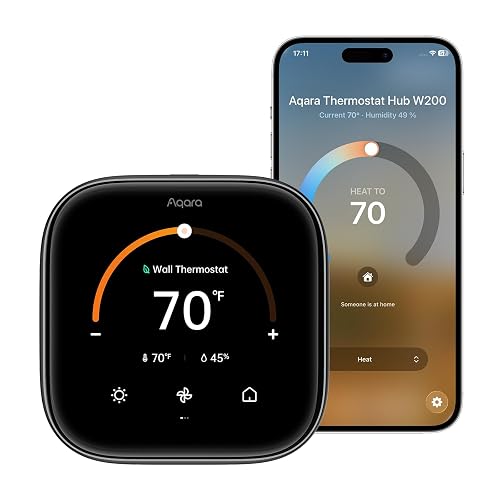
Aqara Smart Thermostat W200 with Apple Adaptive Temperature
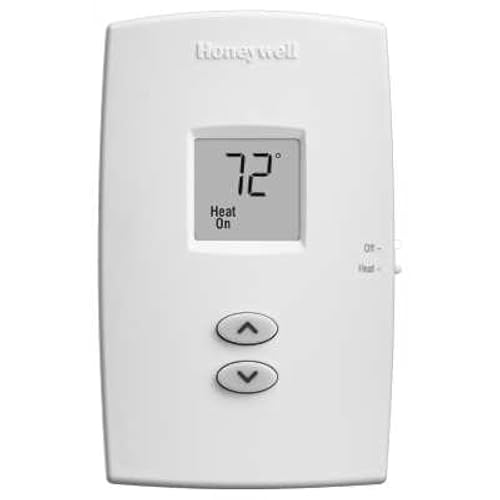
Honeywell TH1100DV1000 PRO 1000 Single-Stage Heat-Only Vertical Non-Programmable Thermostat
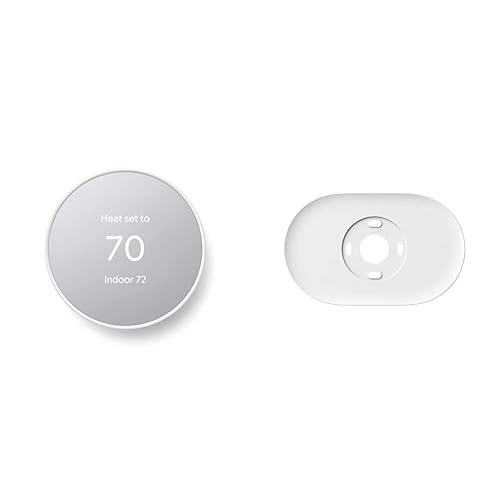
Google Nest Thermostat with Trim Kit (Snow)
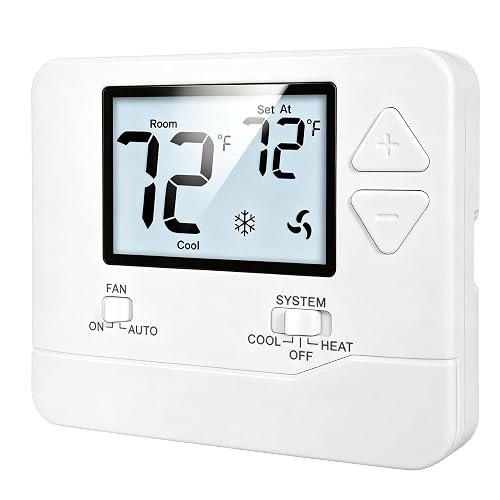
Heagstat Non-Programmable 1 Heat/1 Cool Thermostat with White Backlight
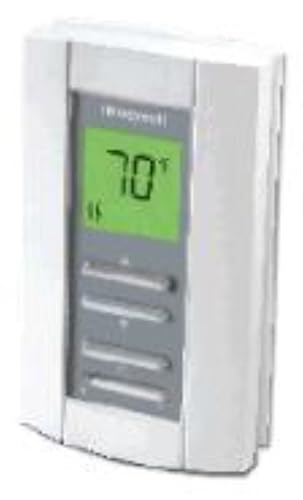
Honeywell TL7235A1003 Line Volt Pro 240V Digital Thermostat
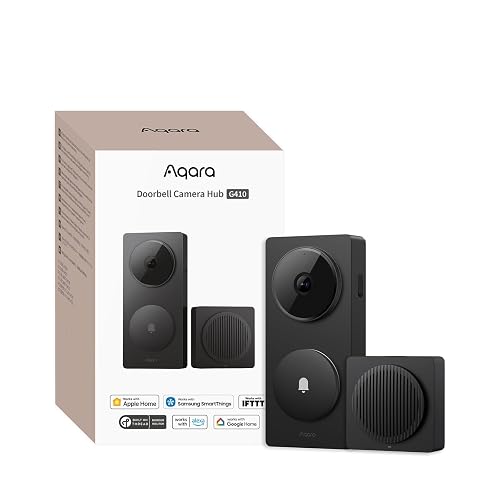
Aqara Smart Doorbell Camera G410 with Chime, HomeKit Secure Video (Black)
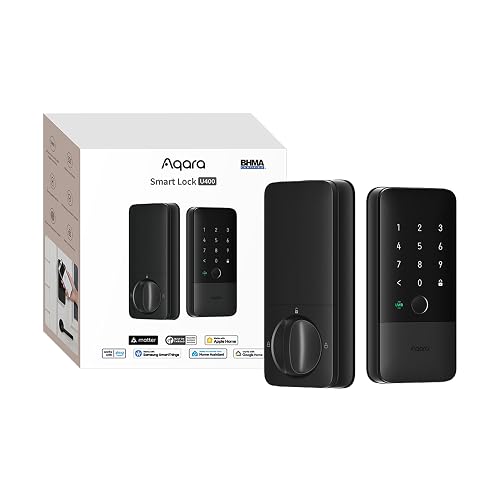
Aqara UWB Smart Lock U400 with Apple Home Key & Fingerprint (Black)

Google Nest Learning Thermostat (4th Gen) + Temperature Sensor (Obsidian)

Google Nest Learning Thermostat (4th Gen) + Temperature Sensor (Silver)
What Each Pick Brings To The Table
The Aqara W200 leans into Apple’s smart home world harder than most thermostats in this price conversation. Adaptive Temperature (a setting that lets your thermostat automatically shift the target temperature based on whether you’re home, asleep, or away) reads signals from your iPhone, an Apple TV, or a HomePod to figure out your activity state, then quietly nudges the temperature up or down without you building a schedule. In a busy household, that automation is the whole point.
You do need an Apple home hub for Adaptive Temperature to function, and your existing wiring has to be compatible with Aqara’s installation requirements. In homes that already run on HomeKit, setup is straightforward, and the W200 tends to blend in on the wall thanks to its minimalist face. If you live mostly outside Apple’s ecosystem, the Honeywell TL7235A1003 below may be a simpler, more honest fit.
Practical Advantages
- Adaptive Temperature removes the need to program a weekly schedule manually.
- Deep HomeKit integration for households already invested in Apple’s smart home.
- Energy savings happen passively when the system knows nobody is home.
- Compact, modern design that reads as intentional on most walls.
Worth Noting
- Adaptive Temperature needs an Apple TV or HomePod as a hub to function.
- Wiring compatibility should be confirmed before installation day.
- Owners in mixed-platform homes may find Aqara’s app experience limiting compared with a Nest.
Feature Snapshot
Made For
Apple-centric households that want climate control to react to who’s home, not to a rigid weekly schedule.
Look Elsewhere When
You don’t own an Apple TV or HomePod, in which case the Google Nest Thermostat with Trim Kit offers a friendlier entry point.
Sometimes the smartest move is the simplest one. The Honeywell TH1100DV1000 is a vertical, non-programmable thermostat built for single-stage heat-only systems, and it does exactly one job: set the temperature and forget it. In a workshop, garage conversion, or older home with a straightforward furnace, that restraint is a feature, not a limitation.
The face measures roughly 4-11/16 inches tall by 2-7/8 inches wide, which fits the classic vertical footprint many replacement jobs expect. The premier white finish keeps it from looking out of place in a utility room. If you need cooling control, scheduling, or app connectivity, the Heagstat Non-Programmable 1H/1C unit is the more complete option for conventional systems.
Real-World Strengths
- Heat-only focus means installation stays simple for basic forced-air furnaces.
- No app, no Wi-Fi, no firmware to chase, which suits low-tech households.
- Compact vertical profile fits standard replacement wall openings.
- Premier white finish blends with most trim and paint colors.
Points To Note
- No cooling stage, so it’s not a fit for central air systems.
- No scheduling means manual tweaks at the wall for any change in routine.
Right Fit For
Shoppers with a heat-only furnace who want a reliable wall unit without learning curves or extra features.
Swap It Out When
You need cooling support, in which case the Heagstat Non-Programmable 1H/1C Thermostat covers both heat and air conditioning on conventional systems.
Google’s standard Nest Thermostat is the friendliest on-ramp into the smart thermostat world for most households. It carries ENERGY STAR certification, which means it meets efficiency benchmarks that can translate into real savings on monthly bills, and the included trim plate plus steel plate make the install cleaner on walls with quirks or old electrical boxes behind them.
Scheduling lives in the Google Home app, where you set a weekly routine and let the Nest take over from there. The thermostat also drops the temperature when it senses nobody is home, a small habit that adds up across a heating season. Compared with the Aqara W200 above, this is the more platform-neutral choice for mixed-device homes. If you want the thermostat to learn your preferences without a phone, the Nest Learning Thermostat 4th gen further down is the step up.
Advantages To Know
- ENERGY STAR certification signals verified efficiency performance.
- Auto-away behavior reduces waste when the house is empty.
- Trim plate and steel plate help cover old paint and box gaps.
- Works with both Android and iPhone through the Google Home app.
Honest Caveats
- Schedules require a Google account and the Home app on a phone.
- Wiring compatibility still needs to be confirmed before purchase, since some older systems lack a C-wire (the common wire that supplies continuous power to a smart thermostat).
Feature Snapshot
Best Suited To
First-time smart thermostat shoppers who want reliable scheduling, app control, and broad phone compatibility without a steep learning curve.
Skip It When
You want a thermostat that learns your routine on its own, in which case the Google Nest Learning Thermostat (4th Gen) does that work for you.
The Heagstat 1H/1C thermostat is the kind of unit you install and then stop thinking about. It’s built for 24VAC conventional single-stage forced-air systems, which covers most standard gas, oil, and electric furnaces paired with an outdoor AC condenser. A white backlight makes the display readable in hallways and bedrooms without being harsh at night.
You give up Wi-Fi, learning, and scheduling in exchange for a low-fuss wall unit that just works. The wiring note is important, though: the base supports up to five wires, and systems running six to eight wires are not compatible. Compare that with the Honeywell TH1100DV1000 above, which is heat-only, and the choice between the two comes down to whether you need cooling control.
A Few Highlights
- Handles both heating and cooling on standard 24VAC single-stage systems.
- White backlight keeps the display readable in low light.
- Manual-only design removes the need for app setup or accounts.
- Straightforward replacement for older analog thermostats.
A Few Limitations
- Not compatible with systems using six to eight wires.
- No scheduling, so comfort changes require a manual adjustment at the wall.
- No smart features, which is a drawback if you travel often.
Whose Shelf It Belongs On
Homeowners with a standard forced-air furnace and AC who want a no-app, set-it-and-forget-it wall control.
Where Another Pick Suits Better
You want app control and scheduling, in which case the Google Nest Thermostat with Trim Kit fits the same conventional systems with much more automation.
Most thermostats on the market run on low voltage, but electric baseboard heaters and similar systems use line voltage, and that’s where the Honeywell TL7235A1003 lives. It’s a 240-volt digital unit with electronic temperature control, so installation requires comfort working with mains-level wiring, and the trade-off is precise, quiet control of high-draw electric heat.
The on-demand backlight makes the display easy to read in basements and converted spaces, and the soundproof operation cuts the click-and-pop noise common with mechanical line-voltage thermostats. A heating indicator light confirms at a glance that the system is actively calling for heat. For most homeowners with a furnace, the Honeywell TH1100DV1000 or Heagstat 1H/1C is the safer pick, but for electric baseboard owners, this is the right tool.
The Value In It
- Built for 240V line-voltage systems like electric baseboards and convectors.
- On-demand backlight improves readability in dim utility rooms.
- Soundproof operation reduces the click heard from older mechanical thermostats.
- Heating indicator gives quick visual confirmation the system is calling for heat.
Possible Compromises
- Line-voltage wiring means installation is more involved than a typical 24VAC swap.
- Not the right unit for central forced-air systems.
Feature Snapshot
Who Should Grab It
Homeowners with 240V electric baseboard or convector heaters who want digital accuracy without mechanical noise.
Consider Something Else When
Your home runs on a low-voltage forced-air system, in which case the Heagstat Non-Programmable 1H/1C Thermostat is the safer, simpler match.
The Aqara G410 is technically a video doorbell, not a thermostat, but it earns its place on this list because the Aqara smart home ecosystem is the kind of place the W200 above fits naturally. If you’re already building out an Aqara household, this doorbell ties the front of the home into the same app and hub. HomeKit Secure Video support means encrypted recording and iCloud storage handled through your existing Apple devices.
The included chime is a nice touch, since not every doorbell ships with one in the box. Cross-ecosystem compatibility covers Matter, Alexa, Google Assistant, SmartThings, and Home Assistant, so it plays well with whatever else you have running. If all you need is a thermostat and nothing else, this is not the right pick, but for Aqara households, it rounds out a thoughtful smart-home lineup.
What Works In Its Favor
- HomeKit Secure Video delivers encrypted recording and iCloud storage.
- Built-in Zigbee and Matter hub simplifies adding other Aqara devices.
- Cross-ecosystem support covers Apple, Alexa, Google, SmartThings, and Home Assistant.
- Included chime saves a separate accessory purchase.
Things To Weigh
- Wired doorbell installations need existing low-voltage wiring at the front door.
- HomeKit Secure Video requires a paid iCloud storage plan for full functionality.
Feature Snapshot
Who Will Love This
Aqara and HomeKit households looking to extend their smart home to the front door with encrypted video and a bundled chime.
Not Your Match When
You only need a thermostat and have no plans to expand into Aqara’s other products, in which case the Aqara Smart Thermostat W200 is the more relevant pick on its own.
Like the G410 above, the Aqara U400 smart lock is not a thermostat, but it rounds out the smart-home ecosystem where the W200 lives. UWB (Ultra-Wideband) is a short-range radio protocol that detects direction and proximity with far more precision than Bluetooth, and the U400 uses it to recognize when you’re walking up to the door with intent to enter, unlocking automatically as you approach.
Apple Home Key support means a compatible iPhone or Apple Watch can unlock the door with a tap, and the fingerprint reader offers a third hands-free option for households that don’t want to dig out a phone. Real-world ownership of a smart lock includes keeping the fingerprint sensor clean and confirming the door’s existing bore holes match the new lock’s template, so check door prep before ordering.
Benefits That Matter
- UWB detects approach, direction, and intent for hands-free unlocking.
- Apple Home Key support turns a compatible iPhone or Watch into a tap-to-open key.
- Fingerprint reader adds a third entry option for visitors and family members.
- Useful when hands are full, you’re wearing gloves, or it’s raining.
Practical Considerations
- UWB unlocking requires a compatible phone with the right radio hardware.
- Door bore holes and backset need to match the lock’s template before installation.
Perfect Match For
Tech-forward iPhone households that want front-door access to feel as automated as a smart thermostat.
A Better Fit Elsewhere
You only need to upgrade climate control, in which case the Aqara Smart Thermostat W200 is the relevant pick from the same brand.
The 4th-generation Nest Learning Thermostat is what happens when the standard Nest grows up. It watches how you set the temperature, when you adjust it, and what your routine looks like over time, then starts building its own schedule. The included 2nd-gen Nest Temperature Sensor extends that thinking into rooms where the main thermostat’s reading doesn’t tell the whole story, like a nursery or a finished basement.
For multi-room households, the remote sensor is the unlock. Instead of cooling the hallway to keep the bedroom comfortable, the system prioritizes the room where the sensor reads. Compared with the Aqara W200 above, which leans on Apple’s Adaptive Temperature, the Nest relies on its own learning engine. If your home has uneven hot and cold spots, this is the more complete answer.
Where It Helps
- Learning engine builds a schedule from your real adjustments, no manual programming.
- Included 2nd-gen temperature sensor balances comfort in a priority room.
- Obsidian finish looks like a deliberate design object on the wall.
- Works with the Google Home app on Android and iPhone.
Trade Offs
- Heavier upfront commitment than the standard Nest Thermostat.
- Wiring compatibility still needs to be confirmed before installation.
Feature Snapshot
Built With In Mind
Multi-room households with hot and cold spots who want a thermostat that learns and balances comfort without a phone in hand.
Reach For A Different Pick When
You’re starting from scratch in a smaller home, in which case the Google Nest Thermostat with Trim Kit is the simpler, less expensive entry point.
The Silver version of the 4th-gen Nest Learning Thermostat is functionally identical to the Obsidian unit above, with the same learning engine, the same included 2nd-gen temperature sensor, and the same Google Home app integration. The only difference is the finish, and that matters more than it sounds in a bright room where a dark face would feel heavy on the wall.
If your walls, trim, and surrounding hardware lean light, the silver finish blends in rather than contrasts. If you live in an older home with wood paneling or earthy tones, the Obsidian version may complement the space better. Either way, the practical ownership experience is the same, including the same wiring check before install and the same sensor-balancing logic for uneven rooms.
A Few Strong Suits
- Same learning engine and temperature sensor as the Obsidian version.
- Silver finish suits bright, light-toned interiors and modern kitchens.
- Sensor helps balance comfort in rooms far from the main thermostat.
- Schedule adjusts as your routine changes throughout the year.
Details To Watch
- Premium pricing over the standard Nest Thermostat.
Best Suited To
Homeowners who want the full Nest Learning experience with a lighter finish that disappears into bright walls.
Where A Sibling Pick Shines
Darker walls or warmer-toned rooms, where the Google Nest Learning Thermostat (Obsidian) reads as a more deliberate design object.
Choosing The Right Thermostat For Your Home
Match The Thermostat To Your HVAC System
Before anything else, the thermostat has to be compatible with the equipment already on your wall or in your utility room. A 24VAC low-voltage forced-air system supports most smart thermostats, including the Aqara W200, the standard Google Nest, and the Heagstat 1H/1C. Electric baseboard heaters and similar setups run on 240V line voltage, which is a different category entirely, and the Honeywell TL7235A1003 is built for exactly that case. Heat-only furnaces with no cooling component pair well with simple units like the Honeywell TH1100DV1000.
Decide How Much Automation You Actually Want
Smart thermostats earn their complexity when your routine varies enough to justify scheduling, learning, or activity-based adjustments. Households with predictable work hours often do fine with a basic programmable or non-programmable unit. Households with shifting schedules, frequent travel, or a mix of work-from-home and office days benefit more from a learning or adaptive system like the Nest Learning Thermostat 4th gen or the Aqara W200. The honest read is that the app-controlled features only pay off if you actually use the app.
Think About Wiring Before You Buy
The most common install surprise is a missing C-wire, the common wire that supplies continuous power to a smart thermostat. Many older systems lack one, and most modern smart thermostats need it for stable Wi-Fi and display power. Confirm wiring compatibility before purchase, since retrofitting a C-wire can add cost and time. For systems that use six to eight wires, the Heagstat 1H/1C is not a fit, which is a useful pre-purchase check.
Plan For Multi-Room Comfort
Single thermostats read the temperature where they sit, which can leave bedrooms too warm or basements too cool. Remote temperature sensors solve that by reporting back from a priority room, and that’s the specific reason the Nest Learning Thermostat ships with a 2nd-gen sensor in the box. If your home has hot and cold spots, that included sensor tends to be more useful than a fancier dial on the wall unit.
Key Considerations Across These Picks
Where Shoppers Go Wrong
The single biggest mistake is buying a smart thermostat without confirming wiring first. A unit that needs a C-wire on a system without one turns into a return. The next common slip is overbuying automation for a household that never touches the app. A simple Honeywell TH1100DV1000 or Heagstat 1H/1C delivers reliable comfort without the app fatigue, and that’s a real win for plenty of homes.
Where The Extra Money Goes
Higher-tier picks like the Nest Learning Thermostat 4th gen and the Aqara W200 add genuine capability, not just polish. The Nest builds a schedule from your actual behavior over time, which removes ongoing maintenance. The Aqara reads your iPhone to detect when you’re home or away, which removes schedule management entirely. The included temperature sensor on the 4th-gen Nest is also doing real work in homes with uneven rooms. Paying more is worth it when those features match your routine; it’s not worth it when they go unused.
Frequently Asked Questions
Do I need a C-wire for a smart thermostat?
Most modern smart thermostats, including the Nest line, expect a C-wire for stable power. Some homes have one in place, and others need a retrofit or a power adapter from the manufacturer. Confirm the wiring in your wall before purchase to avoid an install surprise.
Can a smart thermostat work with electric baseboard heaters?
Standard low-voltage smart thermostats will not work on 240V line-voltage systems like electric baseboards. A unit designed for line voltage, such as the Honeywell TL7235A1003, is the appropriate choice for those setups.
What does a remote temperature sensor actually do?
A remote sensor reports the temperature from a room other than where the main thermostat is mounted. The system then prioritizes that reading when balancing heating and cooling, which helps with rooms that run hot, cold, or far from the main wall unit.
Are non-programmable thermostats still a good choice?
For homes with predictable routines and stable comfort, a non-programmable unit like the Heagstat 1H/1C or the Honeywell TH1100DV1000 is a reliable, low-maintenance option. The trade-off is that any schedule change requires a manual adjustment at the wall.
What is the difference between learning and adaptive thermostats?
A learning thermostat, like the Nest Learning Thermostat 4th gen, observes your manual adjustments and builds a schedule from them. An adaptive thermostat, like the Aqara W200, uses external signals such as your phone’s location or activity state to set the temperature automatically. Both reduce manual work, but they reach the result in different ways.
Final Verdict
The right thermostat depends less on brand and more on the system already in your walls. Start with compatibility, then decide how much automation your routine actually needs. From there, the picks above cover most residential situations, from a no-frills Honeywell for a workshop to a learning Nest with a remote sensor for a multi-room home. Take the time to check wiring first, and the install tends to be a quiet, satisfying upgrade.


