

Heating and cooling already eat the biggest slice of a typical utility bill, and a wall thermostat you have to walk over to adjust is the slowest piece of the puzzle. A phone-controlled model turns the dead time between leaving work and walking through the door into actual savings, since the climate can settle in before you get home and back off when nobody is there. The nine options below cover the most common home setups, from gas fireplaces to high-voltage baseboards, radiant floors, and central HVAC, so matching the right pick to your existing system matters more than chasing the flashiest interface.
The Choices Worth Comparing
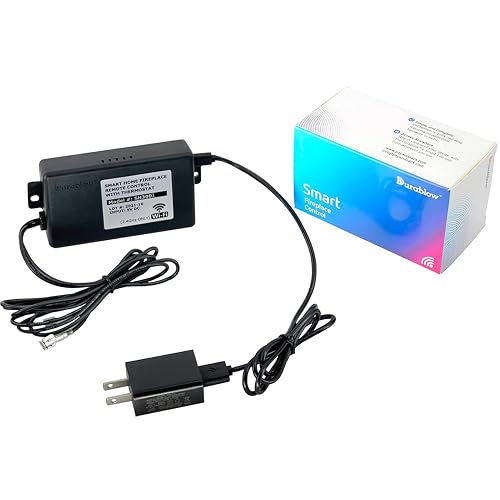
Durablow SH3001 WiFi Gas Fireplace Remote

Mysa Smart Thermostat for Electric Baseboard Heaters

Mysa Smart Thermostat for Electric Baseboard Heaters 240V
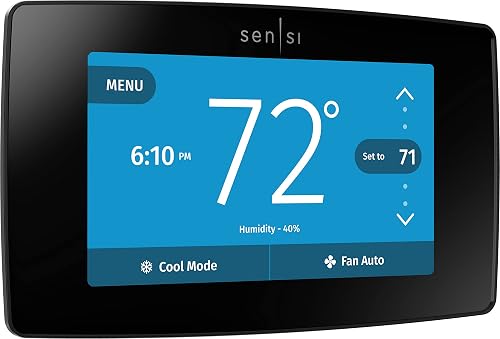
Sensi Touch Smart Thermostat by Emerson ST75
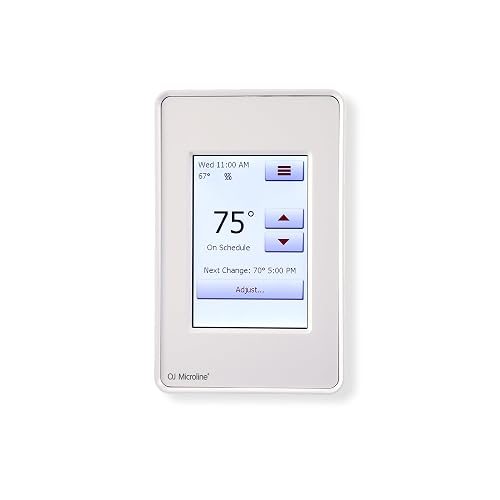
OJ Microline Radiant Floor Heating Thermostat UDG4-4999
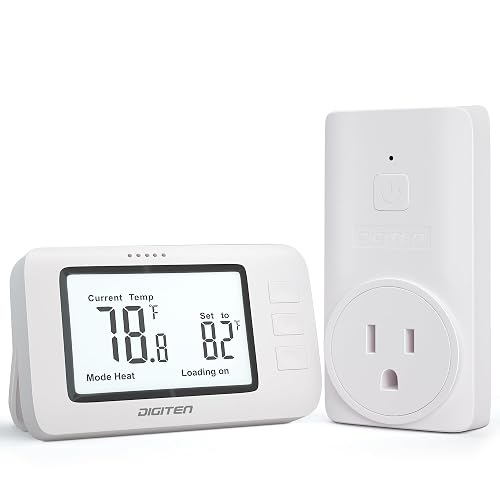
DIGITEN Wireless Thermostat WTC100 Pro
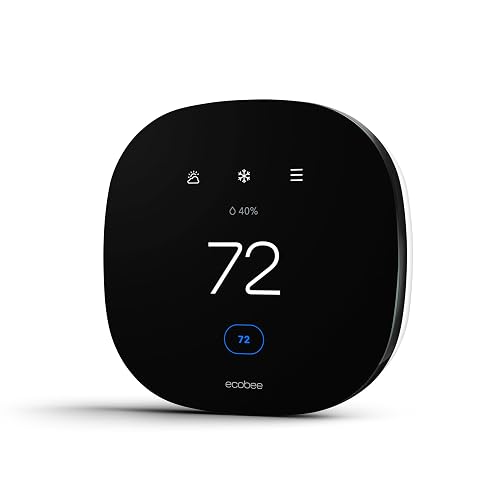
ecobee3 Lite Smart Thermostat

Google Nest Learning Thermostat 4th Gen Obsidian

Google Nest Learning Thermostat 4th Gen Silver
More On The Choices That Made The List
Most thermostats assume you have a furnace or central air, which leaves gas fireplace owners stuck with an analog wall switch. The Durablow SH3001 fills that gap by adding 2.4GHz WiFi control over a millivolt gas valve, the kind most decorative fireplaces use, with no separate hub required. In real life that means the fire can already be glowing when you walk in from a cold grocery run, and it can shut off on a schedule after bedtime.
Compatibility with voice platforms broadens the appeal for households that already lean on Alexa or Google Home routines. A timer adds a safety net for nights when you forget to power down the pilot before sleep.
Why It Works Well
- Direct WiFi control with no extra hub hardware
- Built-in timer for automatic shutoff
- Plays nicely with major voice assistants
- Turns a basic fireplace into a scheduled one
Honest Caveats
- Limited to 2.4GHz networks, so dual-band routers need that band active
- Restricted to on/off control, not variable flame height
- Wiring into a millivolt gas valve calls for basic electrical comfort
Who It Suits Best
Fireplace owners with 2.4GHz WiFi who want phone and voice control of an existing gas log set.
Reach For A Different Pick When
You need full HVAC scheduling, where the Sensi Touch Smart Thermostat by Emerson ST75 handles central air from the same phone.
Older homes with 120V electric baseboards have been ignored by most smart thermostat brands because the line-voltage wiring is a different animal than central HVAC. The Mysa Smart Thermostat for Electric Baseboard Heaters is purpose-built for that crowd, with a clean app that makes it easy to set per-room schedules from your phone.
For households where someone works late and another person stays home, grouping zones by time of day actually moves the needle on the electric bill. The tradeoff shows up at install: a four-wire setup with a neutral is the standard, so older two-wire homes may need an electrician.
Benefits That Matter
- Designed for high-voltage baseboards that most smarts ignore
- Detailed scheduling by time and day
- Real-time energy reporting inside the app
- Touch-sensitive controls for manual tweaks
Points To Keep In Mind
- Requires a neutral or second live wire, ruling out some older two-wire setups
- Not designed for low-voltage central HVAC systems
Key Specs
Made For
Owners of 120V baseboard homes who want zoned phone control without replacing every heater.
Consider Something Else When
You have a 240V system with heavier loads, in which case the Mysa Smart Thermostat for Electric Baseboard Heaters 240V covers higher draw safely.
The 240V sibling of the entry above is built for the heavier loads common in newer construction and larger rooms, handling up to 3800W at 240V. That extra headroom matters in spaces where one thermostat drives a long baseboard run, and it widens the field of homes that can join the smart schedule.
Like the 120V version, it leans on the Mysa app and pairs with HomeKit, Alexa, and Google Home, so the day-to-day experience is consistent. You may find the price step a touch steeper than the lower-voltage model, but the wiring flexibility is the real value for retrofits.
Well-Handled Touches
- Handles larger 240V baseboard loads confidently
- Temperature and humidity alerts in the app
- HomeKit, Alexa, and Google Home support
- Programmable schedules per zone
Possible Compromises
- Still requires four wires with a neutral or second live
- Won’t substitute for a low-voltage central HVAC stat
Best Suited To
Homeowners with 240V baseboard systems and multi-zone layouts who want one app for every room.
Look Elsewhere When
You live with a standard furnace and central AC, where the ecobee3 Lite Smart Thermostat is the more natural fit.
The Sensi Touch brings a full-color screen and a familiar touchscreen feel to a category where most wall units look like calculators from 2004. For central HVAC homes, the value lives in the polished app, the flexible scheduling, and the relatively painless DIY install, assuming you have a common wire in the wall.
Compared to the Mysa baseboard picks above, this one targets the opposite wiring world: low-voltage thermostats that switch a furnace and air handler. In a typical suburban house, that is exactly what the wall is already wired for, so install is mostly a matter of labeling and swapping.
A Strong Showing
- Color touchscreen for quick temperature glances
- Straightforward DIY setup with on-screen guidance
- Flexible seven-day programming from the app
- Works with Alexa and major voice platforms
Worth Bearing In Mind
- Common wire required, so some older homes may need an adapter
- Fewer learning features than the Nest picks later in the list
Quick Facts
Perfect Match For
Central HVAC households that want a polished touchscreen and an app that doesn’t fight them.
Swap It Out When
You’d rather let the thermostat learn your routine on its own, in which case the Google Nest Learning Thermostat 4th Gen Obsidian takes over scheduling for you.
Heated tile and concrete floors run on a completely different thermostat class than forced air, and the OJ Microline UDG4-4999 is built specifically for that. It supports both 120V and 240V systems, reads both air and floor temperature, and includes a Class A GFCI, a ground-fault interrupter that cuts power fast if the heating mat ever develops a fault, which is the safety net every electric floor needs.
For renovation-minded homeowners, the touchscreen programming and energy logging go a long way toward understanding which rooms are worth keeping warm all day. The Class A GFCI is a meaningful upgrade over basic models, especially in bathrooms where moisture is part of daily life.
Standout Benefits
- Dual voltage support for flexible install
- Class A GFCI adds a real safety layer
- Floor and air temperature sensing
- Detailed energy-use reporting on phone or PC
Some Limits To Know
- Specialized controller, not a drop-in for central HVAC
- Floor sensor adds an extra wiring step during install
Feature Snapshot
Who Should Grab It
Homeowners with electric radiant floors who want phone control without giving up safety features.
Where Another Pick Suits Better
You have forced-air HVAC, where the Sensi Touch Smart Thermostat by Emerson ST75 is the more natural match.
Not everyone wants to rewire a wall or commit to a learning schedule. The DIGITEN Wireless Thermostat WTC100 Pro is a plug-and-play wireless remote that talks to a paired base unit, useful for a garage, greenhouse, or workshop where pulling a new thermostat wire would be overkill.
The non-programmable design is the giveaway: you set a target temperature and the system holds it. For weekend projects or a detached space that needs only basic climate control, that simplicity is the whole point.
Everyday Perks
- Wireless pairing removes the need to run new cable
- Plug-and-play setup with no app account required
- Switchable Celsius and Fahrenheit readouts
- Three-button remote keeps the learning curve short
Practical Considerations
- Not designed as a whole-home primary thermostat
- Non-programmable, so scheduling lives on the user
The Right Fit
Renters and hobbyists who want wireless control in a single room or outbuilding without rewiring.
A Better Fit Elsewhere
You want a full-home learning system with phone control, where the Google Nest Learning Thermostat 4th Gen Silver covers central HVAC properly.
The ecobee3 Lite sits in a comfortable middle ground for households that use more than one voice platform, since Siri, Alexa, and Google Assistant all play nicely from day one. It targets central HVAC and handles the common-wire question with a power extender kit in the box, which is a quiet but real win for older homes.
Compared to the Sensi Touch covered earlier, the ecobee leans harder into voice routines and away from a heavy touchscreen, which some households prefer. In practice that means the wall unit stays out of the way and the phone does most of the work.
The Upside
- Triple voice assistant support covers most smart homes
- DIY-friendly install with included power kit
- Remote sensors help even out hot and cold rooms
- Energy Star certified for efficiency-focused shoppers
Small Caveats
- Full sensor benefits require buying extra room sensors
- Fewer learning automations than the Nest 4th gen
Feature Card
Whose Shelf It Belongs On
Central HVAC homes that bounce between Alexa, Google, and Siri and want one thermostat that handles all three.
Not Your Match When
You want a learning thermostat that builds its own schedule, where the Google Nest Learning Thermostat 4th Gen Obsidian fits more naturally.
The Nest Learning Thermostat 4th gen leans into the set-it-and-forget-it promise. Watch the dial for a week, nudge it a few degrees here and there, and it starts building a schedule that matches how you actually live, without dragging you into a programming menu.
For households that hate fiddling with apps, that learning loop is the headline feature. The included second-gen Nest Temperature Sensor helps the system account for rooms that never seem to match the hallway reading, which is a recurring headache in two-story homes.
A Favorable Mix
- Self-learning schedule based on real adjustments
- Polished dial and on-device controls
- Remote temperature sensor included for hot or cold rooms
- Strong app and voice integration
A Few Limitations
- Learning period takes a week or two to settle
- Best fit for central HVAC, not specialty heaters
At A Glance
Built With In Mind
Set-and-forget households in central HVAC homes who want a thermostat that adapts to their routine over time.
Skip It When
You heat with electric baseboards, where the Mysa Smart Thermostat for Electric Baseboard Heaters 240V actually matches the wiring.
The silver finish of the Nest Learning Thermostat 4th gen is the same learning brain as the obsidian model above, just dressed for lighter wall colors and more traditional interiors. In day-to-day use the schedule, the sensor, and the app behavior match exactly, so the choice is really about the room’s palette.
You may find silver reads a bit warmer against cream or off-white walls where the obsidian model can feel heavy. Same goes for shared-space installs where the thermostat needs to blend rather than stand out.
Strengths Worth Knowing
- Identical learning engine to the obsidian model
- Silver finish suits lighter wall colors
- Includes a second-gen temperature sensor
- Strong Google Home and voice integration
Where It Is Less Suited
- Same learning curve, so patience is required early on
- Central HVAC focused, not a fit for baseboards or fireplaces
Who Will Love This
Style-focused smart homes that want the learning experience in a lighter finish.
Another Choice May Suit
You use baseboard heat and need higher voltage handling, where the Mysa Smart Thermostat for Electric Baseboard Heaters 240V is the stronger match.
What To Weigh Before Picking a Phone-Controlled Thermostat
Matching the thermostat to your heating system is the single biggest decision. Central air, electric baseboard, radiant floor, and gas fireplace each live on different wiring standards, and the wrong pick will either fail to install or control the wrong thing. A quick look at your current thermostat, the wires behind it, and the voltage on the breaker label saves a return trip later.
The next call is the control style that fits your routine. Learning thermostats like the Nest 4th gen build schedules for you, while programmable models like the Sensi Touch give you more direct say. Voice control, room sensors, and energy reports each add value, but only if you will actually use them. A simple, reliable app often beats a feature-loaded one that goes ignored.
Compatibility with your smart home stack matters more than the app itself. Confirm the thermostat supports the voice assistant you actually use day to day, and check the WiFi band, since 2.4GHz-only models can be a surprise on newer dual-band routers. A five-minute check here avoids a frustrating setup weekend.
Key Considerations Across These Picks
Traps First Timers Fall Into
The most common slip is buying a central HVAC thermostat for an electric baseboard or fireplace setup. The terminals are different, and forcing compatibility risks damage to the heater or the stat. Always confirm the voltage and system type before ordering.
Another trap is skipping the common-wire check. Many smart thermostats need a C-wire, a continuous low-voltage return path that powers the screen, and older homes often lack one. Some models include a power extender kit, others do not, so verify before you commit.
When Paying More Pays Off
Higher-tier models earn their keep through learning schedules, remote room sensors, and broader voice assistant support. For a household with shifting routines, the learning loop alone can offset the cost difference over a single heating season.
Premium finishes and extra sensors matter less for a guest room that sees light use, and more for the main living space where comfort drives daily happiness. Match the spend to the room, not to the spec sheet.
Frequently Asked Questions
Do all phone-controlled thermostats need a common wire?
No. Many recent models include a power extender kit or run on built-in energy harvesting, but most central HVAC smart thermostats still need a C-wire for steady power. Check the wiring at your existing thermostat before choosing a model.
Will these work with both iPhone and Android?
Yes. Every pick in this roundup uses a cross-platform app, so you can control heating and cooling from either phone, including pairing and scheduling.
Can I install a smart thermostat myself?
Most central HVAC picks are designed for DIY install, with step-by-step app guidance. Line-voltage systems like electric baseboards and floor heating are more involved and may warrant a licensed electrician if the wiring is unfamiliar.
How much can a learning thermostat actually save?
The savings depend heavily on your routine, your local rates, and how disciplined you are about adjusting temperatures. Learning models tend to perform best in homes where the schedule changes often, since they adapt without manual programming.
What happens to my schedule if WiFi goes down?
Schedules stored on the thermostat itself continue to run during a WiFi outage. Phone control and remote access pause until the network returns, but the wall unit keeps the home on its last set program.
Wrap Up
The right pick comes down to the system already in your walls, not the flashiest screen. Central HVAC homes have the widest menu, baseboard and floor-heating homes need specialty picks like the Mysa and OJ Microline options, and the fireplace-friendly Durablow fills a niche the big brands tend to ignore. Match the wiring first, the features second, and the rest tends to fall into place.


