

Walking into a home that’s already the right temperature feels like a small luxury, until you see what a few degrees of smarter scheduling does to a monthly utility bill. The category has matured fast, with options spanning touchscreen wall units, learning thermostats, and specialty floor-heat controls. This list sorts the noise into nine focused picks for different homes, routines, and skill levels.
The Shortlist At A Glance
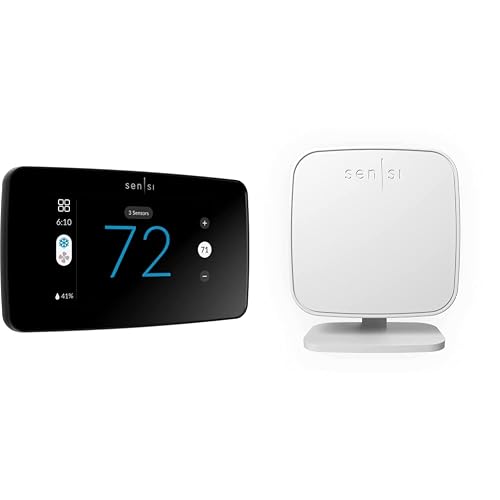
Sensi Touch 2 Smart Thermostat (2023)
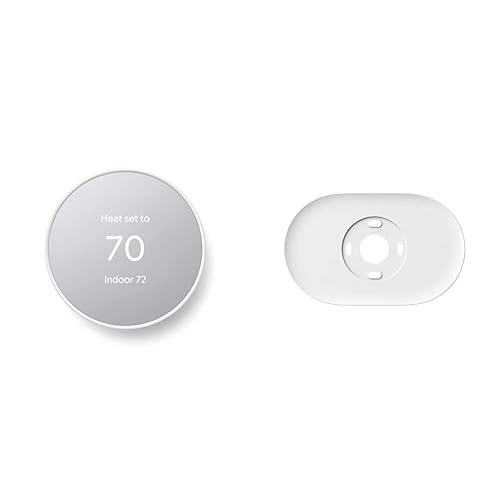
Google Nest Thermostat with Trim Kit

SunTouch SunStat ConnectPlus 4.3″ Thermostat
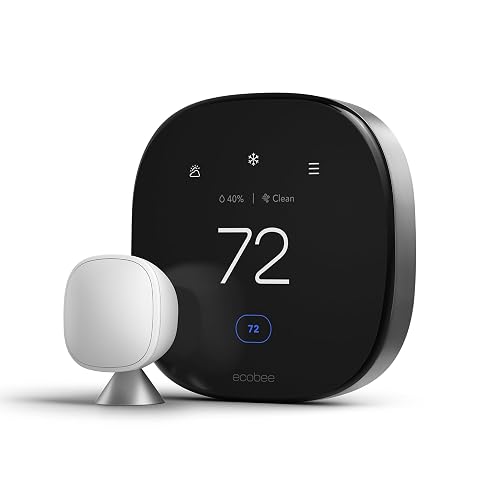
ecobee Smart Thermostat Premium with Sensor

ecobee SmartSensor 2-Pack
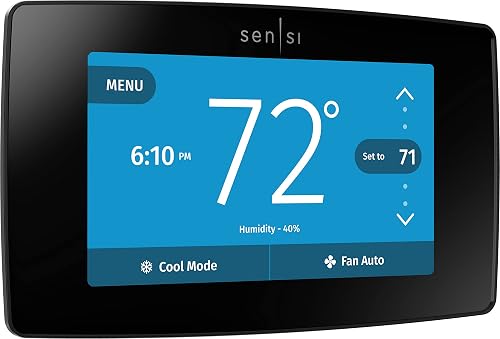
Sensi Touch Smart Thermostat ST75 (Black)
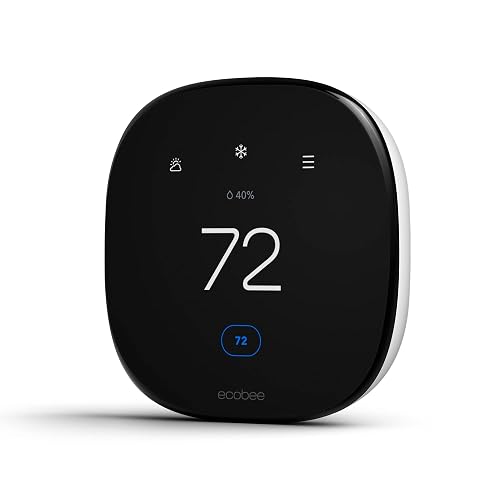
ecobee Smart Thermostat Enhanced

Google Nest Learning Thermostat 4th Gen (Obsidian)

Google Nest Learning Thermostat 4th Gen (Silver)
More On The Choices That Made The List
The Sensi Touch 2 lands at the front of the list for a reason, pairing a clear color touchscreen with optional room sensors that read temperatures where you actually sit. Compared to the more voice-heavy ecobee Premium coming later, this one leans into a quieter, app-first workflow. For a two-story home where the upstairs always runs warm, those add-on sensors can be the difference between “good enough” and actually comfortable.
Setup walks through a Bluetooth-paired app, with step-by-step prompts that name each wire by terminal letter, and a common wire (c-wire, the low-voltage return that powers the thermostat’s screen) is required. Once mounted, scheduling, geofencing, and usage reports live in the Sensi app, and the brand has built its identity around a no-data-selling policy, which matters if you want smart features without the tracking trade-off.
Points In Its Favor
- Room sensors let you target hot and cold spots instead of trusting one wall reading.
- Color touchscreen reads clearly from across a room, so you rarely need the app for quick tweaks.
- App guides you wire-by-wire during install, useful for first-timers comfortable with a screwdriver.
- Usage reports translate runtime into understandable numbers, helping you tune schedules.
- Privacy stance is a genuine differentiator if smart-home data sharing concerns you.
Things To Consider
- A c-wire must be present; older homes without one need a workaround or adapter.
- Room sensors are sold separately, so the full-system cost climbs beyond the wall unit.
Who It Suits Best
Two-story homeowners and anyone with rooms that never seem to match the hallway reading.
Look Elsewhere When
The Google Nest Thermostat is a better fit when you live in a smaller space and mainly want a self-managing schedule without extra sensors.
The standard Google Nest Thermostat trades the rotating dial of its Learning sibling for a touch strip along the side, which keeps the body slimmer and the price friendlier. Inside the box you get a trim plate and a steel plate, a small but appreciated touch for older walls with paint lines or electrical-box openings bigger than the new base. For a renter or first-timer, that hardware alone removes a common install headache.
Day-to-day, the headline feature is auto-away: when the thermostat notices no phones are home, it eases the setpoint so you don’t pay to condition empty rooms. Scheduling happens in the Google Home app, and for households already running Assistant speakers, voice control feels native rather than bolted on.
Positive Takeaways
- Auto-away takes real work off your plate, no manual “I forgot to turn it down” mornings.
- Trim and steel plates hide the scars older walls tend to carry after a swap.
- Energy Star certification supports the savings claims with a published efficiency baseline.
Worth Noting
- No room sensors in the box, so multi-room balancing requires buying them separately.
- Some advanced features lean on a Google account and the Home app, so privacy-minded users should review what’s synced.
Key Specs
Right Fit For
Renters, first-time smart-home owners, and smaller homes where one well-placed thermostat is enough.
Swap It Out When
The ecobee Smart Thermostat Enhanced suits you better if you want broader voice-platform support and included smart sensors.
Every other pick on this list manages forced-air systems, while the SunTouch SunStat ConnectPlus is built specifically for electric radiant floor heating, the kind of warm tile you feel the moment you step out of bed. The 4.3-inch color screen is genuinely helpful here because floor systems need floor-temperature targets, not just air targets, and cramming both on a tiny display gets frustrating fast.
Wi-Fi connectivity pulls in outdoor temperature, weather compensation (a feature that adjusts floor output based on how cold it is outside), and a warm-weather shut-down that prevents the system from running when the floor is already warm enough. It also plays nicely with the major voice assistants, which sounds minor until you’re telling the bathroom to warm up while you’re still brushing your teeth.
What Makes Sense
- 4.3-inch display gives floor and air readings room to breathe, no squinting at icons.
- Weather compensation prevents the system from overworking on mild days, saving energy.
- Voice assistant compatibility adds hands-free control in steamy bathrooms.
Trade Offs
- Only useful with electric radiant floor systems, so it’s not a primary whole-home thermostat.
- Wiring and sensor probe placement typically require a confident DIYer or an electrician.
Best Suited To
Homeowners with electric radiant floors in bathrooms, basements, or mudrooms who want app control and smart scheduling.
A Better Fit Elsewhere
The ecobee Smart Thermostat Premium is the better pick for whole-home central air and heat, since this unit won’t manage a furnace or AC system.
The ecobee Smart Thermostat Premium is the unit you pick when the thermostat is also the hub of a broader smart-home setup, since Siri and Alexa live right in the wall. The included SmartSensor immediately helps balance rooms that the previous pick on this list, the Google Nest, can’t see on its own, which matters in open-plan homes where the thermostat sits in a hallway no one actually uses.
On top of the climate features, ecobee adds an indoor air-quality monitor and the ability to act on smoke alarm alerts through the thermostat’s speaker, more than a typical heating controller. For renters, the savings tend to come from scheduling and the included sensor; for a smart-home power user, the local voice control and air-quality readouts are where the value lives.
Where It Excels
- Built-in voice assistants mean you can skip a separate smart speaker in a smaller space.
- Indoor air-quality monitor flags poor ventilation or VOCs (volatile organic compounds, the gases off-gassed by paints, cleaners, and furniture) without extra hardware.
- Included SmartSensor is a meaningful upgrade over models that ship with just the wall unit.
Honest Caveats
- Higher price reflects the extra hardware, so the savings case takes longer to break even.
- Air-quality and smoke-detection features need an active ecobee account to do their job.
- Some advanced features lean on the app, so a flaky home network will hurt the experience.
Feature Snapshot
Who Will Love This
Smart-home enthusiasts who want voice control, air-quality data, and a sensor included out of the box.
Consider Something Else When
The ecobee Smart Thermostat Enhanced is a smarter fit if you want the same scheduling power without paying for the voice and air-quality extras.
This 2-pack is technically an accessory, but if you already run an ecobee thermostat it quietly transforms the system. Each sensor uses infrared occupancy detection (it senses body heat and motion) along with temperature readings, and it talks to the thermostat wirelessly from up to about 60 feet. Drop one in the nursery and another in the home office, and the thermostat finally knows which room to prioritize.
The real-world payoff is two things: a nursery that stays warm enough overnight without manually overriding the schedule, and a bedroom that doesn’t get blasted with cool air at 6 a.m. because the hallway sensor says so. For larger homes, the 2-pack is often the cheapest meaningful upgrade you can make.
Everyday Perks
- Occupancy detection tells the system to ease off when a room is empty, no extra apps.
- Two-room coverage in one purchase is a better value than buying singles.
- Wireless setup means no drilling into walls or running new wires.
Points To Keep In Mind
- Only works with compatible ecobee thermostats, so it isn’t a standalone purchase.
- Battery-powered units, and battery life varies based on how often the sensor reports.
Made For
Existing ecobee households that want better room-by-room comfort without rewiring the wall.
Reach For A Different Pick When
The Sensi Touch 2 Smart Thermostat is a better match if you don’t already own an ecobee and want room sensing built into the main purchase.
The Sensi Touch ST75 is the predecessor to the Sensi Touch 2 reviewed earlier, and it remains a solid pick for anyone who values a stable, well-known interface over the latest smart-home integrations. The black colorway disappears into darker walls, and the touchscreen responds predictably, which sounds minor until you’ve wrestled with a sluggish wall panel in the dark.
Emerson’s roots in HVAC parts (the brand has made thermostats and controls for decades) show through in the install experience. Wire labels match common HVAC conventions, and the app walks you through compatibility checks before you even touch a screwdriver. Privacy is a recurring theme across the Sensi line, with a stated commitment to not sell personal info, useful if you’ve been burned by smart-device policies in the past.
The Good Stuff
- Time-tested interface and install flow, easier for first-time DIYers than flashier options.
- Privacy commitment is a genuine differentiator, not a marketing checkbox.
- Programmable schedules cover most households without leaning on the cloud.
Small Caveats
- No included room sensors, so multi-room comfort requires separate purchases.
- Smart-home integration is narrower than ecobee’s; advanced routines may feel limited.
- Common wire is still required, so older systems may need a workaround.
At A Glance
Perfect Match For
Privacy-focused households who want a touchscreen thermostat that just works without locking into a big smart-home platform.
Skip It When
The ecobee Smart Thermostat Premium is a smarter match if you want built-in voice control and air-quality monitoring in the wall unit.
The Enhanced sits in the middle of the ecobee lineup, skipping the Premium’s voice features but keeping the schedule learning and occupancy-based adjustments that actually move the needle on bills. Compared to the Google Nest, this one leans more on suggested schedule changes you can accept or reject, which is handy if you’d rather not hand over full control to a learning algorithm.
It also plays well with Apple Watch, so a wrist-tap from the couch can warm up the bedroom without reaching for the phone. For most households, the Enhanced is the smartest balance of price and capability in the ecobee catalog, and it pairs cleanly with the SmartSensor 2-Pack covered earlier.
A Strong Showing
- Automatic savings features do the heavy lifting without requiring a deep settings dive.
- Apple Watch support is a small but meaningful perk for Apple households.
- Works with the same SmartSensor accessories as the Premium, protecting your upgrade path.
Areas To Watch
- No built-in voice control, so you’ll need a separate smart speaker for hands-free tweaks.
- Some features depend on an active ecobee account and Wi-Fi to work fully.
Who Should Grab It
First-time ecobee shoppers who want the core scheduling and sensor features without paying for premium extras.
Where Another Pick Suits Better
The Google Nest Learning Thermostat (4th gen) is a better fit if you want a thermostat that builds its own schedule from your daily habits.
The 4th-generation Nest Learning Thermostat is the most “set it and forget it” pick on this list, since it builds a schedule from your manual adjustments over a week or two. The Obsidian finish leans dark and almost mirror-like, an aesthetic upgrade over the older stainless look, and it pairs with a 2nd-gen Nest Temperature Sensor in the box so you can balance a stubborn room right out of the package.
Unlike the cheaper Google Nest Thermostat reviewed earlier, this one brings back the signature rotating dial, which feels genuinely good in the hand. For households with shifting schedules, the learning behavior adapts as routines change, so you don’t have to babysit the schedule when school calendars shift.
Positive Points
- Learning behavior gradually builds a schedule that matches your real routine, no manual entry needed.
- Included temperature sensor addresses the most common “hallway is fine, bedroom isn’t” complaint.
- Rotating dial makes quick adjustments feel tactile and precise.
Some Limits To Know
- Learning only kicks in after a few weeks of consistent manual tweaks, so it’s not instant.
- Heavier reliance on the Google Home app means some features feel gated behind an account.
Quick Facts
Built With In Mind
Set-and-forget households with shifting routines who want the thermostat to do the optimizing after the first couple of weeks.
Not Your Match When
The Sensi Touch 2 Smart Thermostat fits better if you prefer a more transparent, app-first schedule you can edit directly.
The Silver version of the 4th-gen Nest Learning Thermostat is functionally identical to the Obsidian reviewed just before it, so the decision really comes down to your wall. Silver reads brighter and more traditional, which can disappear into light-colored paint or play nicely with stainless hardware in the same room.
You still get the same 2nd-gen Nest Temperature Sensor, the same learning behavior, and the same rotating dial. For homes with white or pastel walls, the Silver finish tends to look more intentional than forcing a dark mirror surface into a light space.
What Works In Its Favor
- Lighter finish suits bright interiors where the Obsidian would feel heavy.
- Same learning engine and included sensor as the Obsidian sibling.
- Rotating dial keeps manual tweaks quick and physical.
Potential Compromises
- Feature-for-feature parity with the Obsidian means the only reason to choose Silver is aesthetic.
- Still depends on a Google account and stable Wi-Fi for full functionality.
Whose Shelf It Belongs On
Homeowners with light or neutral walls who want the learning experience without a dark focal point on the wall.
Another Choice May Suit
The ecobee Smart Thermostat Enhanced is a smarter fit if you’d rather skip Google account integration entirely.
What Matters Most Before Choosing top smart thermostats
Compatibility With Your HVAC System
Before anything else, confirm the thermostat speaks the same “language” as your heating and cooling equipment. A common wire (c-wire) is required for several picks on this list, including the Sensi models, since it delivers continuous low-voltage power to the touchscreen. Homes with older furnaces may need a workaround or a power adapter, and the SunTouch unit is built only for electric radiant floor systems, so it won’t run a central furnace at all.
Sensors, Schedules, and Smart Features
Room sensors, like the ones included with the Nest 4th gen and the ecobee SmartSensor 2-Pack, target the rooms you actually use instead of trusting a hallway reading. Scheduling runs the spectrum from fully manual to fully learning, with the ecobee Enhanced and Premium offering smart suggestions and the Nest 4th gen building its own pattern over time. Match the feature to your tolerance for automation, since “set and forget” only helps if the system actually learns your routine.
Voice Assistants and Smart-Home Fit
If you already live inside Google Assistant, Apple HomeKit, or Alexa, pick a thermostat that joins that ecosystem rather than fighting it. The ecobee Premium is the only model here with both Siri and Alexa built directly into the wall unit, which can replace a separate smart speaker in a smaller space. The rest lean on a paired speaker or phone for voice control.
Installation, Privacy, and Long-Term Use
Wall-unit installation ranges from confident-DIY to professional, and the Sensi app’s wire-by-wire walkthrough is a quiet standout for first-timers. Privacy policies vary across brands, and Sensi has built its identity around not selling personal data, a meaningful differentiator if smart-device tracking is a concern. Long-term, battery-powered sensors and occasional firmware updates are the two things that will most affect your day-to-day ownership.
Key Considerations Across These Picks
Where Shoppers Go Wrong
The most common slip-up in this category is choosing a thermostat for the brand or the screen size rather than the HVAC compatibility. A c-wire requirement that no one checked can turn a 30-minute install into a Saturday-afternoon project. The other trap is buying a learning thermostat expecting instant automation, since the Nest 4th gen needs a couple of weeks of consistent manual adjustments before its schedule actually fits your life.
When Paying More Pays Off
Premium models like the ecobee Smart Thermostat Premium and the Nest Learning Thermostat 4th gen bundle in sensors, voice control, and smarter scheduling that you would otherwise piece together separately. The upgrade pays off in larger homes with multiple rooms to balance, or in households with shifting schedules that benefit from a learning algorithm. For a small apartment with predictable routines, the value pick on this list, the ecobee Enhanced, often covers everything that matters without the extra cost.
Frequently Asked Questions
Do I need a common wire (c-wire) for these thermostats?
Several models on this list, including the Sensi Touch 2 and the original Sensi Touch ST75, require a c-wire for continuous power to the color touchscreen. If your current thermostat doesn’t have one in the wall, you may need an adapter or a professional to pull a new wire. The Google Nest Thermostat and ecobee models can typically work around the c-wire issue, but it’s worth checking before you buy.
Can smart thermostats really lower my utility bill?
Smart thermostats earn their keep through scheduling, presence detection, and usage reports that help you spot waste. Real savings depend on how disciplined you currently are with your manual thermostat; a household that forgets to turn the heat down at night will see a bigger change than one that already programs a schedule. No thermostat can guarantee a specific percentage of savings for every home.
Are room sensors worth the extra cost?
If you live in a multi-story home or have rooms that always feel off, sensors are usually the most impactful add-on you can buy. They let the system prioritize the room you actually use instead of the hallway where the thermostat lives. For a small single-room apartment, sensors tend to be overkill.
Do these work without a Wi-Fi connection?
Most of the core heating and cooling functions still work as a basic thermostat without Wi-Fi, so you’ll never freeze if the network drops. The features that go away are remote control, usage reports, voice assistants, and learning schedules, all of which rely on the cloud. For manual tweaks at the wall, the touchscreen or dial still does the job.
How hard is it to install one of these myself?
For most models on this list, installation is a confident-DIY project if you’re comfortable turning off a breaker and matching wire labels. The Sensi app walks you through it wire by wire, which is a real plus for first-timers. The SunTouch floor-heating unit is the exception; that one typically calls for an electrician or an experienced radiant-heat installer.
Bottom Line
The right pick depends less on brand and more on the shape of your home, the systems already in the walls, and how much automation you actually want. A small apartment gets a lot out of a simpler value pick, while a two-story house with stubborn rooms tends to benefit from sensors, learning, or both. Take stock of your HVAC compatibility first, then let your routine decide how smart the thermostat really needs to be.


