

If you’re shopping for a Vivint-style smart thermostat or a compatible wall unit that fits the same ecosystem, you’re probably weighing price against features, wondering which models actually work with your HVAC setup, and trying to avoid a return headache. Most homes run fine on a simple 1-heat/1-cool conventional system, but the right wall control can still tighten your comfort and trim energy waste. This roundup walks you through nine solid options at different price points, from basic manual thermostats to learning smart models, so you can match the right unit to your wiring, your routine, and your appetite for app control.
A Closer Look At The Lineup
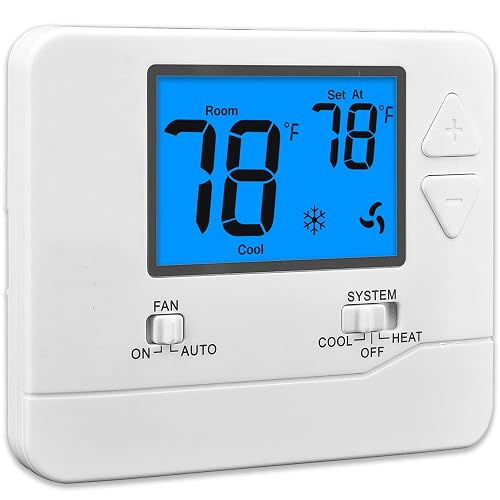
Suuwer Non-Programmable Thermostat (Blue Backlight)

Honeywell Home Non-Programmable Thermostat
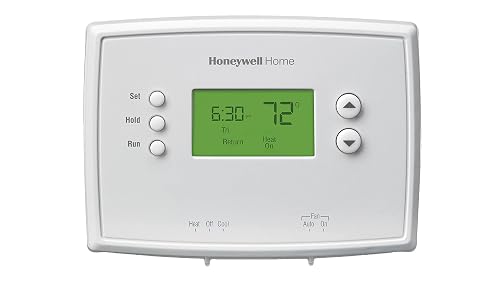
Honeywell Home RTH2300B1038 5-2 Day Programmable Thermostat
Honeywell TH1110D2009 T1 Pro Low Voltage Thermostat 24VAC
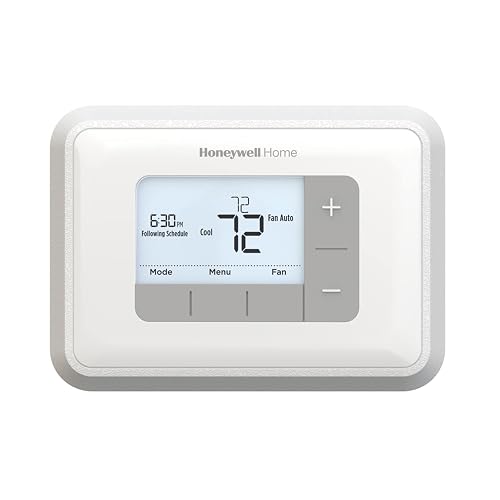
Honeywell Home RTH6360D1002 Programmable Thermostat
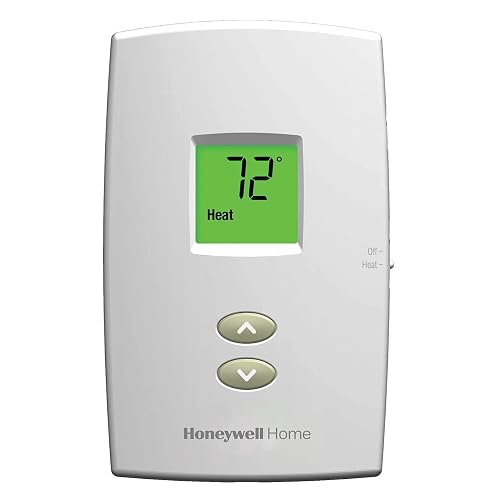
Honeywell TH1100DV1000 Pro-Digital 2-Wire Heat Only

Google Nest Learning Thermostat (4th gen) + Temperature Sensor (Obsidian)

Google Nest Learning Thermostat (4th gen) + Temperature Sensor (Silver)
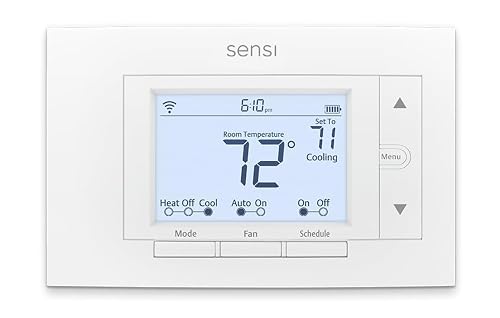
Sensi Smart Thermostat ST55 (Wi-Fi, Alexa)
What Each Pick Brings To The Table
The Suuwer is the kind of wall unit you buy when you just want a working dial-style thermostat without overthinking it. It runs on a conventional single-stage system, meaning one heating stage and one cooling stage, the most common setup in older U.S. homes. You tap up or down to set your target temperature, the blue backlight helps you see the reading in a dim hallway, and that’s the whole experience.
For most apartments and small ranch homes, the wiring count is the real decider. The Suuwer works with 2 to 5 wires, which covers the majority of older installs where a C-wire (the common wire that delivers continuous 24VAC power) often isn’t present. Compared to the Honeywell Home non-programmable unit below, this one leans simpler, with fewer features but an easier read on a smaller budget.
Where It Excels
- Conventional single-stage 1-heat/1-cool coverage, matching the bulk of U.S. residential setups
- Blue backlight keeps the temperature readable in dark hallways and bedrooms at night
- Compatible with 2 to 5 wire installs, so it fits older homes that lack a C-wire
- Manual operation means no schedule to maintain, which is helpful for set-and-forget households
Things To Consider
- Non-programmable only, so any setback you want has to happen by hand
- Owners commonly report that reading the small text in bright daylight can be a strain
- No app connectivity or learning features, which limits long-term flexibility
Best Suited To
Renters and owners with a basic single-stage system who want a reliable wall thermostat without schedules or apps.
Look Elsewhere When
You want a learning schedule out of the box, in which case the Honeywell Home RTH6360D1002 programmable model is a stronger fit.
This Honeywell Home unit keeps the interface deliberately bare. You get a backlit display that shows the current room temperature and the setpoint side by side, plus basic up and down buttons. Auto changeover between heat and cool (the thermostat’s ability to switch your system from heating to cooling based on the room temp) is built in, so you don’t have to flip a system switch every season.
In a guest room or workshop where nobody wants to learn a menu tree, the simple display earns its keep. The RTH5160 family uses battery power with memory storage that holds your settings through a power outage, which matters in storm-prone regions. Compared to the Suuwer above, this Honeywell adds single-degree precision and a battery alert, but stays in the same non-programmable lane.
Strong Points
- Backlit screen shows both current and setpoint temperatures at a glance
- Single-degree control lets you dial in a precise comfort level
- Auto heat-to-cool changeover removes the seasonal switch flip
- Battery-level reminder reduces the chance of an unheated weekend surprise
Honest Caveats
- Still non-programmable, so energy-saving setbacks require manual adjustments
- Compatibility depends on your existing wiring harness, so check the C-wire situation first
Feature Snapshot
Right Fit For
Homeowners who want a clean, no-menu thermostat with reliable auto changeover and don’t need a schedule.
A Better Fit Elsewhere
Two-stage or heat-pump owners will find a wider feature set on the Honeywell Home RTH2300B1038 programmable model.
The 5-2 design splits your week into two schedule groups: Monday through Friday behave one way, and Saturday through Sunday behave another. That mirrors the most common U.S. household pattern, where weekdays share a routine and weekends drift. You can drop the temperature while you’re at work, recover it before the family gets home, then run a lazier weekend curve.
Manual overrides let you bump the temperature for a one-off dinner party without rewriting the whole week. The backlit display keeps things readable in low light, and accuracy on this generation is a known strength, holding within a degree in most installs. Stepping up from the Suuwer non-programmable unit, you gain real schedule logic without jumping into the app-driven smart tier.
What Helps Most
- Independent weekday and weekend programming reflects a typical work-week routine
- Backlit display improves readability in bedrooms and hallways at night
- Manual override lets you nudge a single day without losing the saved schedule
- Setpoint control within a degree supports more precise comfort tuning
Points To Note
- Older generation design lacks the smart features of newer Honeywell units
- Setup can feel clunky for first-time programmable thermostat owners
Quick Facts
Who Should Grab It
Working households with a steady weekday rhythm and looser weekends who want real energy savings from a schedule.
Skip It When
Your week is irregular, in which case the Sensi Smart Thermostat ST55 adapts better through app-driven scheduling.
The T1 Pro targets light-commercial and prosumer installs where the wiring is already laid out for 24VAC low-voltage control. You get one stage of heat, one stage of cool, and a clean LCD that surfaces the essentials without clutter. The package dimensions (roughly 6.1 inches long, 13 inches wide, 15.5 inches tall) suggest a retail box aimed at the pro counter rather than a casual kitchen-shelf purchase.
Terminal designations Y, G, C, W, and R cover a standard conventional system, and the system switch supports heat-cool-off, while the fan switch supports auto-on. If you keep misplacing remotes or just want a tamper-resistant unit in a rental, the lack of scheduling keeps things simple. Where the 5-2 Honeywell above leans residential, this one leans professional service.
Everyday Wins
- 24VAC low-voltage operation matches standard central HVAC wiring in most U.S. homes
- Clear LCD readouts reduce the chance of misreading the setpoint
- Single-stage design simplifies diagnostics if a tech ever needs to service the system
- Heat-cool-off system switching with auto-on fan control covers the standard residential needs
Worth Noting
- Single-stage only, so multi-speed or modulating equipment is out of scope
- No programmable scheduling, so any setback must be done manually
Feature Card
Made For
Pro installers and homeowners comfortable with low-voltage wiring who want a clean, no-frills wall control.
Consider Something Else When
You want learning behavior and app control, which is exactly the lane the Google Nest Learning Thermostat (4th gen) occupies.
The RTH6360D adds a layer of intelligence without crossing into full smart-thermostat territory. Smart Response Technology watches how long your HVAC system takes to reach the target temperature, then times the next cycle so the room arrives at the setpoint right on schedule. The backlit LCD shows current temperature and setpoint simultaneously, which sounds small but cuts down on a lot of button-mashing.
You get flexible 5-2 day or full 1-week programming, plus auto changeover between heat and cool, plus filter-change reminders. For a household with shifting work shifts, the 1-week option earns its keep. Compared to the RTH2300B1038 above, the RTH6360D adds the learning timing layer and the filter alert, two small upgrades that quietly pay for themselves over a season.
Advantages To Know
- Smart Response Technology times your HVAC cycle so the room hits the setpoint right on schedule
- Filter-change reminder reduces the chance of a clogged coil mid-summer
- 1-week or 5-2 schedule options cover both steady and variable routines
- Simultaneous current and setpoint display reduces button presses
A Few Limitations
- No app or voice integration in this generation, so remote control requires a separate smart-home hub
- Setup menus feel dated compared to touchscreen smart thermostats
Feature Card
Who Will Love This
Homeowners who want scheduled comfort and predictive timing without paying for a full app-connected smart thermostat.
Swap It Out When
You want remote control and learning behavior built in, where the Google Nest Learning Thermostat (4th gen) fits more naturally.
This Pro-Digital unit covers a narrow but common scenario: a heating-only system with just two wires. Older baseboard heaters, some floor furnaces, and many millivolt gas systems (wall furnaces that generate their own tiny electrical signal instead of drawing 24V from a transformer) lack the extra conductors that a 5-wire conventional system uses, and most smart thermostats refuse to play along without adapters. This one doesn’t.
You get a backlit display, always-visible ambient temperature, and one-touch access to your setpoint. Built-in compressor protection is irrelevant for heat-only use, but the adjustable 40 to 90°F scale covers typical room comfort. The narrower focus also means a smaller learning curve, which is welcome in a guest cottage or workshop where the controls only ever need to do one job.
Reasons It Performs
- Two-wire heat-only support covers baseboard, millivolt, and other low-voltage heating systems
- Always-visible ambient temperature removes menu-diving
- One-touch setpoint access suits older homeowners and guest spaces
- 40 to 90°F adjustable scale matches standard comfort ranges
Practical Considerations
- Heat-only, so cooling-equipped homes will need a different thermostat
- Non-programmable design means no automatic setback for sleeping hours
Feature Card
Perfect Match For
Owners of baseboard, wall-furnace, or millivolt heating systems who need a clean digital control without rewiring.
Not Your Match When
You have central heat and air, in which case the Honeywell TH1110D2009 T1 Pro fits a conventional 5-wire setup more cleanly.
The 4th generation Nest is the most ambitious thermostat on this list, and the included 2nd-generation Temperature Sensor is the part most people miss. The sensor ships in the box, so you can put it in a bedroom or nursery and have the thermostat prioritize that room’s reading at night. The Obsidian finish gives the unit a darker, mirror-like face that reads as premium against light walls.
Google describes it as the brand’s smartest and most advanced thermostat, with routines that adapt as your week shifts, plus system-health monitoring that flags HVAC issues before they become breakdowns. Compared to the Honeywell Home RTH6360D1002 above, the Nest trades standalone scheduling for a learning algorithm and a sensor-driven multi-room view, which is a meaningful step up in flexibility if your home has hot or cold pockets.
Points In Its Favor
- Learning behavior adapts the schedule as your routine changes, cutting down on reprogramming
- Included Temperature Sensor helps manage rooms that run hot or cold relative to the thermostat
- Obsidian finish offers a darker aesthetic for contrast against light-colored walls
- System-health monitoring surfaces HVAC issues earlier than a standard programmable unit
Trade Offs
- Higher price tier than the Honeywell Home units on this list
- Full feature access depends on a stable Wi-Fi connection and a Google account
Built With In Mind
Smart-home households who want learning behavior, multi-room sensors, and app control in a single package.
Where A Sibling Pick Shines
If you prefer a silver finish or a slightly different room aesthetic, the Google Nest Learning Thermostat (4th gen) in Silver offers the same internals.
This is the same 4th-generation Nest platform, but with a Silver face that blends into a wider range of wall colors and trim. The learning engine, the included 2nd-generation Temperature Sensor, and the system-health monitoring all carry over unchanged. For households where the wall color leans light or the hardware is brushed nickel, silver tends to look more intentional than black.
The smart-home integration story is identical: app control, voice-assistant compatibility, and adaptive scheduling that adjusts as your routine shifts. The practical difference between this and the Obsidian version is purely cosmetic. Stepping up from the Honeywell Home RTH6360D1002, you trade standalone scheduling for a learning algorithm and an extra-room sensor, which helps in homes with uneven temperatures.
The Value In It
- Same learning engine and sensor bundle as the Obsidian version, just a different finish
- Silver face coordinates with light walls and modern interior hardware
- Multi-room sensor helps stabilize comfort in homes with hot or cold pockets
- System-health monitoring catches HVAC wear earlier than a standard unit
Room For Improvement
- Premium price tier, which may not suit tighter budgets
- Full learning benefits take a couple of weeks of consistent use to fully emerge
The Right Fit
Smart-home households with a lighter interior palette who want learning behavior and remote control in one package.
Reach For A Different Pick When
You want similar app-driven scheduling at a friendlier price point, in which case the Sensi Smart Thermostat ST55 is worth a close look.
Sensi (made by Emerson) leans into the do-it-yourself installer. The app walks you through wiring with photo-based guidance, and the ST55 is designed to slot into the wiring most U.S. homes already have, including older homes that lack a C-wire in many cases. Energy Star certification and a strong privacy stance on user data add appeal for households that care about both savings and data handling.
Alexa compatibility and Wi-Fi control put scheduling, geofencing, and remote adjustments in your pocket. The interface is intentionally closer to a traditional thermostat layout, which helps anyone moving up from a basic Honeywell unit. Compared to the Google Nest above, Sensi gives you most of the app-driven scheduling at a more approachable price, with a shallower learning curve.
Positive Points
- DIY-friendly install with app-based wiring guidance, no professional visit required in many homes
- Energy Star certification supports efficiency-focused utility rebate programs
- Alexa voice control fits households already running an Amazon smart-home setup
- Familiar wall layout eases the transition from an older Honeywell-style thermostat
Some Limits To Know
- Fewer adaptive learning features than the 4th generation Nest
- Geofencing and remote features depend on a stable home Wi-Fi network
Feature Card
Whose Shelf It Belongs On
DIYers, Alexa households, and anyone wanting app-driven scheduling without the full learning-thermostat price.
Where Another Pick Suits Better
You want full adaptive learning and a bundled room sensor, in which case the Google Nest Learning Thermostat (4th gen) is a stronger match.
Choosing The Right Vivint Thermostat For Your Home
Match The Thermostat To Your Wiring First
The single biggest reason a thermostat returns is a wiring mismatch. A “C-wire,” short for common wire, delivers continuous 24VAC power to the thermostat. Smart and Wi-Fi units almost always need one, while many older homes have only 2 to 5 wires without a common conductor. Before anything else, pull off your current faceplate, count the wires, and note the terminals.
Conventional single-stage systems with 2 to 5 wires match the Suuwer, the Honeywell Home non-programmable unit, and the Honeywell TH1110D2009 T1 Pro. Heat-only baseboard or millivolt systems need a 2-wire specialist like the Honeywell TH1100DV1000. Multi-stage or heat-pump setups usually demand a thermostat with more terminals and a clearer stage-count spec.
Decide How Much Scheduling You Actually Want
Non-programmable units (the Suuwer, the Honeywell Home RTH5160 family, and the TH1100DV1000) work for set-and-forget households. Programmable units (the Honeywell Home RTH2300B1038 and RTH6360D1002) add real savings for steady work-week routines. Smart units (the Google Nest 4th gen pair and the Sensi ST55) shine when your week drifts, when you want voice control, or when you want remote adjustments from the office.
If you travel frequently, an app-driven smart thermostat pays for itself faster through remote setbacks. If you work from home and your routine is consistent, a simple 5-2 programmable unit often delivers comparable comfort at a lower cost.
Think About Whether You Need A Room Sensor
Most thermostats read the temperature at the wall they’re mounted on, which can mismatch the rooms where you actually sleep or work. The 4th generation Nest ships with a 2nd-generation Temperature Sensor, letting you prioritize a specific room at specific times. If your home has a hot upstairs or a cold basement bedroom, that sensor makes a noticeable comfort difference, and it’s a feature most standalone units simply don’t offer.
Consider Smart-Home Ecosystem Fit
Alexa households tend to find the Sensi ST55 an easy fit, since voice control and app routines slot in naturally. Google Home households often prefer the Nest line for the same reason. If you already run a Vivint or other professionally monitored system, check compatibility before buying a third-party wall unit, because some security panels rely on a specific thermostat for whole-home control.
Key Considerations Across These Picks
Pitfalls Shoppers Hit
The most common mistake is buying a smart thermostat before confirming wiring. Many “smart” units require a C-wire, and older homes often lack one, which can lead to install-day frustration. The second is overbuying features you won’t use. A learning thermostat only saves money if you actually engage with the schedule, otherwise a 5-2 programmable delivers similar comfort at a lower price.
Where The Extra Money Goes
The step from a basic non-programmable unit to a 4th generation Nest or a Sensi ST55 buys three things: a learning or app-driven schedule, a remote-room sensor, and a modern interface. For most people, the upgrade is worth it when schedules change often or when Wi-Fi control solves a real problem like adjusting the temperature from bed. For steady routines in a small home, the smarter spend is usually a reliable 5-2 programmable that just works.


