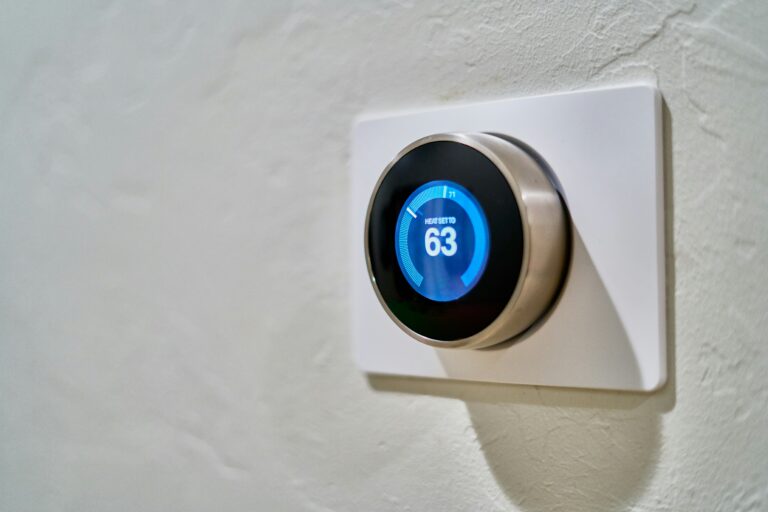
Most of the time, yes, and the behavior is almost always intentional. A programmable thermostat runs the schedule you typed in months ago, a smart thermostat reacts to phones, motion, and weather data, and only a small slice of shifts come from genuine malfunctions. The job here is figuring out which bucket your unit falls into before you spend money on a replacement that won’t fix anything.
You’ll find seven common causes below, the diagnostic steps that separate design from defect, and the fixes that match programmable, learning, and smart thermostats individually.
The Short Answer: Yes, and Usually on Purpose
Most temperature changes blamed on a ghost are features doing their job. A seven-day programmable Honeywell model on a bedroom wall will quietly drop three degrees at 11 p.m. because someone tapped in that schedule during installation. A Nest Learning Thermostat will warm the house to 72°F at 6 a.m. because it spent a week watching manual adjustments and wrote its own wake-up routine.
Real malfunctions do happen, and they leave different fingerprints. A thermostat losing its program overnight points to dying batteries, not intelligence. A setpoint drifting two degrees from the actual room temperature points to sensor calibration issues, not smart behavior. Working through the next six sections tells you which one you’re dealing with.
The three categories automatic changes fall into
- Programmed schedules: Time-based setpoints the user entered, running on their own.
- Smart automation: Learning algorithms, geofencing, and remote app access reacting to conditions.
- Hardware or wiring faults: Sensor drift, battery loss, or loose connections causing erratic behavior.
Designed-In Automation Every Thermostat Can Do
Every programmable thermostat on the market does four jobs without any input from you once it’s set up. These aren’t bugs; they’re the entire point of owning one.
Time-based schedules
The most common reason a thermostat temperature changes on its own is a schedule someone forgot existed. Programmable units store separate setpoints for weekday wake, leave, return, and sleep periods, plus a separate weekend program. Most homes run four events a day, seven days a week, meaning the thermostat can shift up to 56 times in a week without a soul touching it.
Vacation, hold, and eco modes
Vacation mode (sometimes labeled “hold” or “away”) locks the thermostat at a fixed setpoint until you cancel it. Energy savings mode on units like the Sensi drops heating or cooling toward extreme setpoints when no motion registers for a set period. Both look like ghost changes if you never enabled them on purpose; in many cases, a family member did, then forgot.
Auto mode and swing temperatures
Auto mode flips between heating and cooling based on which side of the setpoint the room temperature crosses. A temperature swing setting of ±1°F means the system waits for the room to drift one full degree before firing, which can read as “the thermostat changed the setpoint” when really it’s just the system catching up.
Adaptive recovery
On Honeywell models this feature carries the label “Anticipation Logic,” while other brands often call it “Early-On,” and it silently fires the furnace or AC ahead of a scheduled change so the home hits the target by clock time instead of twenty minutes later. If your thermostat shows 70°F at 6 a.m. sharp every winter morning, recovery mode is doing the work silently between 5:15 and 5:55.
Those built-in routines are the baseline, so anything subtler is a layer the manufacturer added on top.
| Built-in feature | What it changes | How often it acts |
|---|---|---|
| Weekly schedule | Setpoint | 4–8 times per day |
| Vacation / hold | Setpoint (locks) | Until canceled |
| Auto mode | Heat/cool mode | Whenever setpoint is crossed |
| Adaptive recovery | System start time | Before each scheduled change |
| Eco / away mode | Setpoint | During inactivity |
Learning, Geofencing, and Other Smart-Only Behavior
Smart thermostats add a layer of behavior that feels invisible because nothing on the wall changes. The settings update through the cloud, the phone, or the algorithm.
Learning thermostats build their own schedule
A Nest Learning Thermostat observes manual setpoint changes for roughly seven days, then proposes a schedule that mirrors them. After 14 days, it stops asking. From that point on, the schedule the device runs is one it wrote itself. Users often assume the thermostat has gone rogue when the schedule shifts to match a routine they forgot they had.
Geofencing reacts to phone location
Geofencing draws a radius (typically 100–500 meters) around your home address. When every linked phone exits that radius, the thermostat shifts to an away temperature; when one re-enters, it shifts back. A partner leaving for work at noon and returning at 6 p.m. creates two setpoint changes per day that look completely unprompted.
Multi-user access and voice assistants
Anyone with the Ecobee or Google Home app on their phone, or voice access through Alexa or Google Assistant, can change your thermostat without standing in front of it. A roommate, a contractor, or a curious houseguest can drop the temperature from 70°F to 62°F in two seconds from the driveway. Check the user list in the app before assuming the device is broken.
Firmware updates change defaults
Manufacturers roll out firmware updates overnight that quietly reset swing temperatures, eco thresholds, or geofence radii to new defaults you never chose. After a Nest or Ecobee update, behavior can shift overnight with no explanation on the wall display.
Software updates can quietly overwrite those learned settings, which is when steady behavior starts looking erratic.
Firmware updates are the silent cause most homeowners never suspect. Check your update history in the app before troubleshooting anything else.
When the Thermostat Is Actually Misbehaving
Hardware faults look different from designed automation: they’re inconsistent, they don’t repeat on a clean schedule, and they often pair with other symptoms like flickering displays or HVAC short cycling.
Sensor drift and calibration issues
The internal temperature sensor drifts over time, especially in units older than five years. A thermostat displaying 68°F when the room is actually 73°F will run the AC for hours trying to close a gap that doesn’t exist. Compare the wall reading to a separate thermometer placed nearby for 15 minutes; a difference of more than 2°F points straight to calibration drift.
Battery and power failures
Weak batteries cause memory loss, flickering displays, and spontaneous resets to factory defaults. A thermostat that runs fine for three weeks then loses its program at 2 a.m. is almost always running on dying AA cells. Hardwired units with a failing C-wire connection show the same pattern.
Wiring and connectivity faults
Loose or corroded wiring on the C-wire, Rc, or Rh terminal creates intermittent signal drops that look like random setpoint changes. Wi-Fi connectivity loss on smart models can make the device fall back to a previous schedule or default behavior until the link comes back.
HVAC-side faults that mimic thermostat problems
A failing compressor, a stuck relay, or a blower motor short cycling can look like thermostat problems but originate in the furnace or air handler. If the thermostat setpoint is steady but the room temperature swings wildly, the system itself is the suspect.
A quick diagnostic walkthrough separates those phantom faults from real mechanical ones without tearing anything apart.
A Five-Minute Diagnostic Walkthrough
Run these five steps before buying anything. Most cases resolve at step two or three.
Step 1: clear the schedule
Open the schedule menu and turn every program slot off. If the changes stop, you have a working schedule, not a broken thermostat. Decide which time blocks you actually want and re-enter them.
Step 2: disable learning and smart features
Disable learning mode, geofencing, and any linked voice-assistant routines one at a time. If changes stop when geofencing goes off, your phone (or a family member’s phone) is the trigger.
Step 3: compare to a separate thermometer
Set a separate room thermometer three feet from the wall unit, leave it undisturbed for fifteen minutes, then compare the two readings side by side. A difference of more than 2°F means the sensor is drifting; less than 1°F means the reading is accurate.
Step 4: replace batteries and inspect wiring
Replace the batteries in any battery-powered unit, or for hardwired thermostats, pull the faceplate and confirm the C-wire is seated. A loose common wire causes more “random” behavior than any software bug.
Step 5: correlate with HVAC runtime
Log every temperature shift alongside the HVAC’s run cycles, the day’s outdoor weather, and the timestamps your phone registers leaving or arriving home. A pattern tied to weather points to adaptive recovery; a pattern tied to a phone points to geofencing; no pattern at all points to a fault.
Fixes by Thermostat Type and When to Call a Pro
The right fix depends on which thermostat you own. Generic advice rarely works across all three categories.
| Thermostat type | Best first fix | When to escalate |
|---|---|---|
| Programmable (Honeywell, Sensi) | Clear and reprogram schedule; replace batteries annually | Display flickers after battery swap |
| Learning (Nest) | Turn off auto-schedule; lock in a manual program | Reset doesn’t restore stable behavior |
| Smart (Ecobee, Sensi Touch) | Disable geofencing; remove unused household members | Wi-Fi keeps dropping |
| Hardwired (any) | Inspect C-wire; check breaker | Wiring looks corroded |
Programmable models
Clear the schedule, reprogram with conservative setbacks (3–5°F, not 10), and replace batteries annually. A fresh schedule with predictable blocks stops the surprise.
Learning models
Turn off auto-schedule, lock in a manual program, or perform a settings reset rather than a full factory reset to preserve history. A full factory reset wipes the algorithm and forces another two-week learning period you don’t need.
Smart models
Disable geofencing, remove unused household members from the app, and pin the firmware version if recent updates caused the change. Most smart thermostats let you revert a firmware update through the manufacturer’s support site.
When the problem is HVAC, not the thermostat
If the thermostat checks out but temperatures still swing, schedule a technician to test the system before replacing the thermostat. A $150 service call often beats a $250 device swap, and it can catch a failing compressor before it leaves you with no AC in August.
The energy-bill signal
A sudden spike on your utility bill that lines up with the first week of unexpected behavior confirms the thermostat is the culprit and quantifies the cost of leaving it unresolved. Ten dollars per month across six months is a $60 problem worth fixing this weekend.
If a $50 firmware-driven behavior change costs you $60 in wasted heating, the diagnostic walkthrough pays for itself the first hour you run it.
Bottom Line
Thermostats change by themselves because they’re designed to, and the design works exactly as intended most of the time. Before assuming a malfunction, walk through the schedule, disable learning features one at a time, and compare the wall reading to a separate thermometer. Real faults are inconsistent and come bundled with other symptoms; smart behavior is repeatable and follows a pattern you can trace to a phone, a clock, or a feature you forgot you turned on.
FAQ
Why does my thermostat change temperature by itself?
It is following a programmed schedule, reacting to geofencing or a learning algorithm, or responding to a remote app change. Check the schedule menu first; in most homes, the “ghost” is a seven-day program someone set months ago.
Can a thermostat reset on its own?
Yes. Dying batteries, a loose C-wire, or a firmware update can wipe the schedule and return the unit to factory defaults. Replace the batteries, reseat the common wire, and reprogram the schedule.
Why does my thermostat keep going up or down without me touching it?
Adaptive recovery, auto mode, and swing temperature settings all change when the system fires, even if the displayed setpoint stays the same. The setpoint didn’t move; the system did.
Is it normal for a thermostat to adjust automatically?
Completely normal. Programmable and smart thermostats are built to adjust automatically based on schedules, presence, and learning. The only abnormal patterns are inconsistent changes with no clear pattern.
What does it mean when a thermostat self-corrects?
Self-correction refers to adaptive recovery starting the HVAC system early to hit a target temperature by a scheduled time. It is a feature, not a fault, and it appears in the system runtime, not the setpoint.
Do smart thermostats change settings automatically?
Yes. Smart thermostats adjust based on phone location, learned routines, occupancy sensors, and weather data pulled from the cloud. Disable geofencing and auto-schedule if you want full manual control.