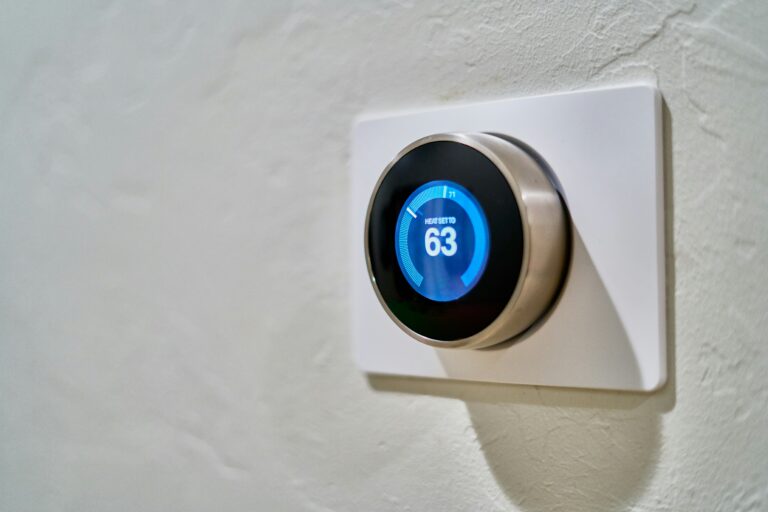
A thermostat goes bad when any link in the low-voltage chain between the wall device and the HVAC system breaks, whether the failure traces to a tired bimetallic coil, a pitted mercury switch, a corroded wire nut, or a firmware update that confuses the schedule. A blank screen, a system that won’t kick on, or a furnace that short-cycles every few minutes all point back to the same small control point on your wall.
You’ll find seven failure modes below, each tied to the symptom it produces and the diagnostic step that separates a bad thermostat from a bad furnace. The aim is to help you spend less on misdiagnosed service calls and more on the actual fix.
Thermostat Failure Starts With How the Device Works
Every thermostat, whether it costs $15 or $300, is a translator. It reads the air temperature in one spot, compares that reading to a setpoint you dial in, and then sends a low-voltage signal to the furnace, air conditioner, or heat pump telling the equipment what to do. Three different designs have handled that translation over the decades, and each one fails in its own way.
Mechanical Thermostats and Their Physical Limits
Older Honeywell and White-Rodgers models rely on a bimetallic strip, two metals bonded together that bend slightly as the room warms or cools. That bending motion tips a mercury switch, completing the 24-volt circuit that fires the furnace. Simple, but every bend is a tiny mechanical workout. After roughly 10 to 15 years, the strip loses its snap and the switch starts missing the mark by a degree or two.
Digital and Smart Models and Their Hidden Complexity
Digital programmable thermostats replaced the mercury switch with a thermistor, a resistor whose value changes with temperature, plus a circuit board that decides when to call for heat. Smart thermostats from Nest, Ecobee, and Honeywell add Wi-Fi radios, firmware, and learning software on top of that same basic hardware. More features mean more things that can stop working, even if the original temperature sensor is perfectly fine.
Aging Components and Normal Wear Over Time
Time alone is enough to kill a thermostat. None of the parts inside are designed to last forever, and the failure usually starts long before the device stops responding at all.
Mercury switches were standard in American homes from the 1960s through the early 2000s. The bead of mercury inside oxidizes over decades, and the contact surfaces pit from repeated arcing. Once the contacts stop making clean connections, the thermostat begins to “chatter,” rapidly clicking the furnace on and off in a pattern technicians call short cycling.
Where Aging Shows Up First
Bimetallic strips in mechanical units lose spring tension after years of expansion and contraction, drifting off calibration by 2 to 4 degrees. Solder joints on digital circuit boards develop microfractures from thermal cycling, the daily stress of heating up while the furnace runs and cooling down when it stops. Even the display on a programmable model can dim, and the buttons lose their tactile click long before the unit gives up entirely. Most non-smart thermostats reach the end of reliable service between 10 and 20 years.
Once those moving parts wear out, the failure often moves deeper into the electrical system itself.
Power, Wiring, and Battery Problems Behind Sudden Failure
Sudden thermostat failure is almost always a power problem, not a sensor problem. The wall unit is a delicate low-voltage device, and any disruption in its electrical supply looks exactly like a dead thermostat.
Warning: A blank thermostat display during a heating outage is the single most common winter service call. Before assuming the furnace is bad, check the power first. It costs you nothing and often solves the problem in under five minutes.
Dead or weak batteries cause wireless thermostats to lose calibration or shut off without warning, often right after a cold night drains the last charge. Corroded wire terminals at the wall plate interrupt the 24-volt signal between the thermostat and the air handler, mimicking a complete system failure. A loose connection behind the plate creates the most frustrating symptom of all: the system works in the morning, stops at lunch, and runs again by dinner.
Surge Damage and Voltage Spikes
Power surges from summer thunderstorms or grid fluctuations can fry thermostat circuitry in a single spike, leaving a digital display dark even when the transformer still delivers power. Whole-home surge protectors help, but the thermostat’s own internal fuse or varistor is the last line of defense, and it rarely survives a direct lightning hit on nearby lines.
Sensor Drift, Calibration Loss, and Inaccurate Readings
A thermostat can be technically alive and still be lying to you about the room temperature. Sensor drift is the slow, quiet failure mode that drives up energy bills and frustrates homeowners who keep adjusting the setpoint without relief.
| Drift Source | Typical Reading Error | Speed of Onset |
|---|---|---|
| Aging thermistor | 2 to 5 degrees off | Gradual, over years |
| Dust on sensor housing | 1 to 3 degrees off | Gradual, over months |
| Direct sunlight on unit | 5 to 10 degrees high | Daily, at peak hours |
| Heat from nearby lamp or TV | 3 to 7 degrees high | Within minutes of use |
| Humidity corrosion on contacts | Intermittent, erratic | Sudden, during wet seasons |
Place a separate thermometer on the same wall, three feet from the thermostat, and let it sit for ten minutes. If the two readings differ by more than 2 degrees, the thermostat’s internal temperature sensor is drifting. Dust buildup on or near the sensor acts like a tiny insulating blanket, skewing measurements without anyone noticing. Heat exposure from a nearby appliance accelerates that drift, and humidity corrodes the sensor’s contact surfaces over time.
How to Spot a Calibration Problem Early
Higher-than-normal energy bills without a change in your routine are the classic early warning. The furnace runs longer than it should because the thermostat thinks the house is colder than it actually is. Recalibration helps on some digital models, but most residential thermostats are factory-sealed, meaning replacement is the only real fix once drift exceeds a usable range.
When sealed hardware can’t be recalibrated, swapping it for a smarter model introduces its own set of failure modes.
Smart Thermostat Glitches Unique to Connected Models
Smart thermostats introduce a new category of failure that no mechanical device ever faced: software problems. The hardware might be perfectly fine while the firmware misbehaves.
Software and Firmware Trouble Spots
Firmware bugs can cause scheduled setbacks to fail or system modes to stick, leaving the heat running all night even though the schedule says it should drop at 11 p.m. Wi-Fi dropouts leave the thermostat operating locally but cut off remote access and learning features, so your phone app shows “offline” while the wall unit still works. Software updates occasionally reset factory calibration, producing temperature mismatches until the device relearns the home’s heating pattern. Compatibility issues between newer smart thermostats and older Carrier or Trane control boards produce cryptic error codes and no operation at all, a common complaint when homeowners swap a 2010-era programmable for a current smart model without checking the C-wire.
Expert tip: If your smart thermostat behaves oddly right after an update, a 30-second power cycle (remove from wall, wait, reattach) clears most post-update glitches. The device reboots into a clean state and re-pulls its schedule from the cloud.
Connectivity and Compatibility Issues
The single most overlooked cause of smart thermostat headaches is the common wire, usually labeled “C” on the terminal block. Older HVAC systems don’t always run a C-wire to the wall, and the smart unit needs that constant 24-volt return to power its Wi-Fi radio. Without it, the device may install fine and then slowly drain phantom power until the furnace stops getting a clean signal.
Distinguishing Thermostat Failure From HVAC System Problems
Knowing how thermostats go bad is only half the battle. The other half is making sure you don’t replace a working thermostat while the actual furnace or air conditioner is the real culprit.
A Five-Step Diagnostic Checklist
- Check the reading: Compare the thermostat’s display to a separate thermometer placed nearby for ten minutes. A gap over 2 degrees points at the thermostat.
- Force a call: Set the thermostat 10 degrees above room temperature. If the furnace kicks on, the thermostat is sending a signal.
- Watch the display: Error codes, a blank screen, or buttons that don’t respond are thermostat problems, not furnace problems.
- Listen to the equipment: No activation sound at the indoor unit when the thermostat calls means the signal isn’t getting through.
- Check the breakers: A tripped breaker at the electrical panel can mimic a dead thermostat. Reset it before assuming the worst.
When the diagnostic checklist points at the control device rather than the equipment it commands, recalibration, cleaning, or thermostat replacement becomes the next step. Most HVAC technicians charge $75 to $150 just to walk through the door, so running this checklist yourself can save the cost of a misdiagnosed service call.
When to Repair and When to Replace
Repair makes sense for two scenarios: a battery swap on a wireless unit, or a deep clean of the interior contacts on a mechanical model. Beyond that, replacement is usually the smarter move. A new Honeywell or White-Rodgers programmable runs $30 to $60 and installs in under 30 minutes with a screwdriver and a voltage tester. A mid-range Ecobee or Nest lands between $150 and $250 and pays back the cost in energy savings within two to three heating seasons for most households.
If your thermostat sits in a humid bathroom, gets direct afternoon sun, or is more than 15 years old, replacement beats repair every time. The American Society of Heating, Refrigerating and Air-Conditioning Engineers recommends recalibrating or replacing residential thermostats every 10 years as part of routine HVAC maintenance, a small step that prevents the slow drift that drives up monthly bills.
Bottom Line
A thermostat fails when one link in its signal chain breaks, whether that’s a tired bimetallic strip, a corroded wire, a drifted sensor, or a buggy firmware update. Run the five-step diagnostic before calling a technician, and you can usually tell whether the wall unit or the equipment behind it is the real problem. Replacing an old or unreliable thermostat is one of the cheapest HVAC upgrades available, and the energy savings often show up on the very next bill.
FAQ
What causes a thermostat to stop working?
The most common causes are dead batteries, corroded wiring at the wall plate, sensor drift from age, and power surges that fry internal circuitry. Mechanical units also fail when their bimetallic strips lose spring tension or mercury switches pit from years of arcing.
How long do thermostats typically last?
Mechanical thermostats last 10 to 20 years, while digital programmable models average 10 to 15 years. Smart thermostats can run longer, but their software becomes unsupported by the manufacturer after about 7 to 10 years, which is when most people replace them.
Can a bad thermostat cause higher energy bills?
Yes. A thermostat that reads 4 degrees low will keep the furnace running long after the house is warm, raising heating costs 10 to 20 percent in winter. The same drift in summer drives up cooling costs on a heat pump or central air system.
How do I know if my home thermostat is broken?
Compare the thermostat reading to a separate thermometer on the same wall. A gap of more than 2 degrees, a blank display, unresponsive buttons, or a system that won’t kick on when you raise the setpoint are all strong signs the thermostat is bad rather than the HVAC system.
Is it worth replacing an old thermostat?
For any unit over 10 years old, replacement is almost always worth it. A new programmable or smart thermostat costs $30 to $250, installs in under an hour, and cuts heating and cooling bills by 5 to 15 percent through tighter temperature control and better scheduling.
How much does it cost to replace a thermostat?
The thermostat itself runs $30 for a basic programmable up to $250 for a premium smart model like the Ecobee Smart Thermostat Premium. Professional installation adds $75 to $150 if you don’t want to handle the wiring yourself, though most homeowners can complete a swap in 20 to 30 minutes with a screwdriver and a voltage tester.